Zipper Terminology Glossary
Zipper uses some specific terms that may differ from other software you've used. This glossary covers the most important terms to know.
Note: Your studio may show different words if you’ve enabled custom terminology (see “Hot Words” at the end). The meaning is the same — only the label differs.
Booking Credit
A single-use credit entitling a member to attend one class, event, or appointment. Booking Credits are the unit inside a Booking Credits bundle. When a member cancels within the allowed window, their Booking Credit is returned.
Also called: Credit, Booking Credits Credit
Booking Credits
A purchased bundle of Booking Credits — e.g., a “10-class booking credits” gives 10 credits to use across eligible classes or appointments. Each use deducts one credit. Booking credit groups can be Limited or Unlimited, with expiry and restrictions on the classes or appointment types they cover.
Also called: Class Pack, Credit Pack, Booking Pack (varies by studio)
Subscription (Membership)
A recurring billing product that charges a member automatically on a set schedule (weekly, monthly, annually). Can grant unlimited access to certain class types, a set number of Booking Credits per billing period (expiring at period end), or discounted drop-in pricing. Renews automatically through Stripe until canceled.
Also called: Membership, Monthly Plan, Unlimited Plan
Drop-In
A single one-time payment for one class, event, or appointment — no recurring commitment.
Activity
An individual scheduled session of a recurring class or event series. If “Yoga” is your class type, each specific Tuesday at 9am is an Activity. Members register for Activities (specific sessions), not for the class type itself.
Appointment Type
The template defining a one-on-one appointment — its name, duration, price, instructor, waiver requirements, cancellation policy, and booking window. Studio owners create appointment types once; members then schedule individual appointments against them.
Example: “60-Minute Personal Training” is an appointment type. John’s booking for 2pm Thursday is the appointment.
Registration
A member’s confirmed spot in a class or event activity. Statuses can include active, waitlist, canceled, or no-show. For one-on-one appointments, the equivalent is called an “Appointment.”
Waitlist
When a class is full, members join the Waitlist. When auto-enrollment is enabled and its promotion window is open, an available spot can go to the first eligible person on the waitlist. Waitlisted members are never charged a late cancellation fee — their Booking Credit is always returned when they leave the waitlist.
Payment Collector
The admin tool for charging customers for unpaid appointments, unpaid registrations, and failed payments. Find it at: Payments > Payment Collector.
Onboarding Phase
During setup, your Zipper account progresses through four phases:
- Account Setup — Stripe connected, email verified, payment gateway active
- Data & Website — Member data imported, domain connected, DNS validated
- Go-Live Prep — Google Business Profile connected, newsletter list uploaded
- Launch — Go-live date confirmed
Hot Words (Custom Terminology)
Zipper lets studios customize key terms to match their brand language — e.g., “Class” → “Group Session”, “Appointment” → “Consultation”, “Provider” → “Coach”. Custom terms appear throughout the customer app, confirmation emails, and SMS messages. This help center uses the default Zipper terms.
Change the Words Your Studio Uses
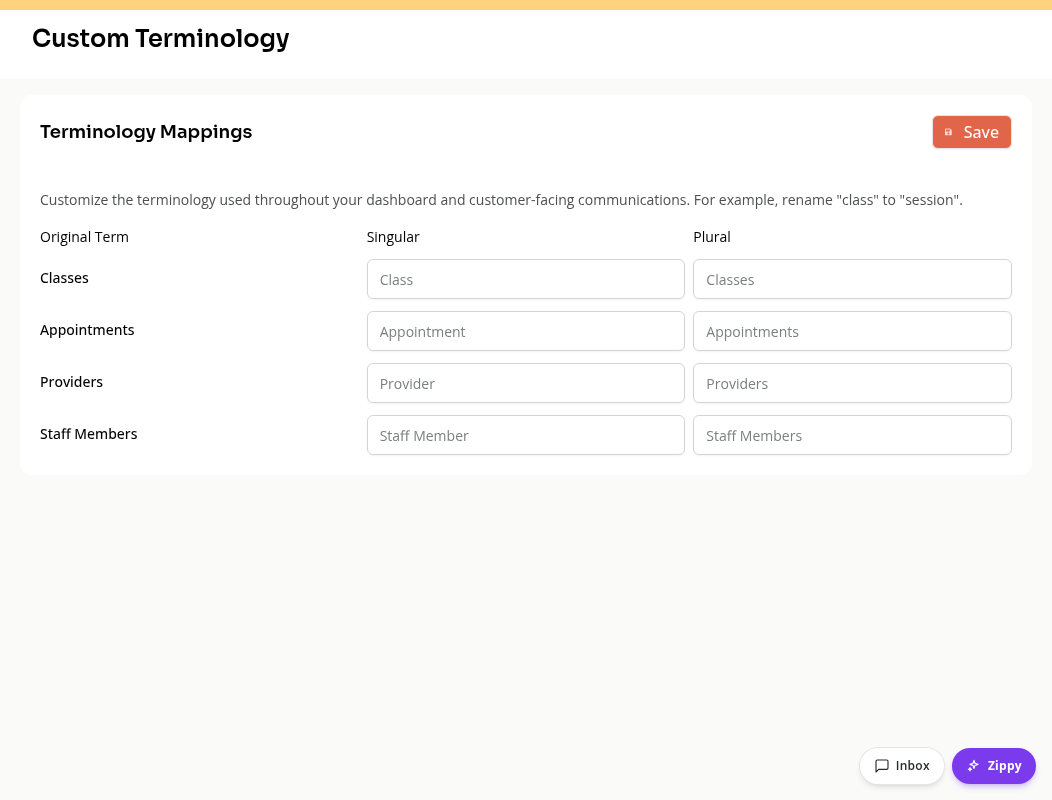
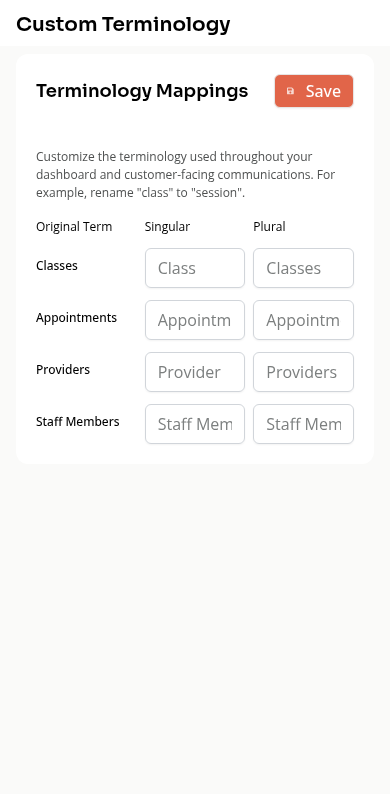
Open Settings > Custom Terminology. You need permission to manage organization settings. The page has separate Singular and Plural fields for these rows:
| Row | Default singular | Default plural |
|---|---|---|
| Classes | Class | Classes |
| Appointments | Appointment | Appointments |
| Providers | Provider | Providers |
| Staff Members | Staff Member | Staff Members |
For example, enter Coach and Coaches in the Providers row. Set both forms so single-person labels and lists read correctly. Each field accepts up to 50 characters. Leave a field blank to use its default word again.
Click Save. Wait for Terminology saved before expecting the changed words to appear. If saving fails, correct the issue and try again; a failed save does not apply the new mappings.
Quick Reference Table
| Term | What it means |
|---|---|
| Booking Credit | Single-use credit for one class or appointment |
| Booking Credits | Bundle of Booking Credits |
| Subscription | Recurring billing membership |
| Drop-In | One-time single-session payment |
| Activity | A specific scheduled session of a class series |
| Appointment Type | Template defining a one-on-one service |
| Registration | A confirmed spot in a class or event |
| Waitlist | Queue for full classes — auto-promoted when space opens |
| Payment Collector | Admin tool for charging unpaid sessions/fees |
| Hot Words | Custom terminology configured by your studio |
How Credits, Booking Credits, and Subscriptions Work Together
The three terms above — Booking Credit, Booking Credits, and Subscription — are Zipper’s building blocks for class and appointment access. Here’s how they interact in practice.
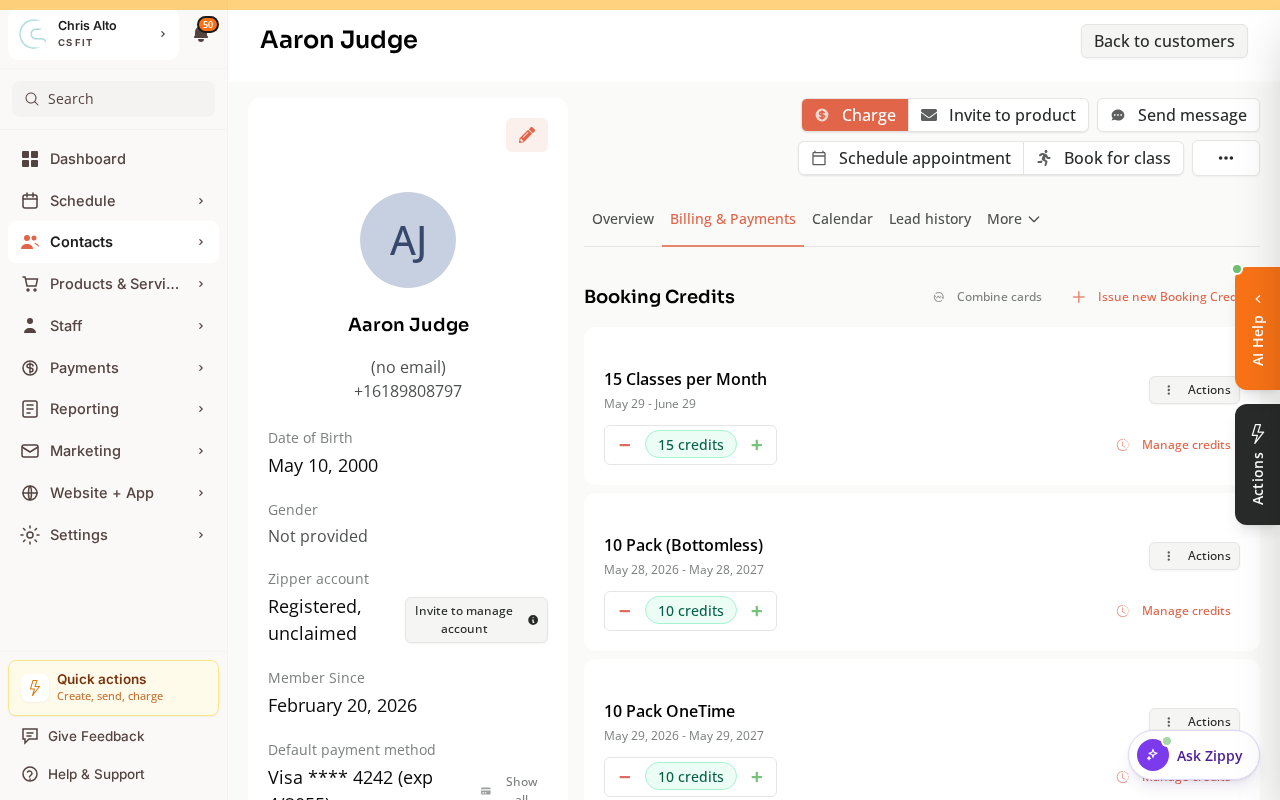
You can see all three on a customer’s Billing & Payments tab: their subscriptions and punch cards, each with its remaining Booking Credits.
The Three Building Blocks
Booking Credit
A Booking Credit is one “use” — it unlocks access to a single class, event, or appointment. Credits come from two sources:
- Booking Credits — bought as a fixed bundle upfront
- Subscriptions — auto-issued at the start of each billing period
Booking Credits
A booking credits is a bundle of Booking Credits purchased as a one-time product. Examples:
- “5-class pack” → 5 Booking Credits
- “10-session booking credits” → 10 Booking Credits
Key characteristics:
- A one-time pack can expire after a set number of days, never expire, or start its expiry clock at the first attended class. Check the pack’s settings; an expired credit cannot be used.
- The system automatically uses the credits expiring soonest to minimize waste
- Can be restricted to specific class types or appointment types
Subscription (Membership)
A subscription is a recurring billing product. A subscription can grant:
- Unlimited access — no credit deducted per class; member can attend as many eligible sessions as they want
- Credits per period — a fixed number of Booking Credits issued at each renewal (e.g., 4 credits/month)
- Drop-in discounts — reduced drop-in price for subscribers
Subscription credits expire at the end of the billing period — they do not carry over to the next period.
How They Work at Checkout
Members can have booking credits, a subscription, or both. At checkout, Zipper shows all payment options the member is eligible for:
| Option shown at checkout | When it appears |
|---|---|
| Use Booking Credit (booking credits) | Member has valid booking credits for this booking type |
| Use Booking Credit (subscription) | Member has subscription credits valid this period for this booking type |
| Unlimited (subscription) | Member has an active unlimited subscription for this class/appointment |
| Pay drop-in price | When a paid drop-in option is available to this customer |
Review the selected payment option before confirming. Zipper can preselect the first available option, which may be a booking credit. A preselected option is not a completed booking.
Admin override: Staff can manually apply a credit in the Payment Collector when charging an unpaid booking.
Which Credit Gets Used First?
When a member has credits from multiple booking credits, the system automatically selects the one expiring soonest — to reduce waste.
Example:
- Booking Credits A: 3 credits, expires June 30
- Booking Credits B: 5 credits, expires September 30
Booking a class today → Booking Credits A’s credit is used first.
Booking Credits vs. Subscription Credits
| Booking Credits | Subscription Credits | |
|---|---|---|
| How issued | One-time purchase | Auto-issued at each billing renewal |
| Expiration | Product’s one-time expiry rule, which may be never or based on first attendance | End of the billing period |
| Rollover? | No | No |
| Can coexist? | Yes — a member can have both | Yes |
Booking Ahead (Book-Ahead)
Some subscriptions let members book into the next billing period before it starts. This is called Book-Ahead:
- Eligible memberships can reserve pending credits for the next billing period before renewal is paid. These are different from paid current-period credits.
- A successful renewal activates the future-period credits.
- A failed renewal can put related bookings into a grace period and may lead to cancellation. See Booking Credits and All Access Explained.
What Happens When a Member Cancels
| Timing | What happens to the credit |
|---|---|
| Within the cancellation window | Credit returned automatically |
| Outside the cancellation window | Depends on the configured late-cancellation credit policy; inspect the cancellation result |
| Leaving a waitlist | Credit always returned |
Setting This Up
- Go to Products & Services > Manage Plans
- Click Create product and choose the appropriate category and One-time or Subscription product type.
- Set pricing and configure Booking Credits or All Access, including the eligible services. Review the remaining steps, then choose Create product.
Adding credits manually: Go to the member’s profile → Billing & Payments → Issue new Booking Credits.
Member says their credit wasn’t applied? Check: (1) credit exists and hasn’t expired, (2) credit is valid for that class/appointment type, (3) the selected checkout option is the intended credit. Do not assume a credit was used just because the customer owns it.
Need a hand?
Email our team at support@joinzipper.com and we'll usually reply within a few hours.
Was this article helpful?
Thanks for your feedback.