Keep the booking journey on your studio's website
Customizable embeds bring your schedule and booking checkout together, with more useful views and supported bank-account payment options.
Someone finds a class on your website. The next step should feel like part of that same visit, with the right class, price, and booking options carried through.
Zipper’s native booking embeds bring the schedule and checkout closer together. You can shape the widget for your site, show the relevant offerings, and give clients a more coherent route from browsing to booking.
Build around what people came to book
Open Website + App > Website Embeddings (Beta) to configure the available embed experience. Customize the relevant settings, review the preview, and use the embed or direct-link option that fits your website.
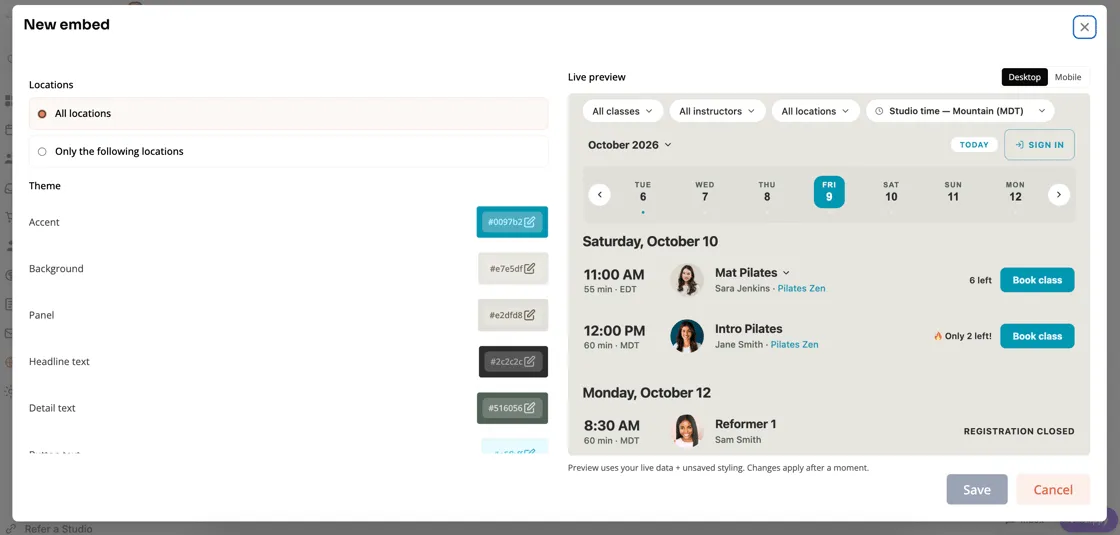
A general schedule, a specific type of service, and a product purchase are different jobs. Start with the one your page is trying to help someone complete, rather than presenting every possible option at once.
Choose a schedule view people can scan
The October updates add one-day-at-a-time and weekly list views to schedule embeds. Those give you more ways to present a busy timetable without asking a client to interpret the same layout in every situation.
Programs and standalone events can also be distinguished in the class embed, so someone can see when an offering is more than a normal weekly session.
Review your chosen view on a phone. The right desktop timetable is only useful if the day, time, and next step remain clear on a small screen.
Keep checkout grounded in the client’s actual options
The booking journey should show the choices that apply to the person and offering involved, including eligible credits and products. A family booking should not be interpreted as though every seat belongs to the same account holder.
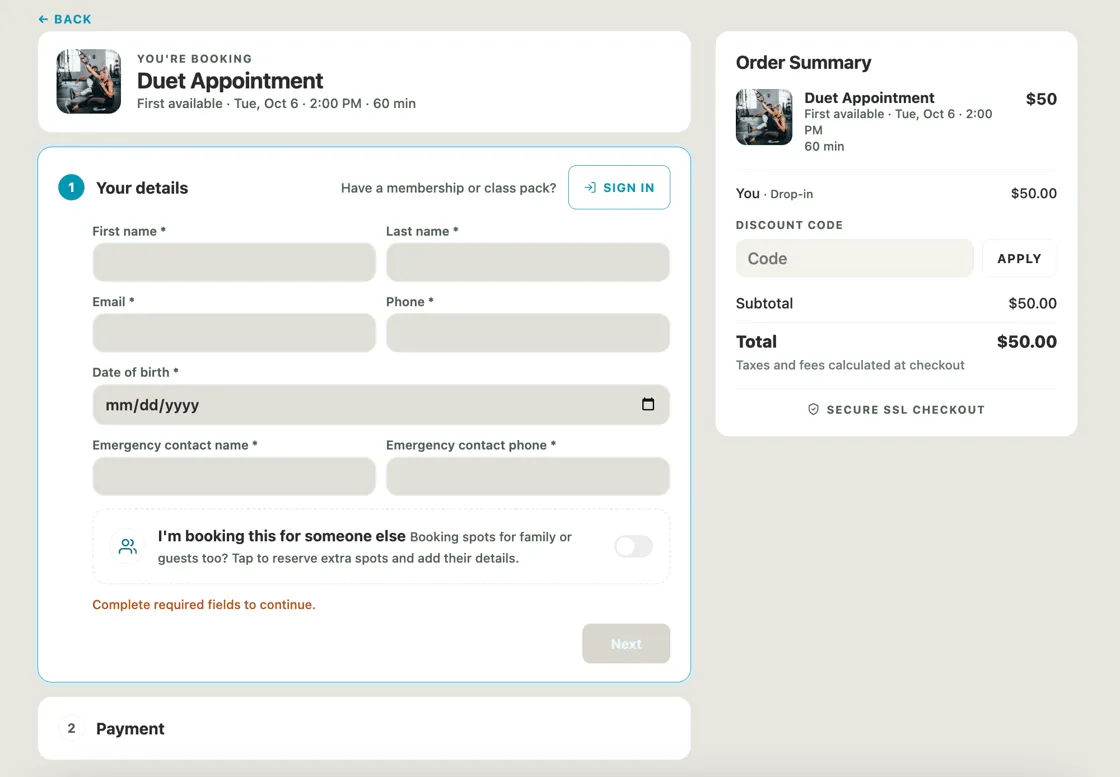
The release period includes improvements to family access, waiver handling, mobile card entry, payment choices, and recovery when a booking needs attention after payment. Supported native embeds also add bank-account setup and ACH payments; availability depends on the relevant payment setup.
Keep the surrounding page useful
An embed does not replace the rest of the website. Give a new visitor enough context about the class, who it suits, the location, and what to bring. Then let the booking controls handle the practical next step.
Our website builder and client booking app pages explain the wider experience. The October 6 announcement includes the original embed walkthrough and demo.
Check the full path before sharing it
Preview the intended service, a relevant customer or guest journey, the applicable price, and the mobile layout. After changing an embed, check the published website as well as the builder preview.
The goal is straightforward: help someone who wants a class complete the booking without losing the context that brought them there.
Read the September 28-October 12 release notes and October 12-26 view updates.