New in Zipper — 10/6
Customizable booking widgets, Claude and ChatGPT connected to your studio, Meta Lead Ads, Instagram and Facebook DMs in your inbox, staff payouts, and class buy-outs.
What’s new with Zipper
NEW: Improved booking widgets
Improve conversions with fully customizable booking flows for classes, events, appointments, and shop. No distracting account creation or linking out to another page required. Generate more bookings, in fewer clicks — all from your website.
- Navigate to Website + App > Website Embeddings (Beta)
- Customize every aspect of your booking widget
- Embed onto your site, or link out via a custom link
See a full 6 minute demo here.
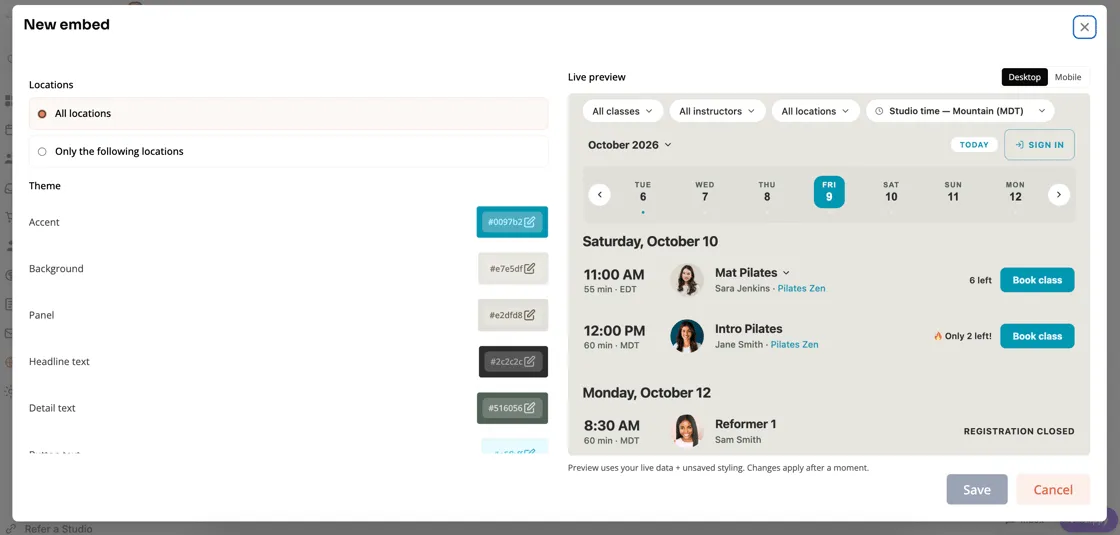
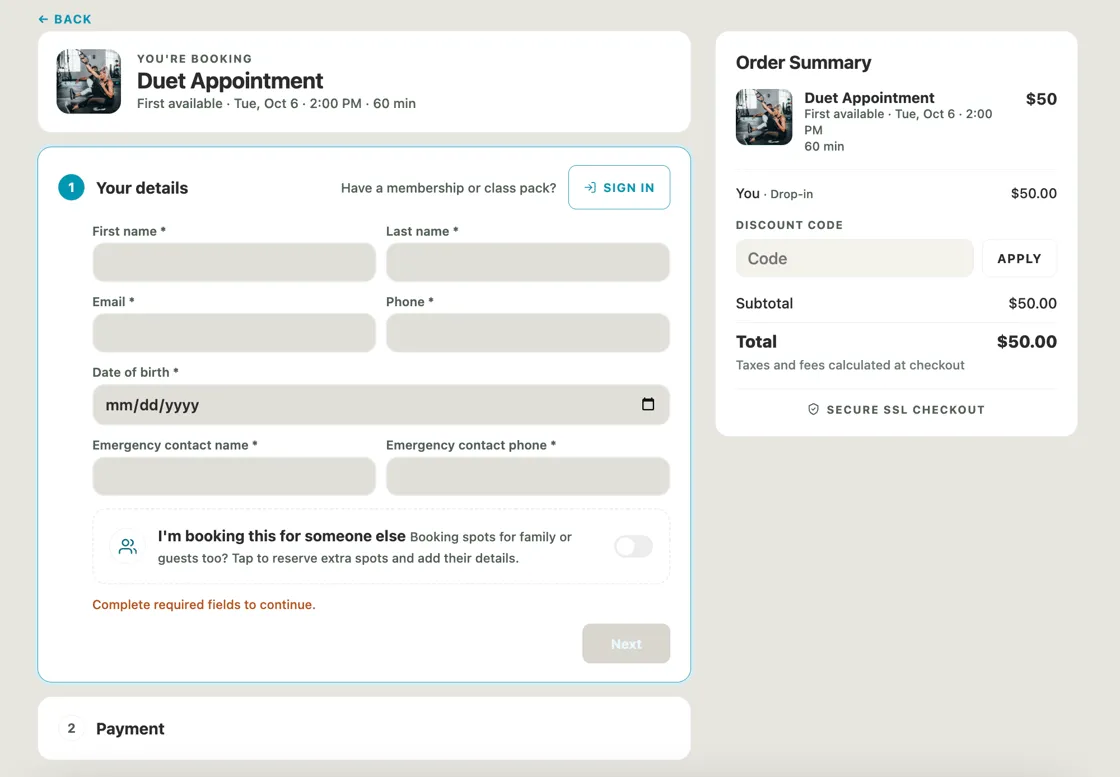
Fully customizable booking embeds for classes, events, appointments, and shop with an ecommerce checkout experience.
NEW: Zipper MCP — connect Claude or ChatGPT to your studio
Zipper now works with the AI assistant you already use. Connect Claude or ChatGPT to your Zipper account and ask questions about your business in plain English. It reads your real schedule, roster, appointments, and reports, so the answers are about your studio and aren’t generic advice.
Try asking:
- “Which members haven’t booked in 30 days and are at risk of canceling?”
- “How did class revenue this September compare to last September?”
- “Which Tuesday evening classes are under half full this month?”
When the assistant suggests a change, like creating a follow-up task or updating a client record, it asks for your approval first. Nothing happens in your account without your OK.
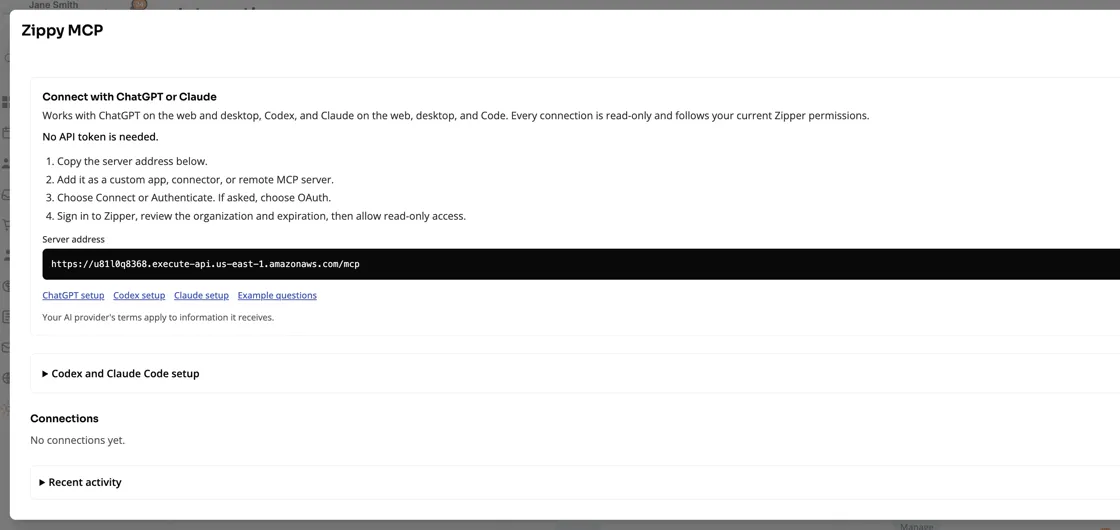
Connect MCP from Settings > Integration > MCP.
NEW: Meta Ads integration
Connect Meta Instant Forms directly to Zipper. Automatically create leads and trigger automations off of instant lead forms. Convert more Meta leads while you’re teaching.
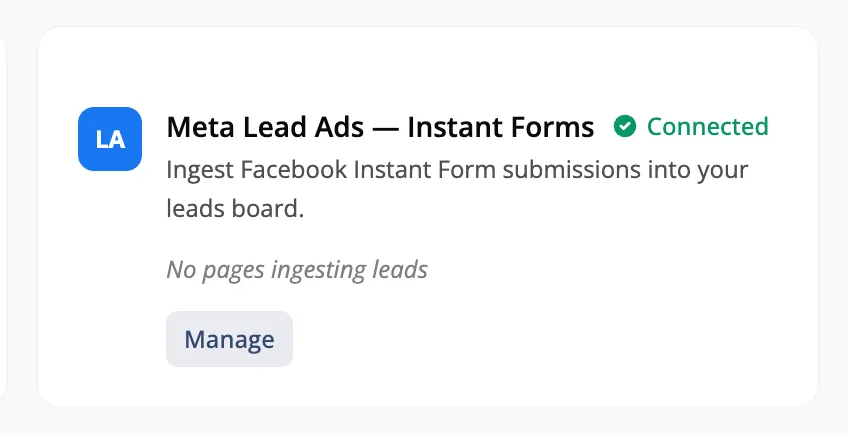
Connect Instant Forms from Settings > Integrations > Instant Forms. Instant forms automatically create a lead in the first stage of your lead pipeline, which can then trigger immediate SMS and emails.
IMPROVED: Unified Inbox — Instagram and Facebook DMs, plus AI drafts
Your inbox now brings Instagram and Facebook Messenger conversations into the same place as your email and texts. Every conversation sits next to the client’s profile, bookings, and purchase history.
- Instagram and Facebook DMs show up alongside email and SMS, so no message waits in an app you forgot to check.
- AI drafts write a reply for you using your schedule, pricing, and studio policies. You review it, edit it if needed, and hit send.
- A cleaner two-pane layout lets you work through conversations faster.
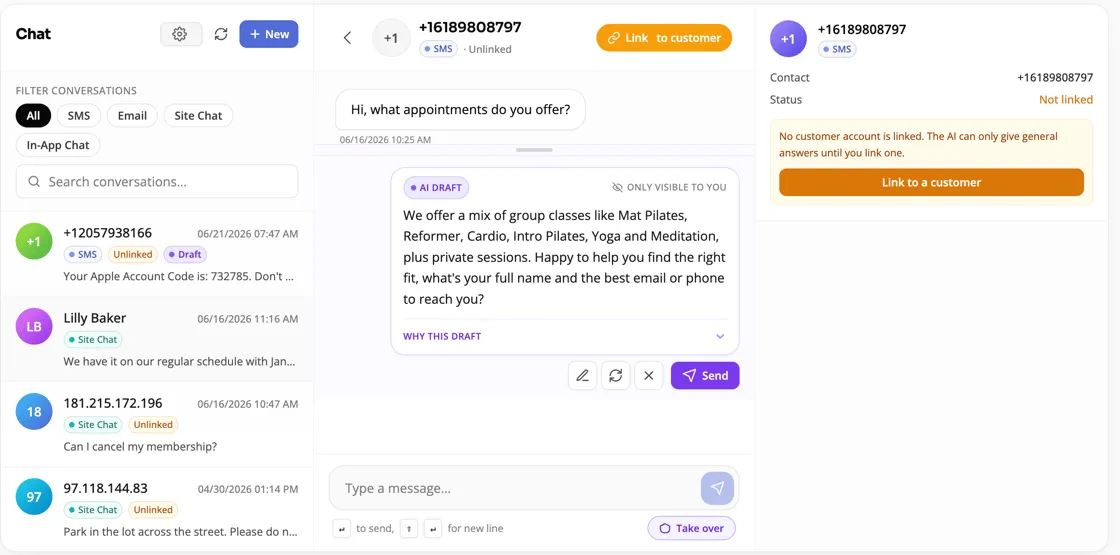
Connect Facebook and Instagram from Settings > Integrations. Set up the AI-assisted front desk from Settings > AI Agent.
NEW: My Payouts — staff can check their pay anytime
Instructors and staff now have their own payouts view. They can review each payout and see the classes and appointments behind it. They can confirm what they’re owed themselves, and you spend less time answering “how was this calculated?” every pay period.
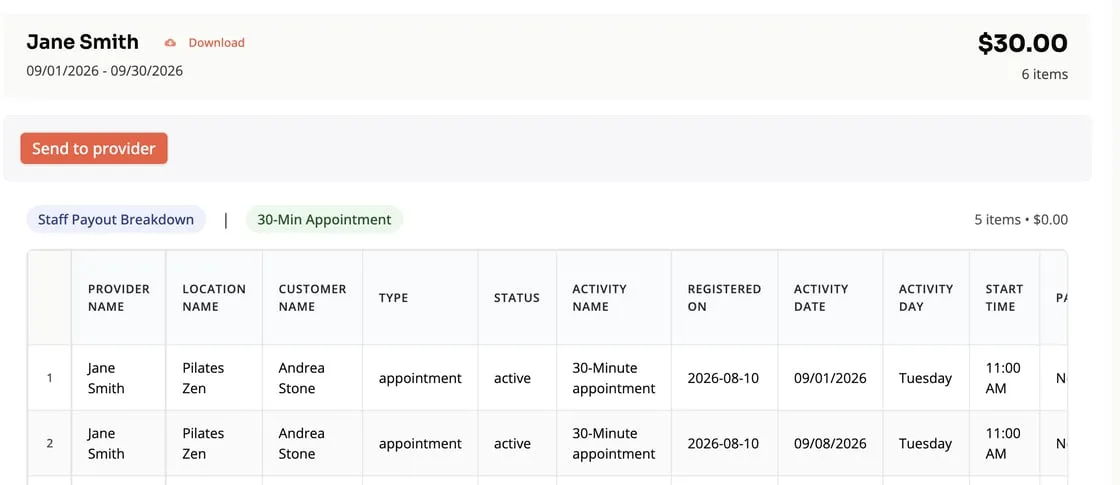
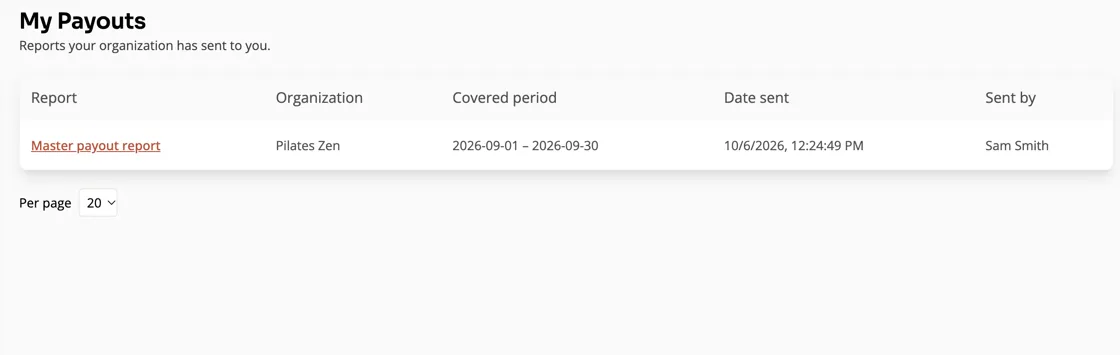
Go to Reports > Master Payroll Report > Send to Provider. They’ll see it in the My Payouts tab.
NEW: Class/Session Buy-Outs
Let a client book an entire class for a private group, like a birthday or a team event. You set the buy-out price, and the option shows up on your public schedule and in the client’s account. Once a class is bought out, it closes to other bookings automatically. Buy-outs also work for appointment-style private sessions.
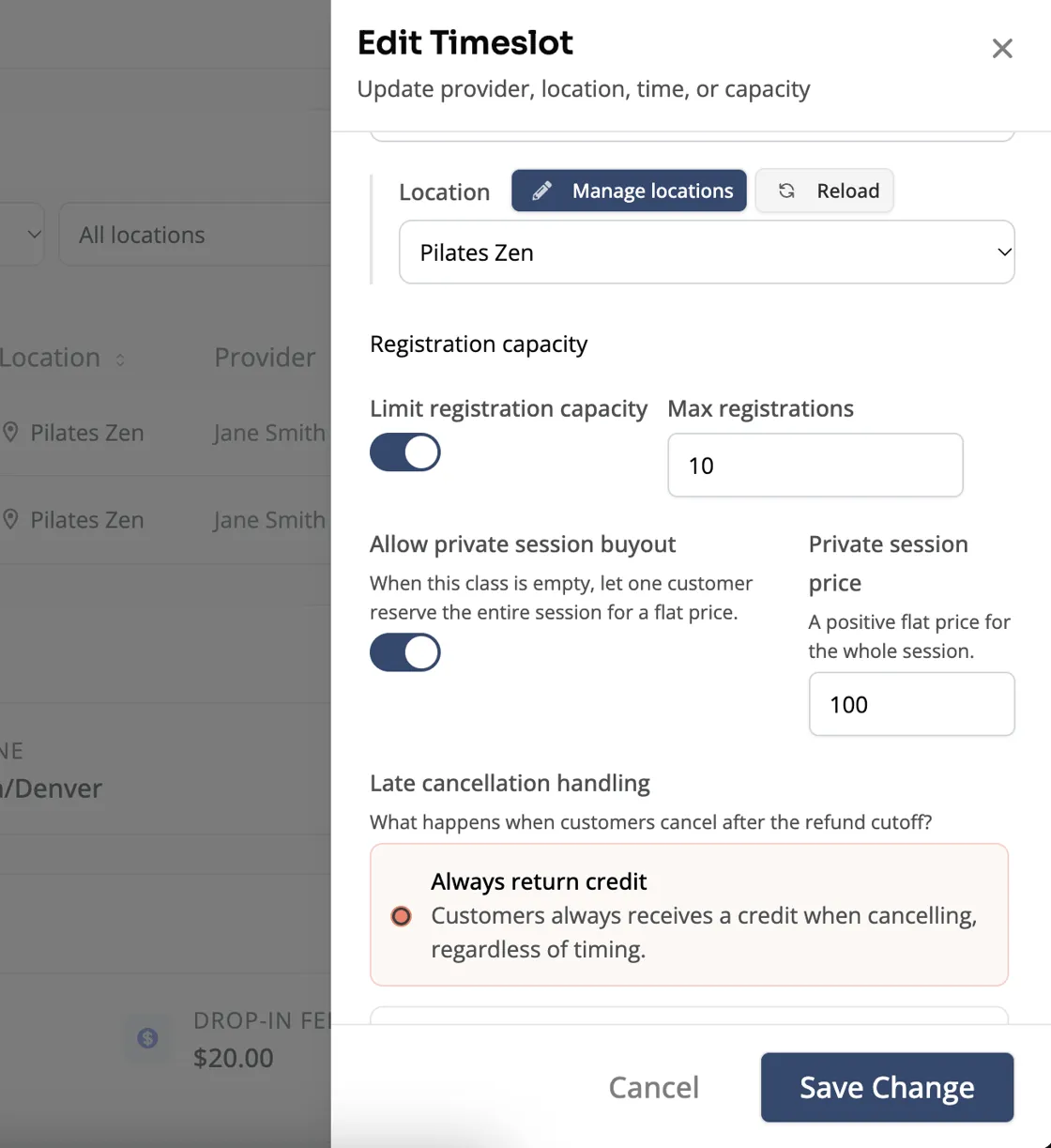
Navigate to a timeslot > Edit > Allow private session buyout > Set Price.
IMPROVED: Smaller updates you’ll notice
- Customize class registration columns: Choose which details appear on a class’s registration list and in what order, so check-in shows the information your team actually needs. Open a class registration page > click Columns > add or remove columns to customize your view.
- Easier credit management: See each client’s credits more clearly, including what they cover and when they expire. Adjusting start/end dates or adding a credit when plans change is also simpler.
- More app customization: Add custom messages and more to your customer app from App settings.
Questions?
Our support team is ready to help you make the most of these new features. Reach out through your dashboard, or request a demo to see how Zipper can power your business.
The Zipper Team