Studio reporting that explains the number behind the number
Start with your studio's big picture, then open the detail behind revenue, memberships, attendance, and the work that needs attention.
A dashboard tells you revenue is up. Your bank balance tells a different story. And an instructor wants to know whether the Thursday evening class is worth keeping.
Those are different questions. A useful reporting workspace should help you answer each one and show where its answer came from.
Zipper’s rebuilt Reporting brings the overview and the working detail together, so you can move from a number to an explanation without starting your investigation again.
Start with what you want to know
The workspace has four destinations: Overview, Reports, Forecast, and Actions.
Overview helps you understand the current picture. Reports is where you investigate recorded activity. Forecast separates known scheduled values from modeled projections. Actions helps turn relevant findings into operational follow-up.
That separation matters. Collected revenue, scheduled subscription charges, and a modeled amount at risk should not look like interchangeable measures of money in the bank.
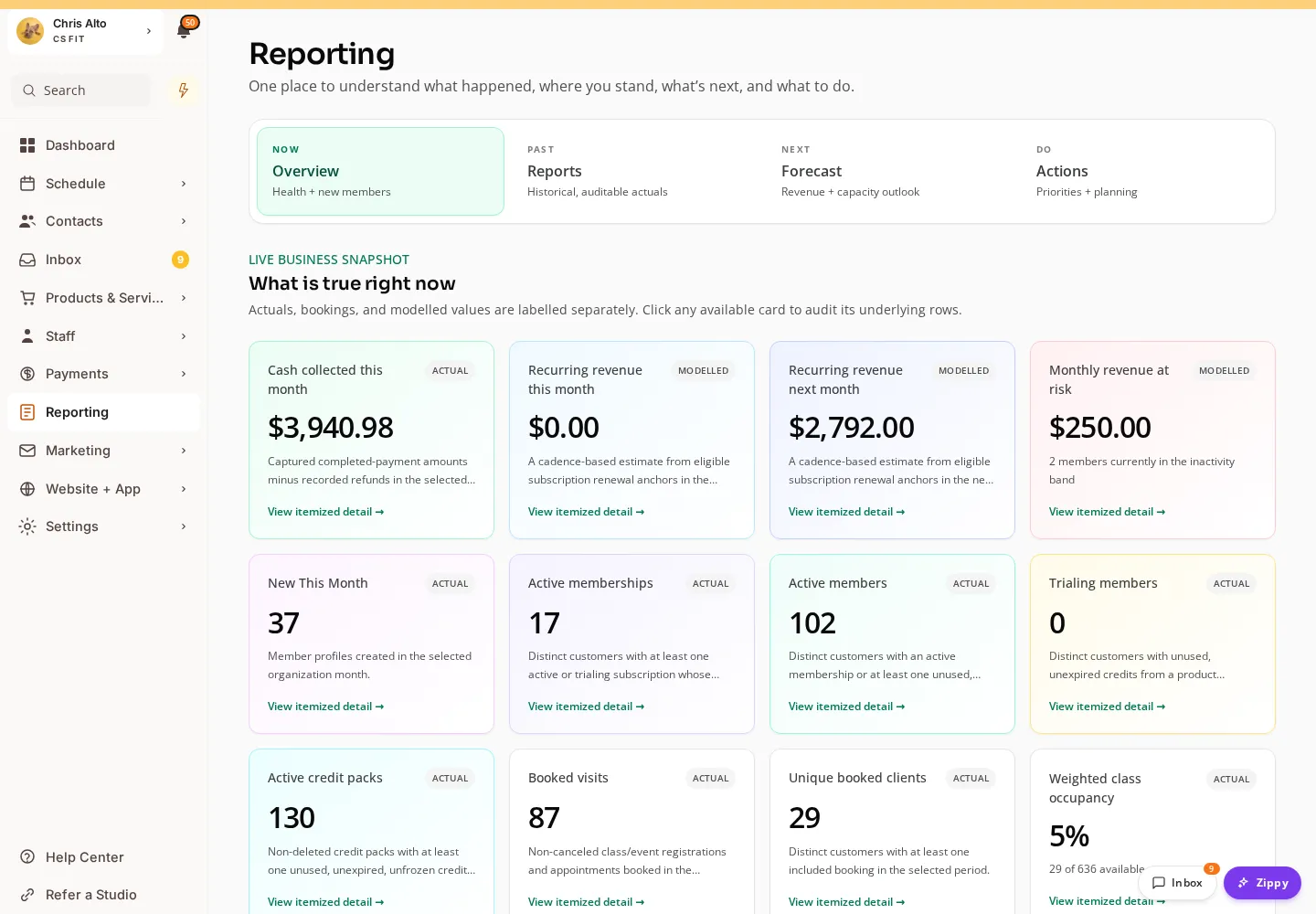
Current Reporting workspace in staging01, showing demonstration data.
Open the supporting detail
The most useful question after seeing a total is often “which transactions or people are included?”
Itemized-detail links let you inspect the records behind quantitative summaries. That gives you a way to investigate an unexpected figure rather than accepting a headline at face value. You can use the detail and report exports as part of your normal reconciliation work.
Consider a studio owner reviewing the month. They might first look at collected revenue, then investigate revenue by product, and finally check the attendance associated with a particular offering. Each step has a different purpose, but it belongs in the same working session.
Find the report you need again
The report picker is grouped around the business, and favorites keep useful reports close. Classes, programs, standalone events, and appointments have clearer distinctions, so a workshop does not have to be interpreted as an ordinary weekly class.
The accompanying financial additions include revenue by product, refunds, sales tax, processing fees, and attendance with revenue. Later attendance breakdowns and summaries add another way to move between individual visits and the larger pattern.
Access still follows staff permissions. A convenient overview does not give every team member permission to see financial details.
Make reporting a small, regular habit
Start with one question you already ask every week: which classes are filling, what was collected, or which clients need attention. Open the relevant detail, check the period, and save the reports you expect to use again.
That is a more useful routine than opening every chart and hoping a decision appears.
Read the reporting Help Center guide, or see the full September 1-14 update.