Marketing Copilot, rebuilt around the content you want to post
Write a useful blog, promote next week's schedule, or introduce an instructor with Zippy, then review and approve what goes live.
Sometimes you need a blog explaining your intro offer. Sometimes you need a post about next week’s schedule. Neither job should begin with building a campaign you do not actually need.
The rebuilt Marketing Copilot gives those jobs more direct homes: Blog and Social media. Zippy helps create the content, and you choose the version and timing you are ready to put in front of clients.
Begin with the post you have in mind
In Blog, choose Write with Zippy. Supply your own ideas or ask for topic suggestions, add directions about tone and length, and provide relevant reference material when useful.
You can work on several topics as a batch. Each result becomes something you can review, rather than an abstract campaign placeholder.
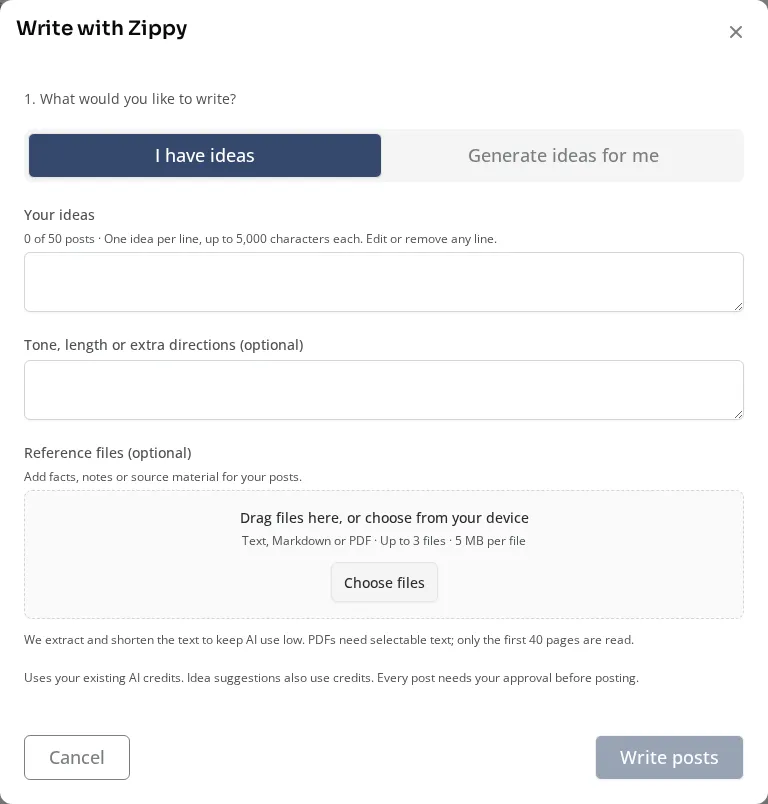
The current blog-writing panel, captured in staging01.
Give the assistant facts that make the piece specific to your studio: who the offering suits, how a first visit works, or the details a new client should know. Review the result against those facts before treating it as finished.
Create social posts from real studio context
Social media offers starting points for a schedule, an instructor spotlight, a class/event/program, or your own idea.
For a schedule post, choose a day, week, or month. The source is the eligible public schedule for that period, rather than just the rows currently visible on your calendar. You can also start from a calendar session when there is one particular offering you want to promote.
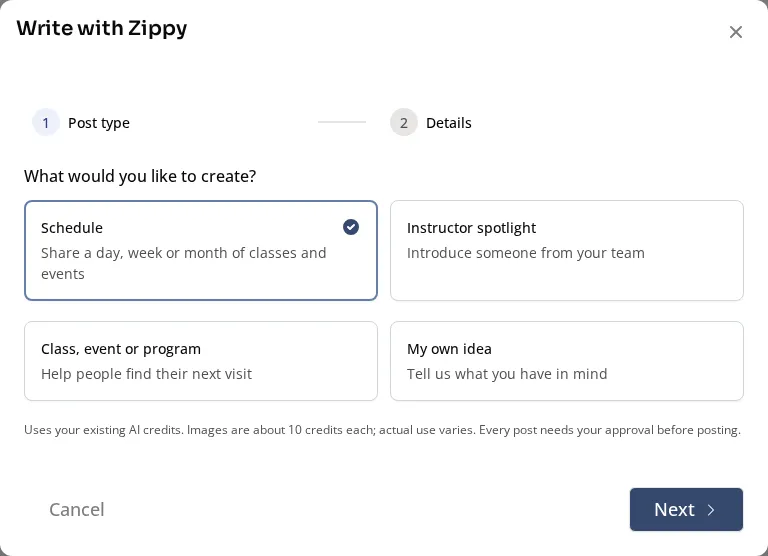
Current social-writing choices in staging01.
Instructor spotlights can use the staff member’s public biography. Review the generated image, caption, and important dates together, then select the connected publishing destinations available to your studio.
Keep the human review where it belongs
Generation does not publish the result. Review, improve, and approve the version you intend to use.
The authoring workflow includes rewrite and review help plus version history. Changing a previously approved scheduled version requires renewed approval. For an already published blog, a working revision does not silently replace the live article before you publish the change.
That lets you explore a better opening or correct an image without treating every experiment as a public update.
Choose the timing after the content is ready
Publish when appropriate or use the supported scheduling workflow for approved content. Review distributed dates for a batch rather than assuming every post should appear at once.
Scheduled social posts can pause when the facts they advertise change, giving you a chance to update and approve them. Check the actual posting outcome for each destination rather than assuming that creating a schedule means the post is already live.
The new workspaces carry forward existing content and replace the old campaign-oriented entry points. They use your organization’s existing AI-credit allowance; text, images, and image edits can consume credits, so review the allowance shown before generating a large batch.
Put one useful piece into motion
Choose an article a new client would genuinely benefit from, or one real class you want more people to discover. Give Zippy the relevant context, review the result, and decide when to publish it.
For ChatGPT and Claude connections, remember that external MCP access remains read-only. Authoring and approving marketing inside Zipper is a separate workflow.
Explore social media management, see the October 12-26 launch notes, and catch the October 26-30 follow-up.