What the Family Account Booking Experience Looks Like
Learn how to select a family member for a booking, review eligible shared payment options, and recognize family relationships in the CRM.
What the Family Account Booking Experience Looks Like
Family accounts keep a separate customer profile for each person. When booking for someone else, choose the intended attendee from the people available to the signed-in account.
For Customers: Booking for Yourself or a Family Member
When a parent or guardian logs in and goes to book:
- Select a class or appointment from the schedule.
- At the registration or scheduling step, choose the attendee when a person selector is shown. Class and event registration can say Who are you registering for?; appointment scheduling can say Who is this appointment for?. Your studio’s appointment wording may differ.
- Select yourself or the relevant linked person, then complete the booking.
The available people can include family members and guests. The selected person is the attendee; choosing a person does not automatically select a parent card or make every shared product eligible. Always check the attendee before confirming.
For appointment bookings with multiple time slots selected, the person selector cannot be changed at that step. Return to the scheduling experience to change the recipient.
What Parents Can See
When the studio enables the customer dashboard calendar, it can show separate sections for the customer’s own bookings, guest bookings, and child bookings. These are separate booking records; check the attendee on each one.
Payment
Review the payment options offered for the selected attendee. Eligible saved guardian cards can appear under the card owner’s name; select the card you intend to use before completing checkout.
Booking credits can belong to the attendee or be shared from an eligible guardian or sponsoring host. Sharing depends on the relationship, the family’s sharing setup, and the product’s family or guest sharing restrictions. Credits also need to be valid for the class and booking date. A family link alone does not make every membership or credit available to every member.
For Admins: How Family Accounts Look in the CRM
- Parent/guardian and each dependent have separate customer profiles.
- Open Contacts > Customers, select the customer, and look for the Family card. Choose View more in customer details if the card is hidden.
- The Family card shows Guardians and Dependents where applicable. Use Manage family to review the members and roles.
- A Guest relationship appears in the separate Guests card.
- Each family member has their own registration — check them in individually.
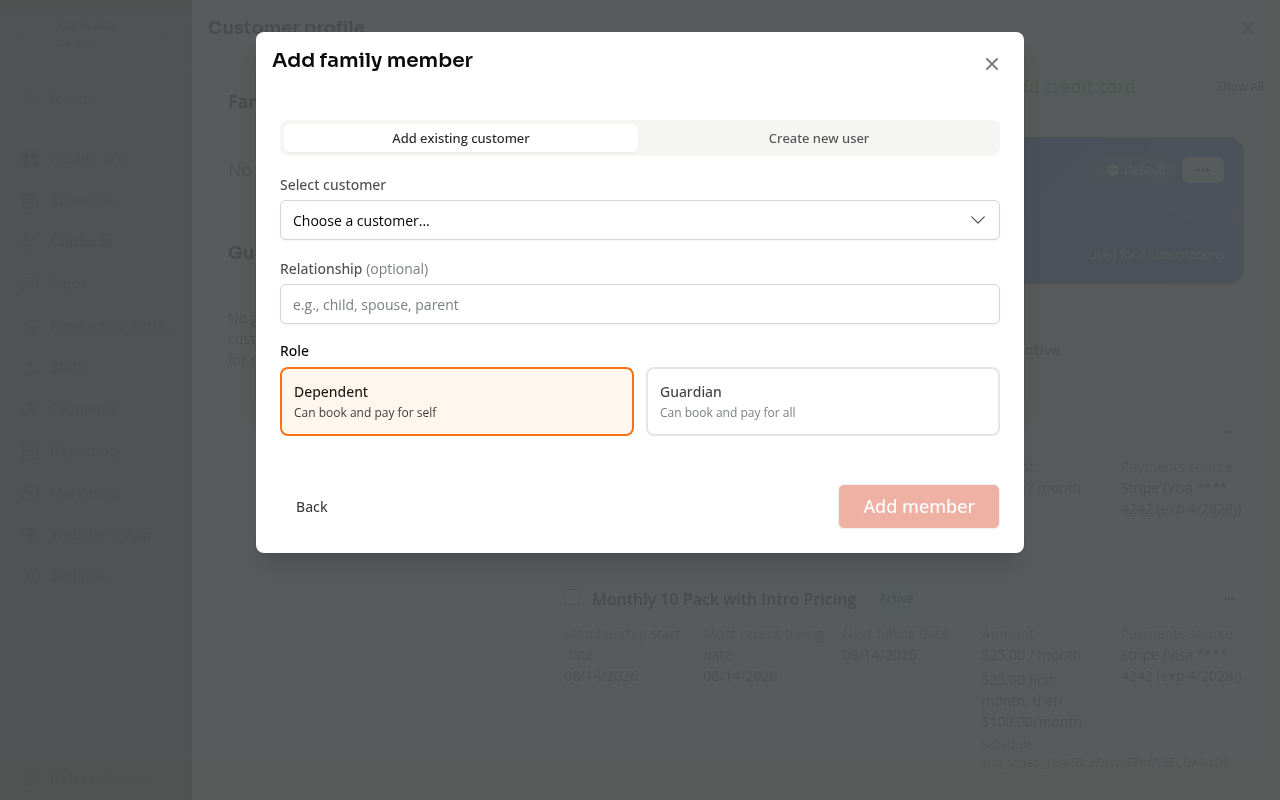
This staff setup form shows how the relationship is assigned. The customer booking step uses an attendee selector.
On Mobile
Check the selected attendee and payment option before confirming in the mobile booking flow. The arrangement of the selector and checkout can vary by booking page.
Tips
- Setting up relationships: See How to Add Guests to a Family Account for the separate guest and family setup steps.
- Separate subscriptions: Each family member can have their own membership. Whether another member can use it depends on the product’s sharing rules and eligibility shown at booking.
Troubleshooting
Dependent isn’t appearing in the attendee selector? Confirm the dependent is linked in the parent’s CRM profile under Family > Manage family, and that the parent is signed in to the correct studio account.
Parent’s payment method isn’t available for a child’s booking? Check the family relationship, payment-sharing setup, and saved cards for that studio. For booking credits, also check the product’s family-sharing restrictions and the validity of the credits.
Need a hand?
Email our team at support@joinzipper.com and we'll usually reply within a few hours.
Was this article helpful?
Thanks for your feedback.