Paying Instructors Through Zipper: What's Possible
Prepare and share staff payout reports, then handle the actual payroll payment separately.
Paying Instructors Through Zipper: What’s Possible
Zipper tracks staff earnings and prepares payout reports. You can send a staff member a saved report to review. Sending that report does not transfer money to their bank account.
Prepare the Numbers
Review each staff member’s pay settings and class or appointment assignments. For hourly work, check the recorded time entries.
Open Reporting > Past > Reports and choose the relevant staff payout report. Set the period and review its rows and totals.
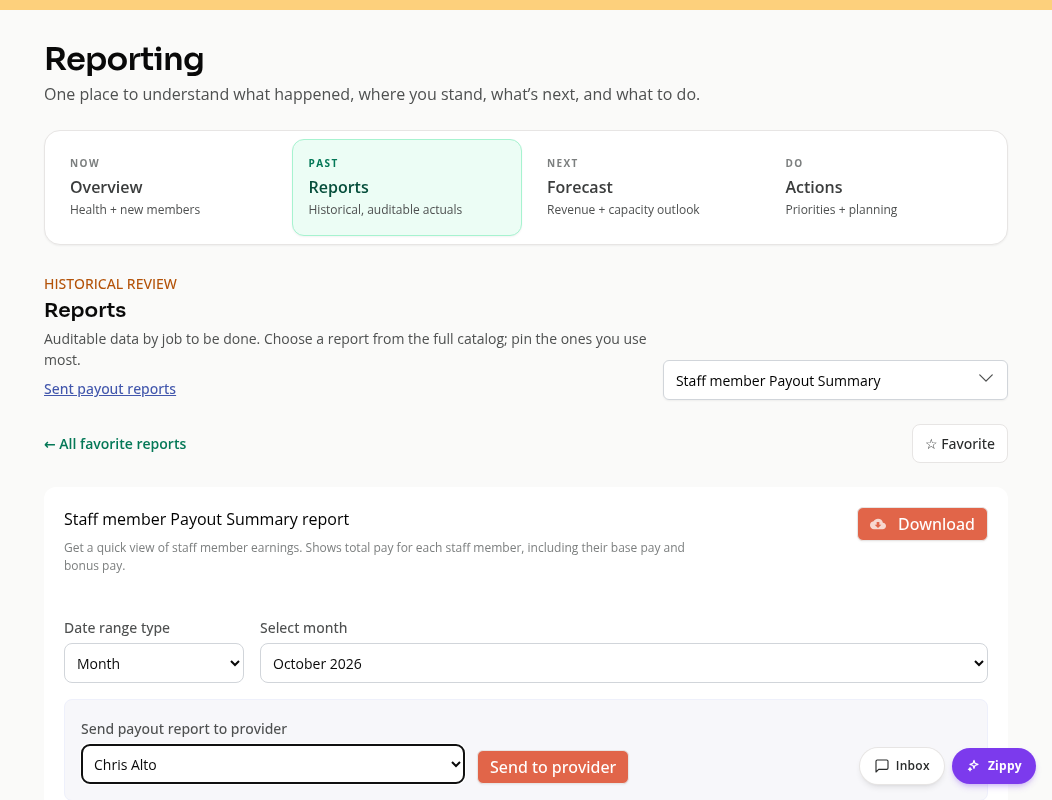
Available staff reports include summaries, detailed breakdowns, hourly reports and a master report. Choose the report that matches the work you are paying for.
Share a Report
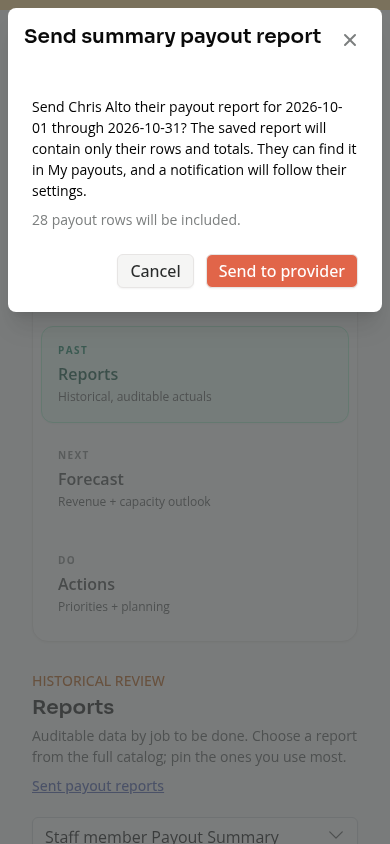
You need reporting and organization-financial access to send payout reports, and the recipient must be an active staff member. For supported payout reports, choose a recipient and use Send to provider. Review the date range, recipient and row count in the confirmation before sending.
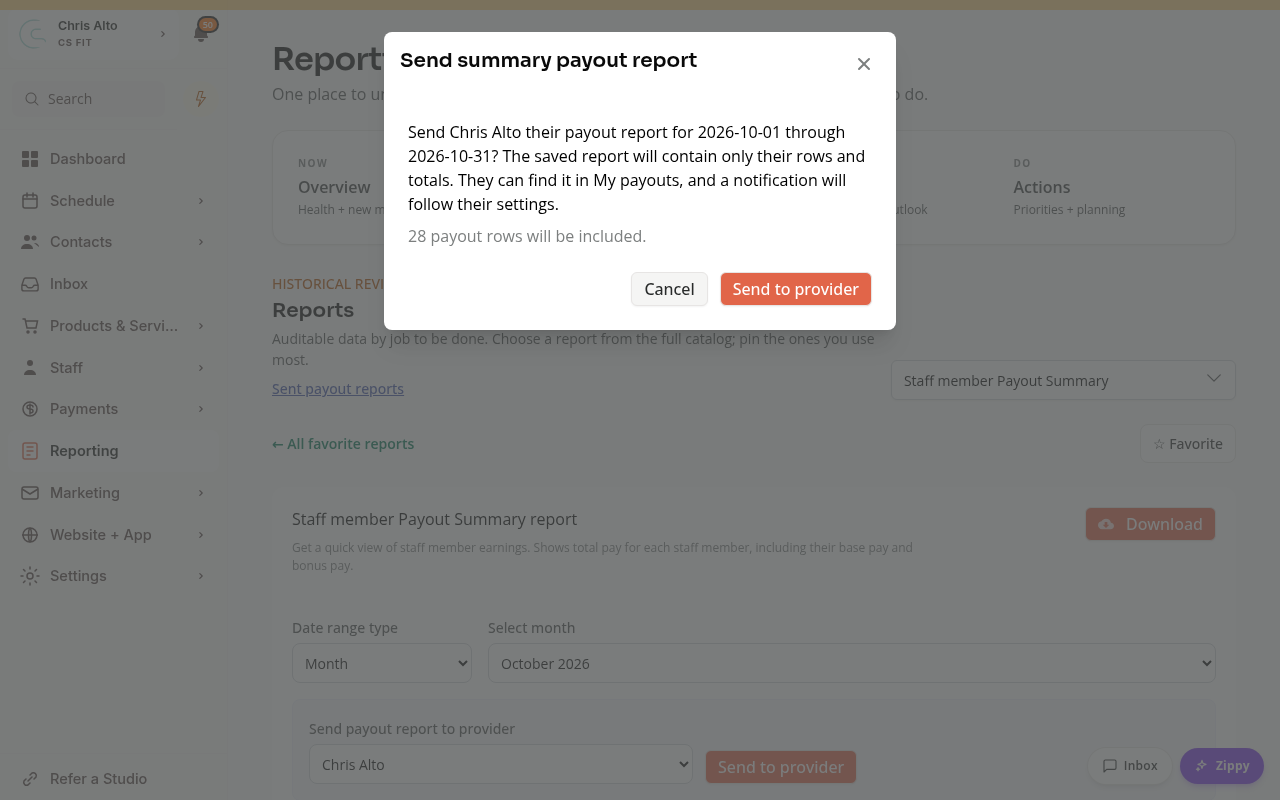
The staff member can find the report in My payouts. Sent payout reports lets authorized staff review or retract a sent report.
See How to Send Payout Reports to Staff for the full workflow.
Make the Payment
Download the report if needed, and use your chosen payroll or payment process to pay the staff member. Keep a separate record of that payment. A saved payout report is a record of calculated earnings, rather than proof of a bank transfer.
On Mobile
The same reporting and send controls are available. Scroll the table to check all columns.
Troubleshooting
The earnings look wrong. Check the pay rate, instructor assignments, time entries and report period.
The report was sent, but no money arrived. Sending a report shares earnings information. Complete the actual payment through your payroll or payment process.
Need a hand?
Email our team at support@joinzipper.com and we'll usually reply within a few hours.
Was this article helpful?
Thanks for your feedback.