How to Set Up a Rank System
Create a belt or level progression, add ranks, and set promotion criteria for the next rank.
How to Set Up a Rank System
Use a rank system to track a belt or level progression. You can create separate systems for different disciplines or groups.
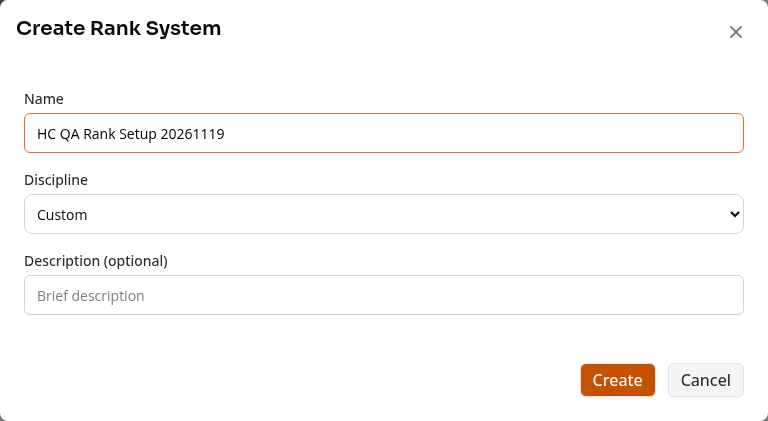
- Go to Settings > Rank Systems and choose Create Rank System.
- Enter a Name, choose a Discipline, and optionally add a description. Choose Custom to define the starting ranks yourself.
- Select Create. Open the system and use Add Rank to add a level. Enter its name and choose a color. Repeat for the other levels.
Set Promotion Criteria
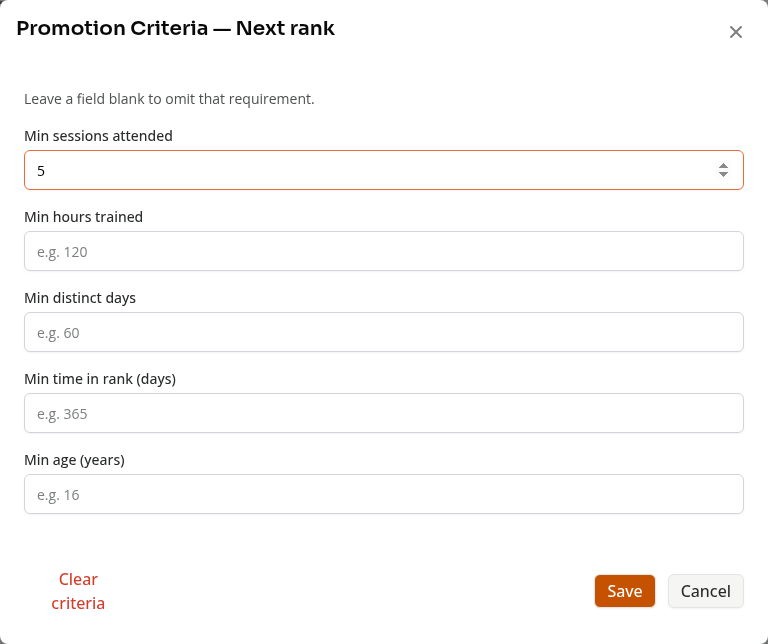
- On the rank a member is working toward, choose Edit criteria.
- Enter the minimum sessions, hours, distinct training days, time in rank, or age that applies. Leave a field blank to omit that requirement.
- Choose Save. The rank shows Has criteria once criteria are saved.
You can also make a skill a rank requirement or check who is ready for promotion. If the feature is unavailable, ask your account manager about Belt Tracking access.
Need a hand?
Email our team at support@joinzipper.com and we'll usually reply within a few hours.
Was this article helpful?
Thanks for your feedback.