How to Set How Far Ahead Recurring Sessions Are Created
Set how many weeks of recurring class and appointment dates Zipper generates ahead.
Use Recurring sessions to choose how far ahead Zipper creates dates for ongoing class schedules and appointment series.
-
Open Schedule → Calendar Settings.
-
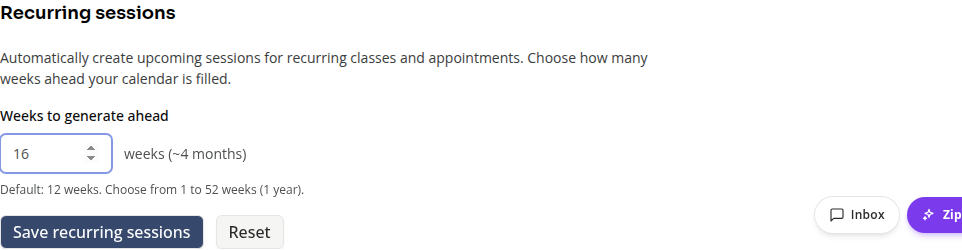
Under Recurring sessions, set Weeks to generate ahead. The default is 12 weeks. Enter a whole number from 1 to 52.
-
Choose Save recurring sessions. In an unsaved edit, Reset restores the currently saved value.
The setting applies when Zipper generates upcoming dates. Existing sessions stay on the calendar. If a series has an end date or another limit, its own schedule still applies.
To control when customers can reserve a generated date, see Booking Window Settings Explained.
Need a hand?
Email our team at support@joinzipper.com and we'll usually reply within a few hours.
Was this article helpful?
Thanks for your feedback.