How to Request Google Reviews with Zipper
Google Reviews are critical to your online presence. Here's how to import, display, and request more Google Reviews from your customers using Zipper.
Why Google Reviews matter
Google Reviews are one of the most important inputs to local SEO. Google’s local ranking algorithm weighs your average star rating, how often new reviews come in, how quickly you respond to them, the total number of reviews on your profile, and the freshness of photos on your Google Business Profile.
The more reviews you collect — and the more recent they are — the higher you’ll rank for local searches like “pilates studio near me” or “gym in [city]”.
How Zipper helps
Zipper automates the entire review workflow:
- Import existing Google Reviews into Zipper.
- Display selected reviews directly on your Zipper website.
- Request new reviews from existing clients and leads in one click.
- Reply to reviews from inside Zipper.
How to get more Google Reviews
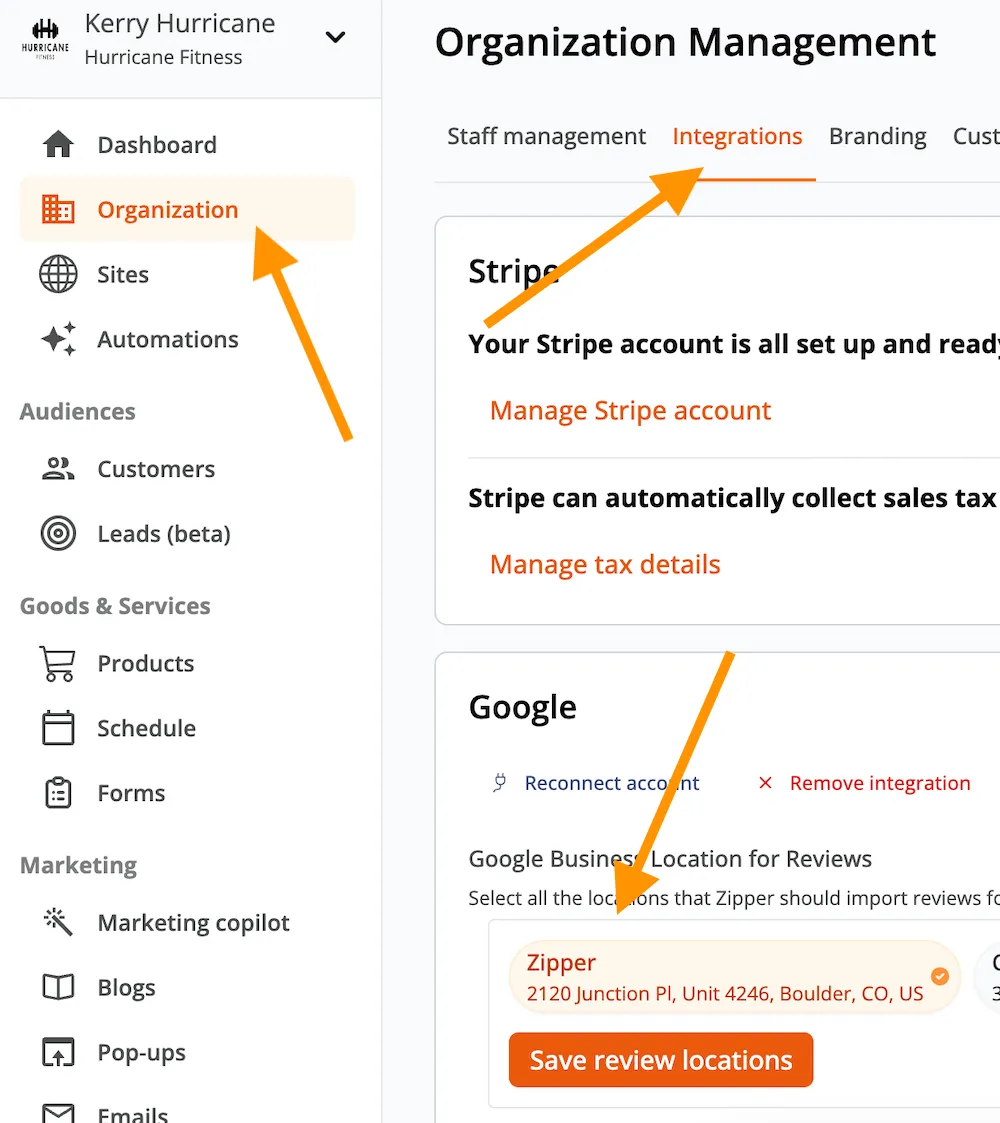
1. Connect your Google Business Profile
Go to Settings > Integrations, connect Google, and select the correct location.
For step-by-step instructions, see How to connect my Google Business Profile in Zipper.
2. Import your reviews
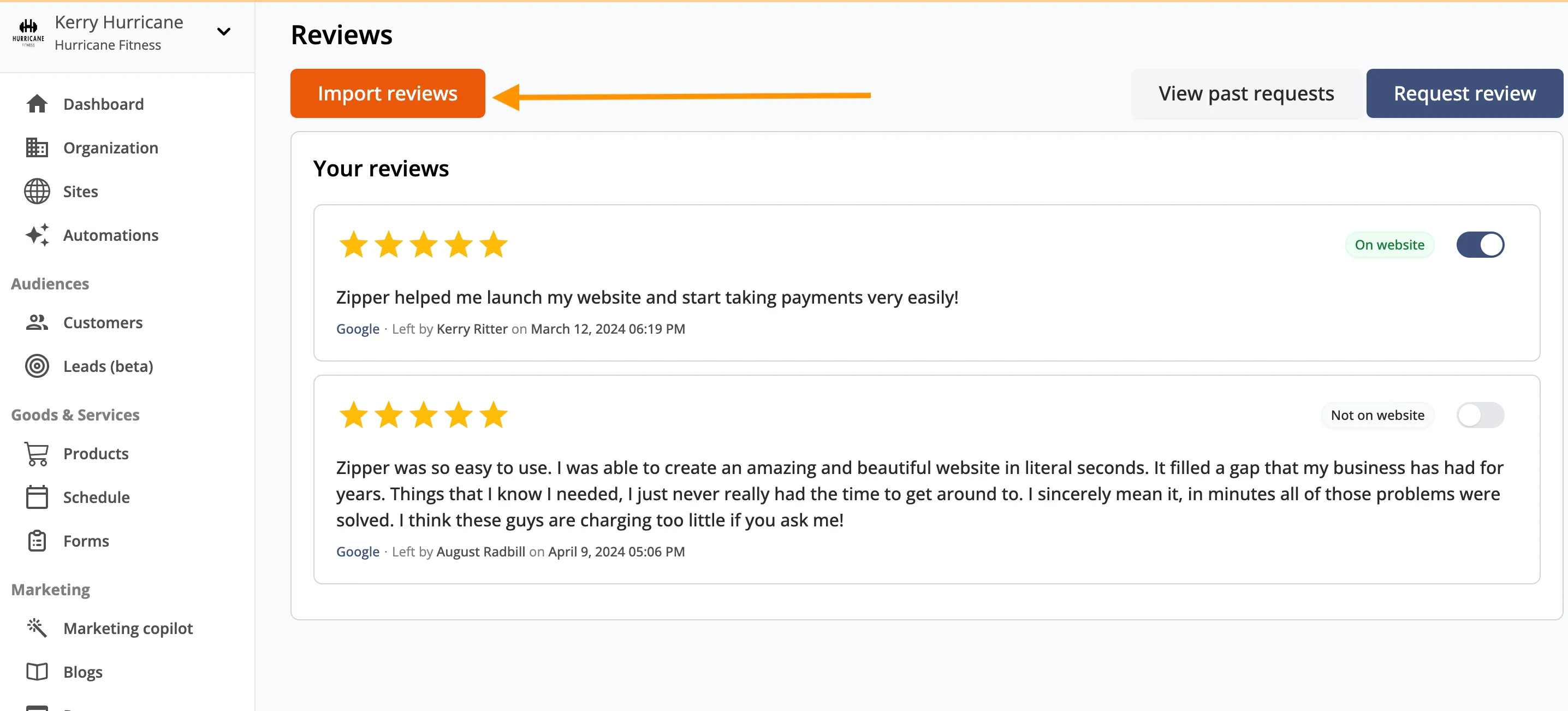
Go to Marketing > Reviews and click Import Reviews. Zipper pulls in every review attached to the connected location.
3. Choose which reviews appear on your website
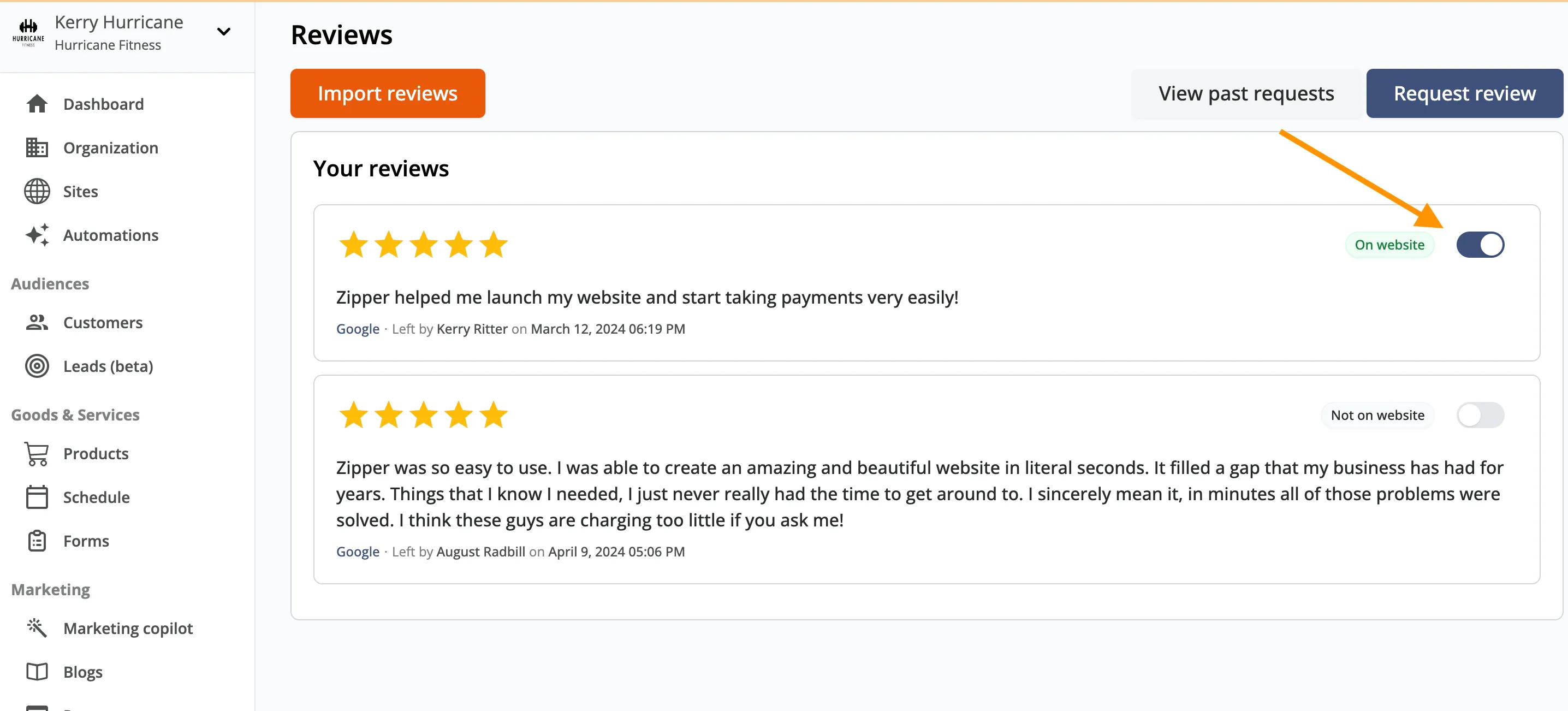
Toggle the reviews you’d like to feature on your site. Any review marked Show On Website will appear automatically in any Reviews block you’ve placed on your Zipper website.
4. Request reviews from your customers
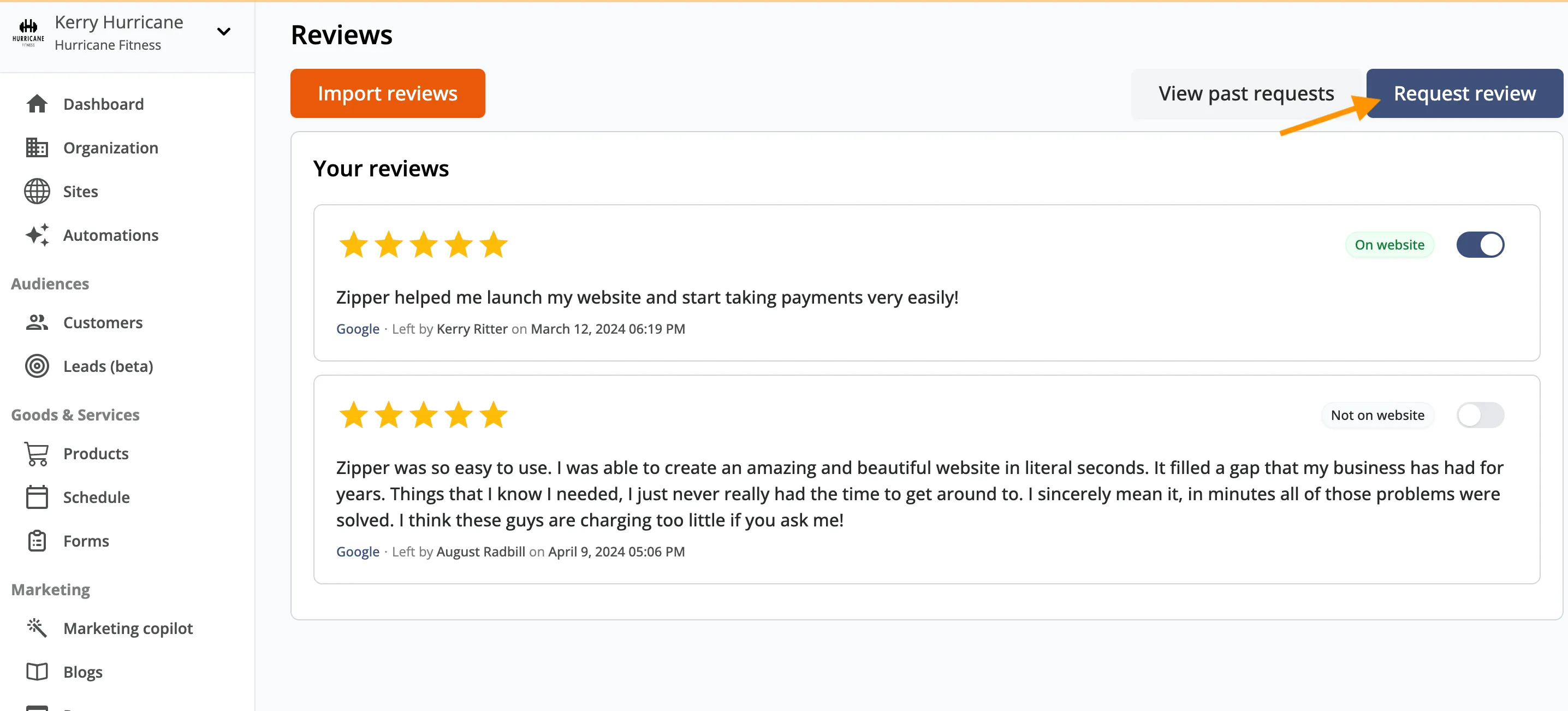
Use the request-reviews button in the top-right of the Reviews page to send a Google Review request to existing customers or to new contacts you add on the spot.
5. Edit the message template and send
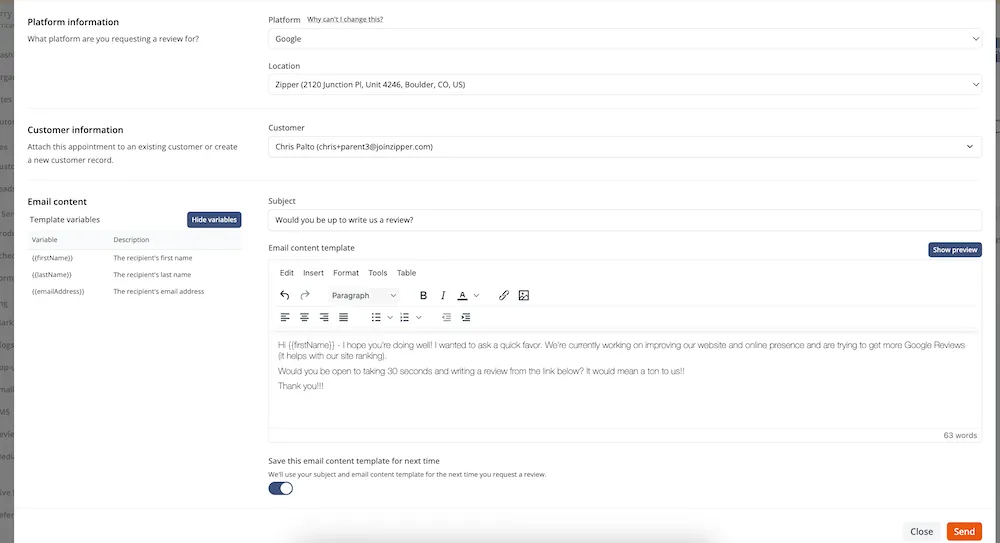
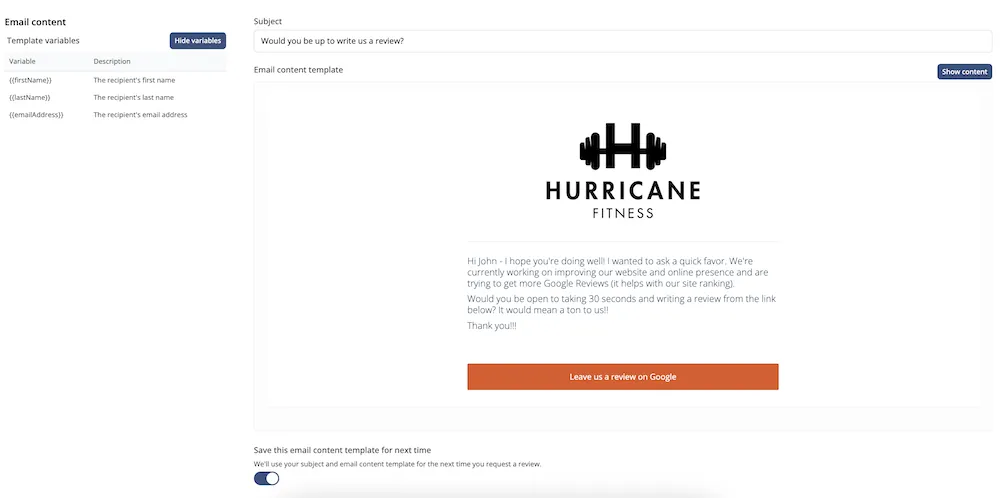
Zipper provides a suggested template you can use as-is or customize. Personalize it for your brand, then preview before sending.
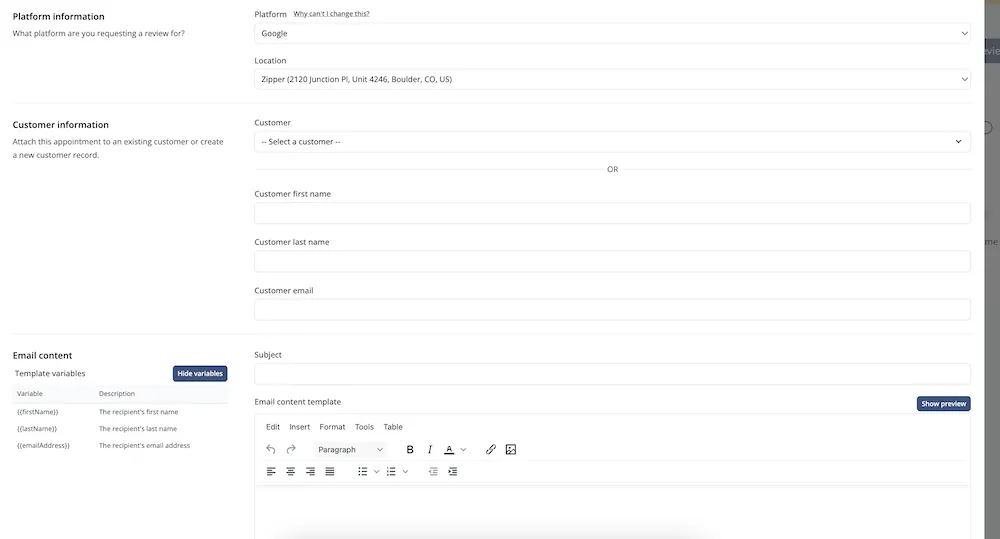
A suggested template:
Subject: Would you be up to write us a review?
Hi
{{firstName}}— I hope you’re doing well! I wanted to ask a quick favor. We’re working on improving our website and online presence and are trying to get more Google Reviews (it helps with our search ranking). Would you be open to taking 30 seconds and writing a review from the link below?
When the customer clicks Leave us a review on Google, they’re sent straight to your Google Business Profile to drop their review.
Related
If you run into any issues, please email support@joinzipper.com.
Need a hand?
Email our team at support@joinzipper.com and we'll usually reply within a few hours.
Was this article helpful?
Thanks for your feedback.