How to Connect My Google Business Profile in Zipper
Connect your Google Business Profile to Zipper to import Google Reviews, request more reviews, auto-post them to social, and display them on your website.
Why connect your Google Business Profile with Zipper?
Connecting your Google Business Profile lets you import reviews to your website, request new reviews, and auto-post them to social media.
Connecting your Google Business Profile to Zipper
Sign into your account, then follow the steps below.
1. Go to Settings > Integrations > Google
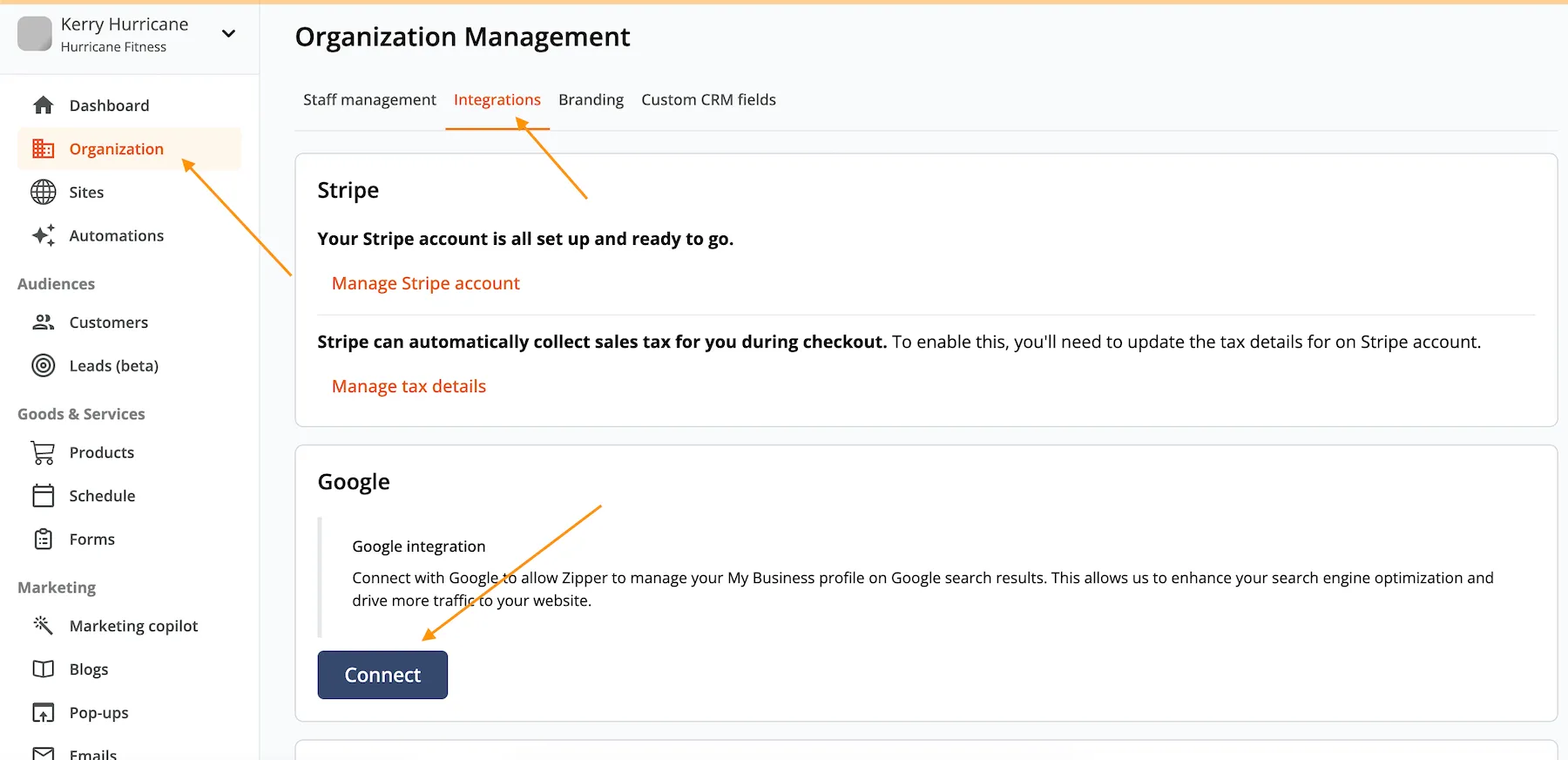
2. Select your Google account
Select the Google account associated with your Google Business Profile.
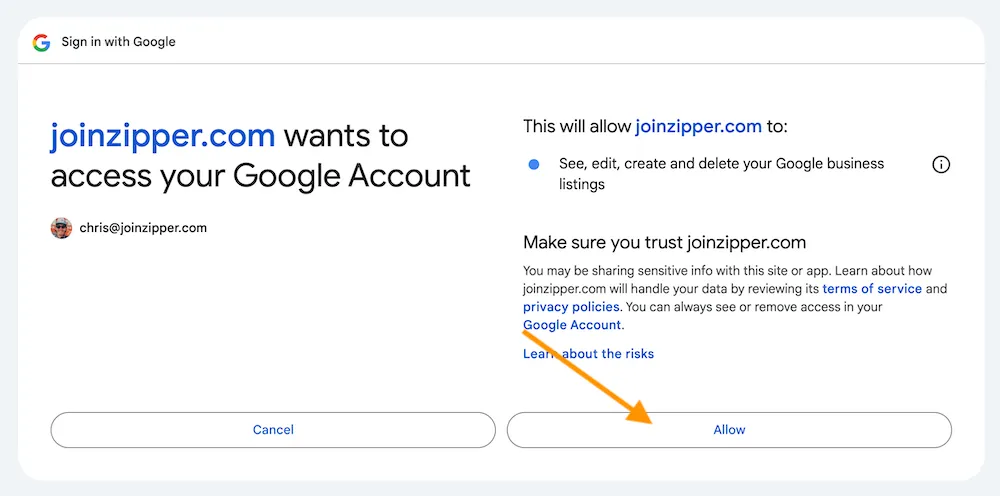
3. Allow Zipper access
Select Allow when Google asks if Zipper can access your account.
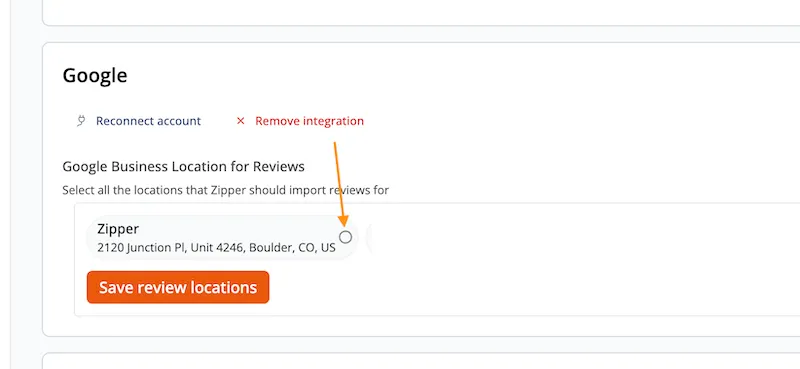
4. Save your review location
Select the correct location and click Save Review Location.
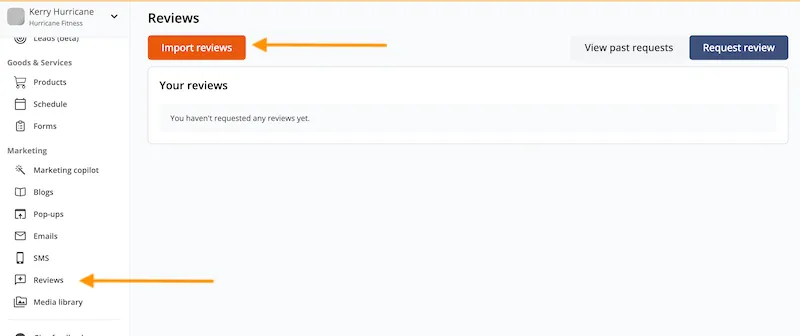
5. Import your reviews
Go to Marketing > Reviews and click Import Reviews.
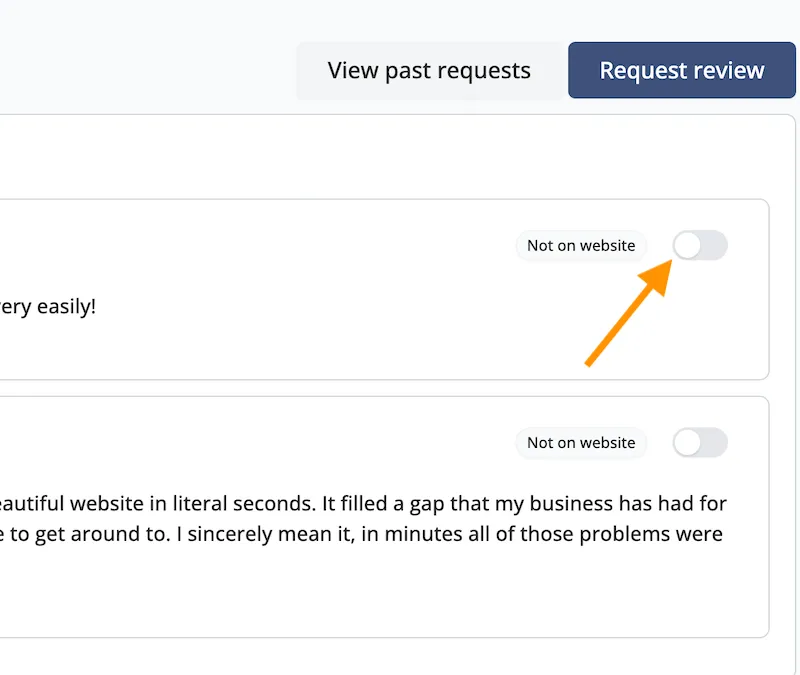
6. Choose which reviews appear on your website
Toggle which reviews you’d like to show up on your website.
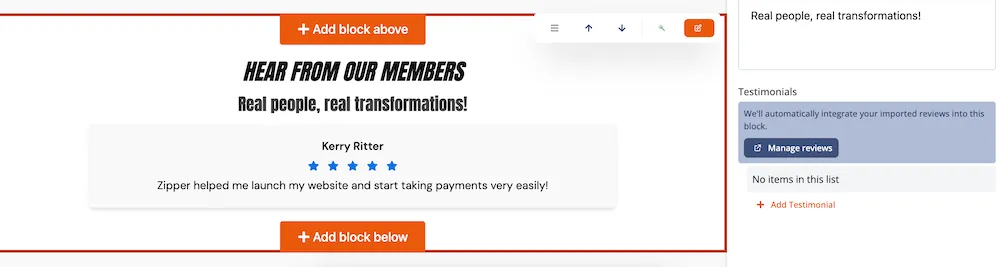
7. Add a Reviews block to your website
Add a Reviews block to your website. Reviews toggled to Show On Website will appear automatically.
If you run into any issues, please email support@joinzipper.com.
Need a hand?
Email our team at support@joinzipper.com and we'll usually reply within a few hours.
Was this article helpful?
Thanks for your feedback.