How to Measure Intro Offer Conversion
See which intro-offer purchases led to recurring memberships, and read conversion rates for completed windows.
How to Measure Intro Offer Conversion
Use Intro Offer Conversion to see which one-time intro-offer purchases led to recurring memberships. You need access to the studio’s financial reports. To configure the product and its optional purchase restrictions, see How to Set Eligibility for an Intro Offer.
- Open Reporting > Past > Reports, click Select a report, and choose Intro Offer Conversion.
- Select the dates when the intro offers were purchased.
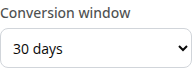
- Set the Conversion window to 30 days, 60 days, 90 days, or 120 days. A qualifying recurring membership must start within that window after the intro purchase to count as a conversion.
Read the Results
- Total intro purchases counts qualifying purchases in the chosen date range. Fully refunded purchases and purchases by customers with a qualifying recurring subscription that started earlier are excluded.
- Closed-window conversion rate uses purchases whose full conversion window has elapsed.
- Pending window counts purchases whose window is still open. Check this before comparing recent purchases with older ones.
- Average days to conversion shows the average time among converted purchases.
Review Converted, Conversion Date, Membership Purchased, and Days To Conversion in the table. Click Download to save the report as a CSV. The CSV includes membership and timing columns for each purchase.
Need a hand?
Email our team at support@joinzipper.com and we'll usually reply within a few hours.
Was this article helpful?
Thanks for your feedback.