How to Mark an Appointment as a No-Show
Record a missed appointment and find the status of any no-show fee.
For an active single-customer appointment, record a no-show from Calendar.
-
Open Schedule → Calendar and choose the missed appointment. Check the customer and date.
-
Choose Manage → Mark no-show.
-
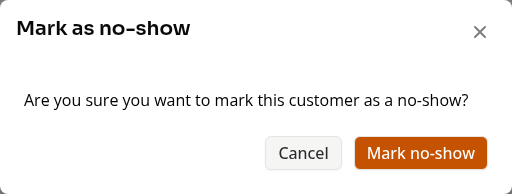
Review Mark as no-show and choose Mark no-show to confirm.
Check the fee
Zipper applies the appointment type’s no-show policy when you confirm. Depending on the settings, it can record the no-show without a fee, attempt to charge a fee, or send the fee for manual review. Private appointment buyouts can have separate fee settings.
When the booking shows a No-Show Fee, check its status. For a queued or failed fee, open Payments → Payment Collector → Unpaid Fees and find the booking. Review the fee and choose how to handle it.
To change what happens on future bookings, see How to Configure Late Cancel and No-Show Settings.
Need a hand?
Email our team at support@joinzipper.com and we'll usually reply within a few hours.
Was this article helpful?
Thanks for your feedback.