How to Deactivate or Delete a Coupon
End a coupon and its promo codes, and understand when redemption history is retained.
End an entire coupon when customers should stop redeeming its promo codes. An admin can do this from Coupon Codes.
-
Open Products & Services → Coupons and find the coupon.
-
Open its Actions menu. The available action depends on the coupon’s redemption history.
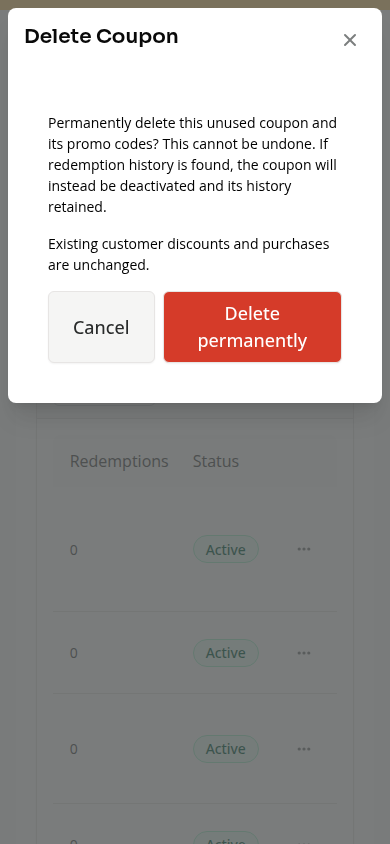
Action What happens Deactivate coupon Ends the coupon and its promo codes and retains redemption history. Delete coupon Permanently deletes an unused coupon and its codes. If Zipper finds redemption history or cannot confirm the coupon is unused when you confirm, it deactivates the coupon and keeps the history. -
Read the confirmation and choose Deactivate or Delete permanently when ready.
Discounts already applied to purchases remain in place. For a single code, deactivate that promo code.
Need a hand?
Email our team at support@joinzipper.com and we'll usually reply within a few hours.
Was this article helpful?
Thanks for your feedback.