How to Change Which Products a Coupon Applies To
Use Edit products to change which purchases are eligible for an existing coupon.
Edit a coupon’s product eligibility when the promotion should apply to a different set of products.
-
As an admin, open Products & Services → Coupons.
-
Find the coupon, choose Actions → Manage coupon, then select Edit products under Applies to.

-
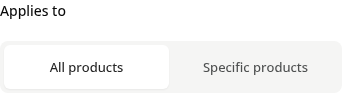
Choose All products, or choose Specific products and use Add product to select the eligible products. Remove any products that should no longer qualify.
-
Select Save changes. When the change is confirmed, Zipper reopens Manage Coupon automatically. Review its saved Applies to list.
If Zipper shows Product changes are not yet confirmed, use Review changes to inspect the requested selection, then select Finish saving when available. If product eligibility is unavailable, reopen the coupon to refresh its details before proceeding.
To control who can use an individual code, manage the coupon’s promo codes.
Need a hand?
Email our team at support@joinzipper.com and we'll usually reply within a few hours.
Was this article helpful?
Thanks for your feedback.