Know which grip socks, shirts, and studio essentials are in stock
Bring merchandise variants, stock counts, POS sales, and inventory reporting into the same place your studio already works.
Your studio sells more than places in class. There may be grip socks by size, shirts by color, and a few essentials people remember only when they arrive at the front desk.
Retail gets harder to manage when every option is a separate product name and the real stock count lives somewhere else.
Zipper’s retail inventory workflow connects merchandise variants, stock records, and provider POS, so staff can find the actual item being sold and see its availability.
Organize the product and its variations
A retail product can have sellable variants with their own option identity, SKU, or barcode. That helps distinguish, for example, two sizes of the same item without asking staff to interpret a naming convention.
The stock workspace is available under Products & Services > Stock. Search and filters help you find products and distinguish items whose stock is tracked, untracked, not yet initialized, low, or out.
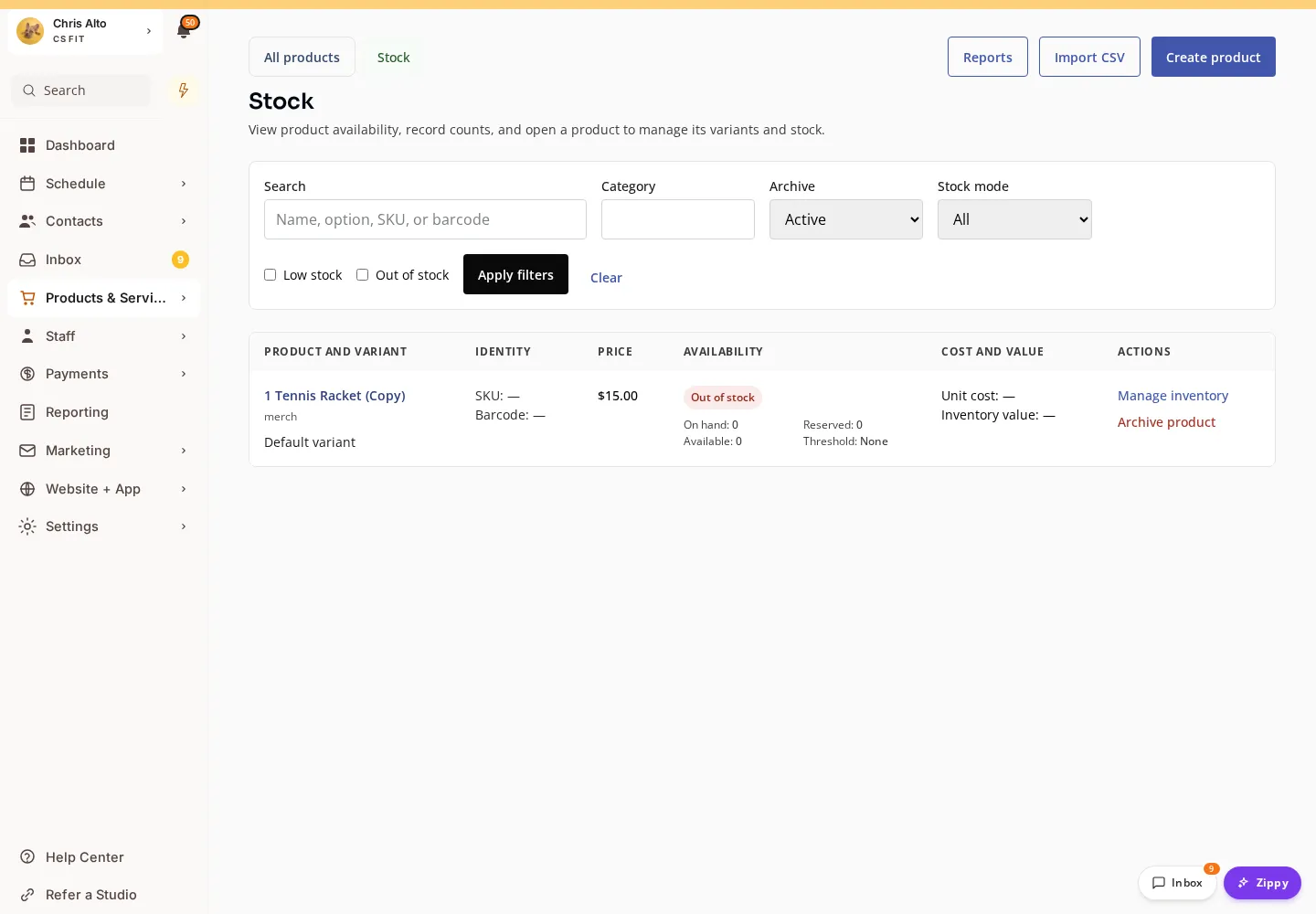
Current Stock workspace in staging01, using demonstration catalog data.
Bring the catalog with you
CSV import provides a route for a studio with an existing retail catalog. Preview the supplied products and variants, resolve the reported issues, and review the result before committing the import.
That is especially helpful when moving systems or setting up more than a handful of merchandise options. The importer supports the retail setup job; it is not a substitute for reviewing your actual physical stock.
Keep the three stock numbers distinct
On hand is not always the same as available. An item may be reserved by an in-progress sale before the final outcome is known.
The workspace distinguishes those states, and stock operations create history. When recording an opening count or an adjustment, use the appropriate operation and reason so the next person can understand what changed.
The first version uses an organization-wide stock pool. It is built for in-studio retail, rather than a separate warehouse, shipping, pickup, or purchasing system.
Sell the exact variant through POS
At provider POS, select the intended item and variant, review its price and stock state, and add the quantity to the cart. The supported retail workflow connects stock handling to the sale rather than asking staff to remember a separate decrement afterward.
If availability has changed, review the affected line and choose another variant, quantity, or item. If a payment outcome is still being checked, use the transaction’s recovery state rather than starting another charge.
Zipper payments explains the broader front-desk payment experience.
Treat a refund and a return as related decisions
A refunded item is not automatically ready to sell again. A worn shirt or damaged accessory may need a different stock outcome from an unopened item.
The retail workflow makes returning an item to saleable stock a deliberate choice, with a record of the movement. Authorized managers can review inventory position, value, and operational sales margin without giving every staff member access to cost information.
Start with a real category your studio already sells. A clean variant structure and an accurate opening count are a practical foundation for a more reliable front desk.