Product Update: Improved family and guest booking management, virtual class support, instructor sub management
Intro offers, virtual classes, instructor sub management, family & guest booking, scrolling carousel, and account credits — everything new in Zipper this release.

We’ve packed this release with features you’ve been asking for — from intro offers to virtual classes to easier family management. Here’s everything new:

👨👩👧 Improved Family & Guest Management
We’ve rebuilt family accounts from the ground up for better flexibility and easier guest management.
What’s improved:
- Smoother family member linking and management
- Better guest booking support
- Cleaner shared payment handling
- More intuitive family dashboard
Why this matters: Families and friends are often your best customers. Now managing family accounts for both you and your members is easier, and they can bring a friend in a couple clicks.
🔄 Instructor Substitution Management
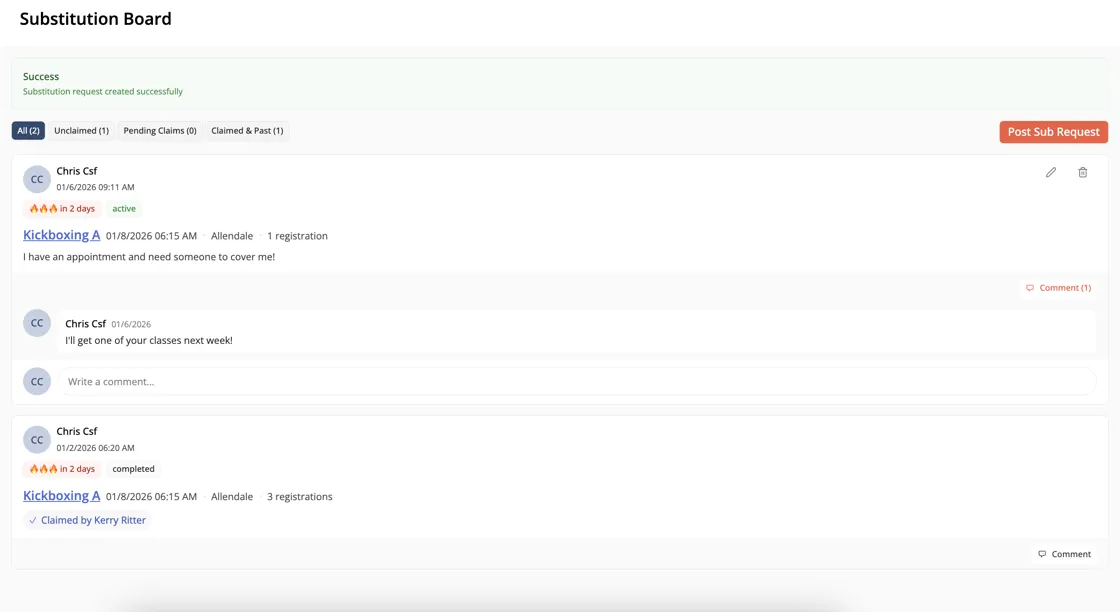
Finally — a proper way to manage instructor substitutions without the scheduling headaches. Navigate to Calendar > Substitution Board to check it out.
What’s new:
- Staff can easily request subs for a class
- Track engagement history and approve subs
- Staff can receive notifications via email, push, and SMS to grab classes
💻 Better Virtual Class Support
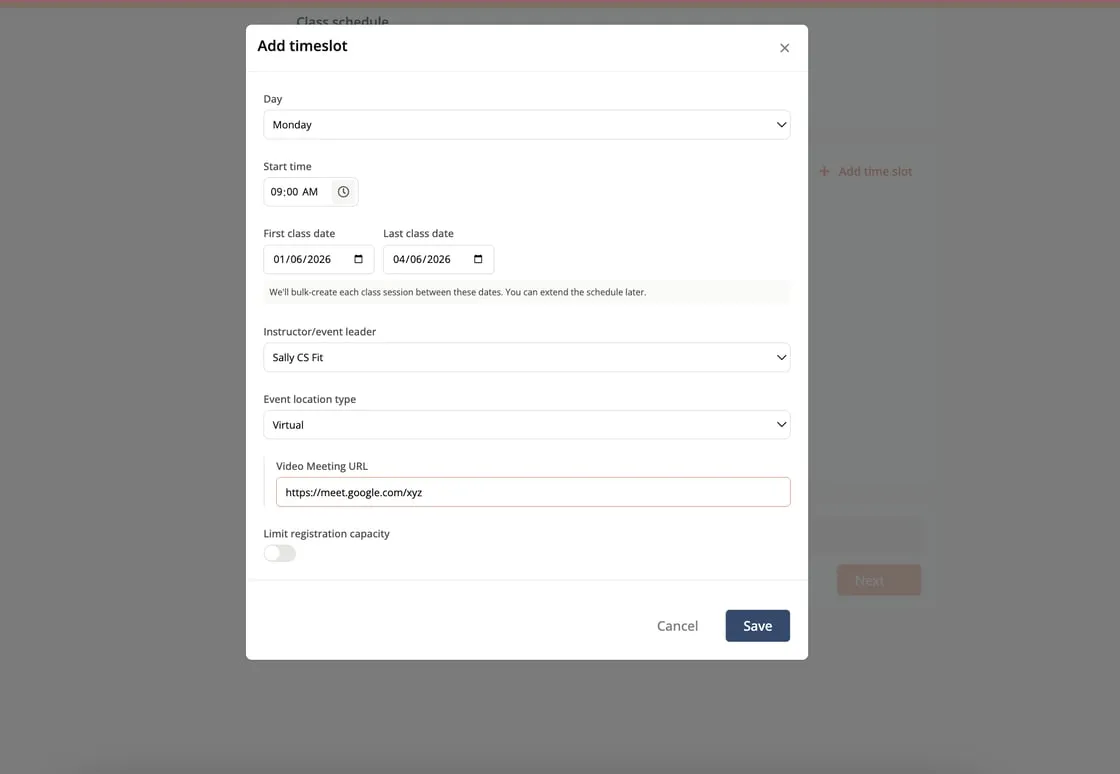
Offer hybrid or fully virtual classes right from your schedule — no workarounds needed.
What’s new:
- Mark any class as “Virtual” in your class settings
- Virtual indicator displays on your public schedule
- Seamless booking experience for both in-person and virtual attendees
Why this matters: Meet your customers where they are. Whether they’re traveling, at home, or prefer virtual, you can serve them all from one schedule.
🎁 Intro Offers & One-Time Purchase Products
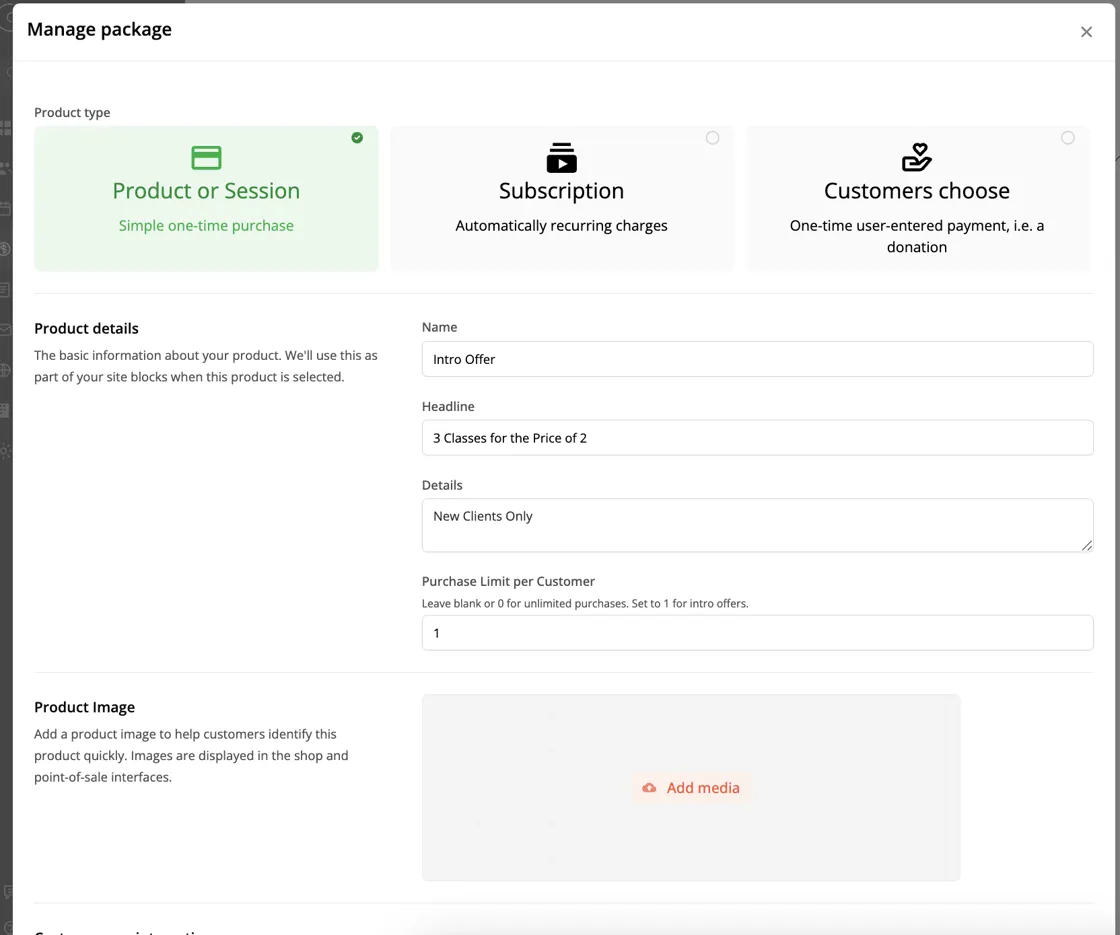
Create exclusive intro offers that customers can only purchase once — perfect for trial memberships, first-class specials, or new client promotions.
What’s new:
- Mark any product as “one-time use only” per customer
- Automatic enforcement — customers can’t accidentally repurchase
- Great for trial memberships, intro class packs, and welcome offers
Why this matters: Convert more new customers with irresistible intro offers while protecting your revenue from repeat abuse.
🖼️ Scrolling Image Carousel for Your Website
Add beautiful, auto-scrolling image carousels to your homepage.
What’s new:
- Full-width scrolling hero carousel
- Multiple images with smooth transitions
- Easy drag-and-drop setup in Site Builder
- Mobile-optimized display
On all Hero/Header blocks in the site builder click Edit > Style and add multiple images under “Backgrounds and Container.”
Why this matters: First impressions matter. Showcase your space, classes, and community with stunning visuals that capture attention.

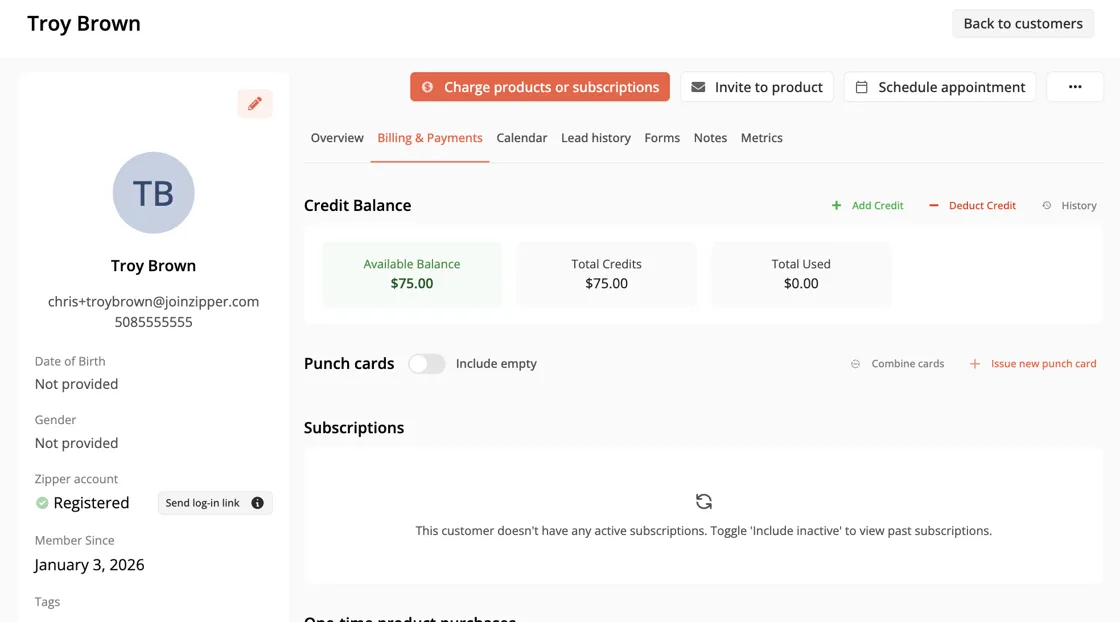
💰 Add Dollar Debits and Credits to Accounts
Easily add dollar amount debits and credits to member accounts.
What’s new:
- Add credit to their account that they can spend from the app or you can deduct from charges from POS
- Apply credits from gift card purchases
- Add IOU to an account after a failed payment or other issue with a charge
More to come in the next couple of weeks including our visual, multistep workflow builder and lead funnel automation, Stripe terminal improvements for in-person credit card charges, and more.
As always, reach out with feedback!