Ways to Create a Website Page in Zipper
Choose a template, describe a page with AI, clone a page or start blank.
Ways to Create a Website Page in Zipper
The website editor offers four ways to start a page. Choose the one that fits how much content and design you already have.
Open the Page Chooser
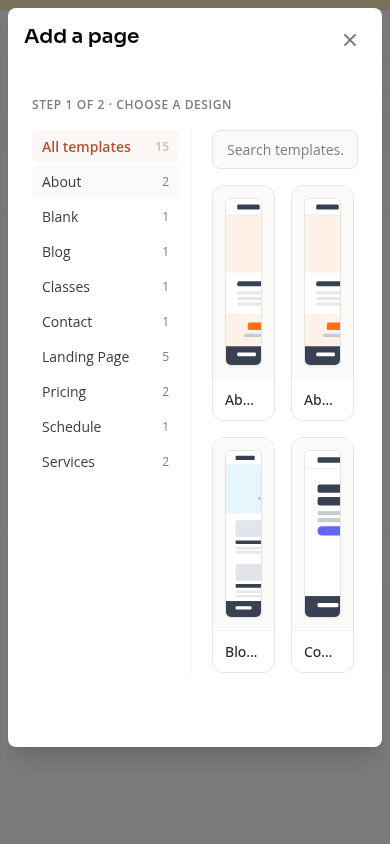
Open Website + App > Site Editor and Manage pages. Choose Add new page to open Add a page.
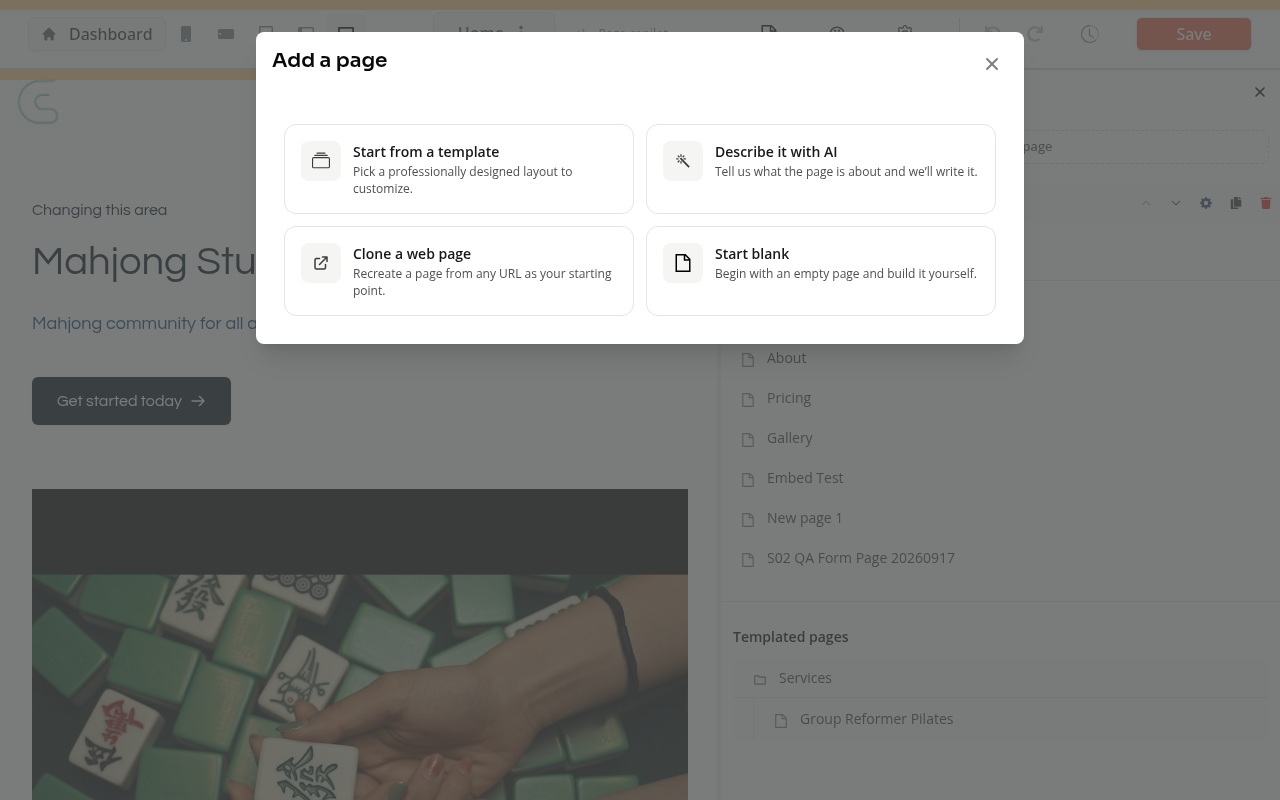
| Choice | When to use it |
|---|---|
| Start from a template | You want an existing layout to customize. |
| Describe it with AI | You have notes or copy and want a page built around them. |
| Clone a web page | You want to use a page URL as the starting point. |
| Start blank | You want to build an empty page yourself. |
Start from a Template
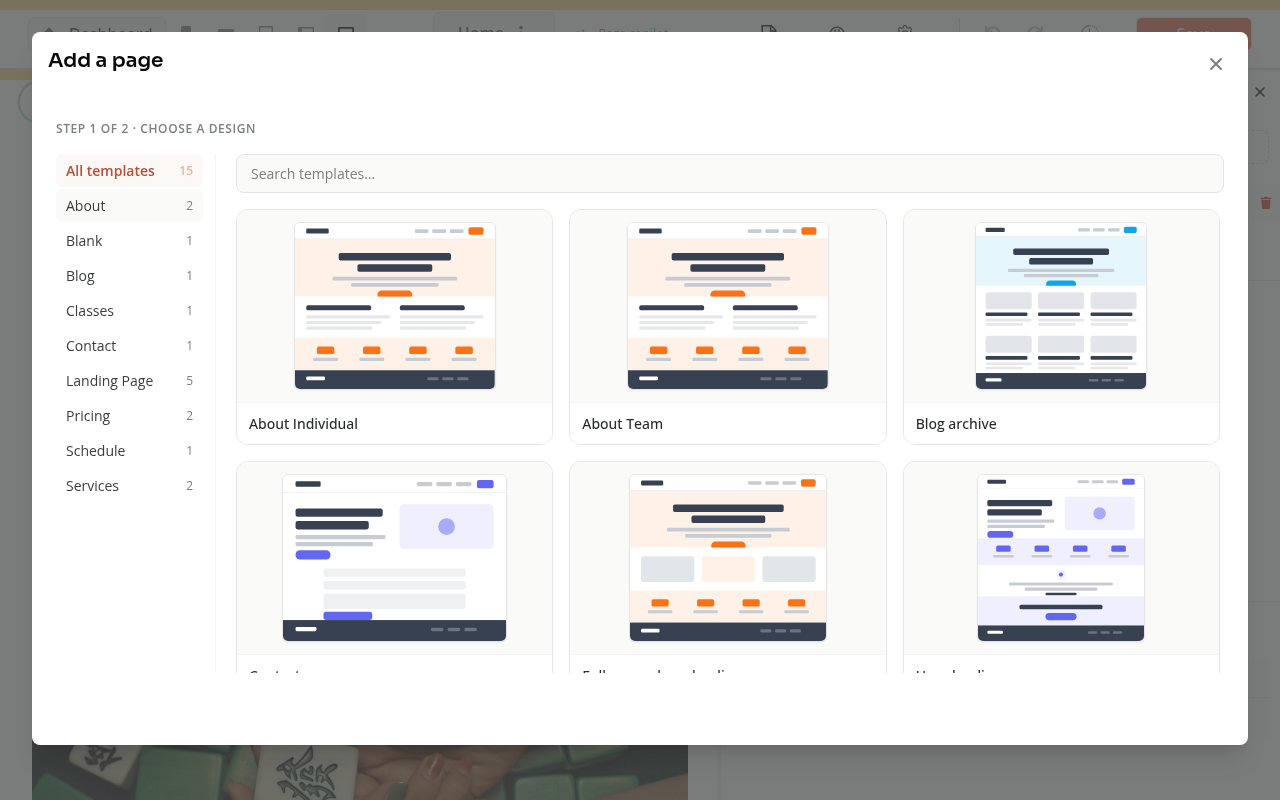
Search the template gallery or choose a category. Preview lets you inspect a layout before using it. Select the template you want, complete Page details, and choose Create. Then review its page content in the editor.
Describe It with AI
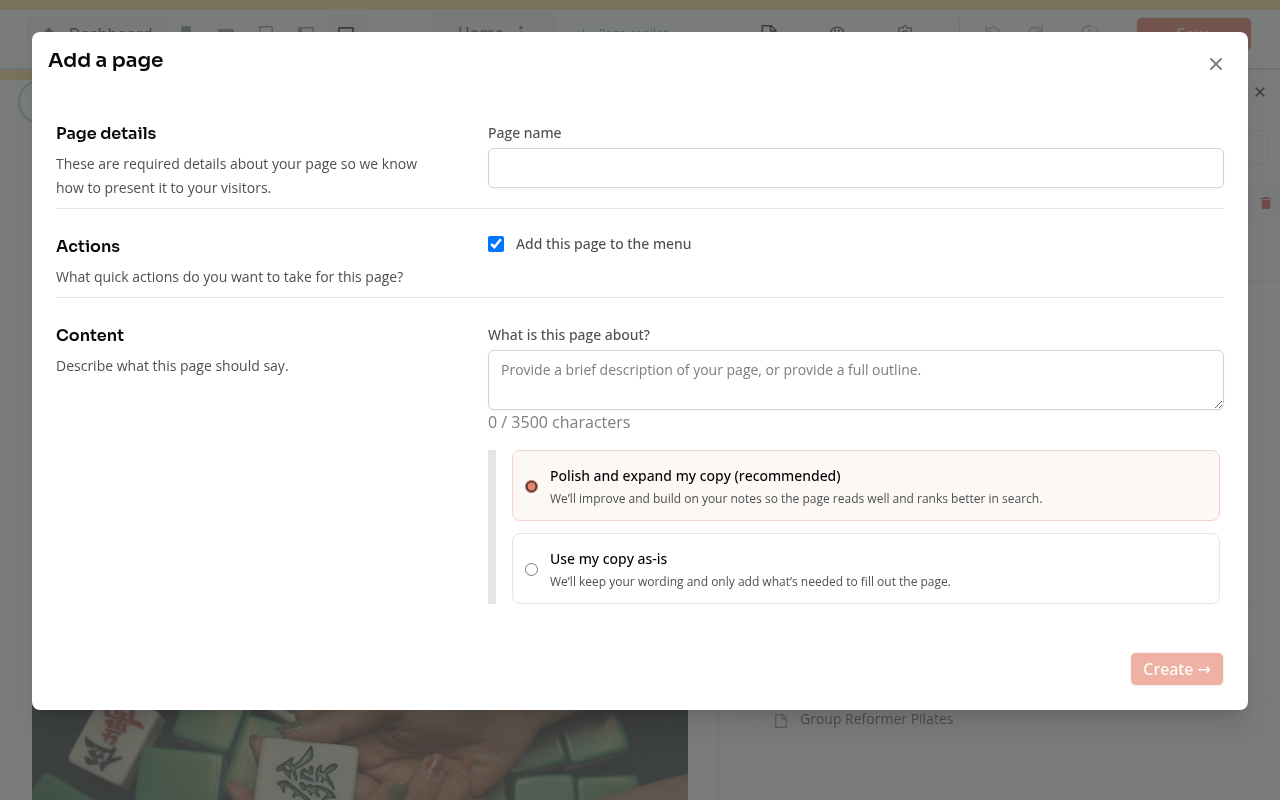
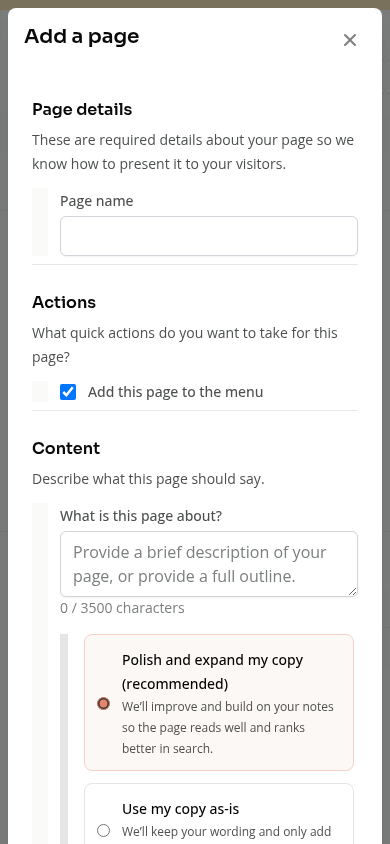
Enter the page details and describe its content. Check Add this page to the menu if it should appear in navigation.
Choose Polish and expand my copy to build on your notes, or Use my copy as-is to keep your wording. Review the generated result after choosing Create.
Check names, prices, schedules, links and buttons before using the page. Generated copy can need corrections.
Review the Page and Navigation
Creating a page and linking it in a menu are separate parts of setup. Check the page’s title, URL, menu placement, buttons and display on a phone.
The editor saves work as you make changes. Check the site’s publishing or live status before assuming every edit is only a local draft. Close Add a page if you only wanted to review the choices.
On Mobile
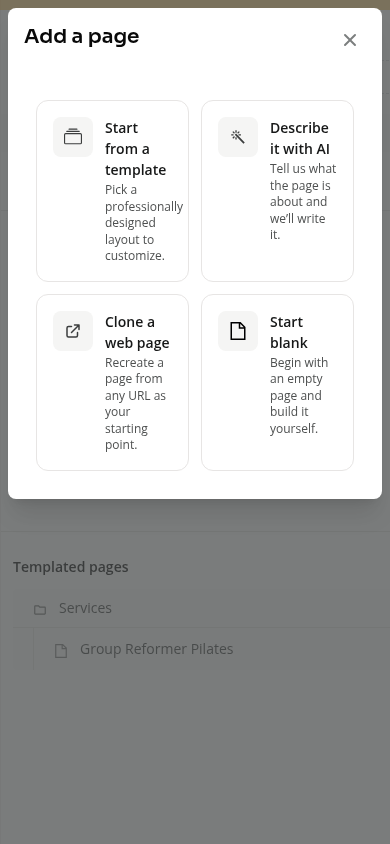
Use Pages to reach page management. The chooser uses the same four options, with templates and content fields stacked for a phone.
Troubleshooting
Create is disabled. Complete the required page details and content for the chosen option.
The page is missing from the menu. Check Add this page to the menu and the site’s navigation settings.
The generated text needs changes. Edit it in the page’s blocks before sharing the page with customers.
See How to Use Zipper’s Website Editor for editing blocks and styling.
Need a hand?
Email our team at support@joinzipper.com and we'll usually reply within a few hours.
Was this article helpful?
Thanks for your feedback.