How to Update Your Zipper Payment Method
Update the credit card on file for your Zipper subscription through the Stripe customer portal — sign in, open Subscriptions, then launch the Stripe portal.
Need to swap the credit card on file for your Zipper subscription? Updates run through the Stripe customer portal, which Zipper opens for you in one click. Here’s the full flow.
1. Sign in to Zipper
Log in to your Zipper admin account at app.joinzipper.com/auth/login.
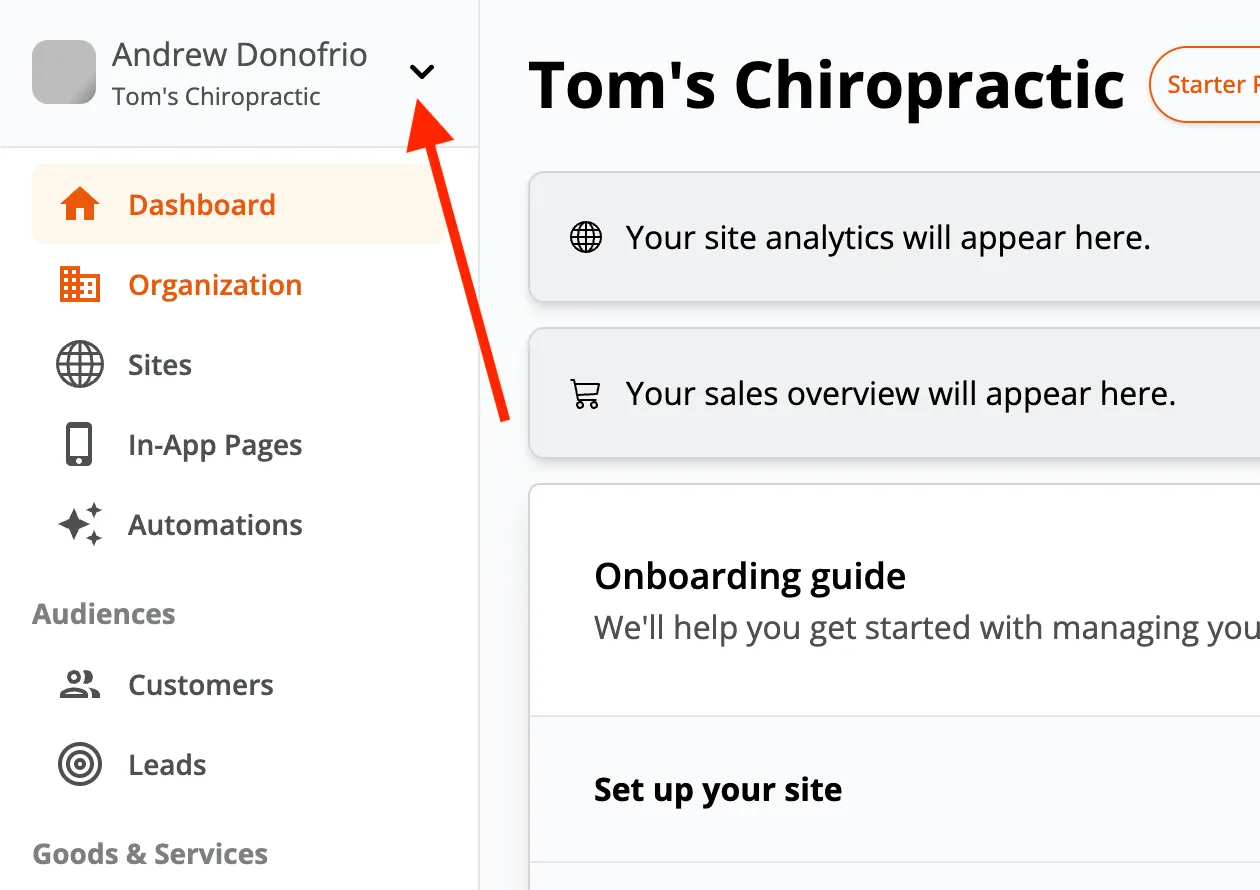
2. Open the organization menu
Click the toggle in the upper-left corner of the admin to expand the organization menu.
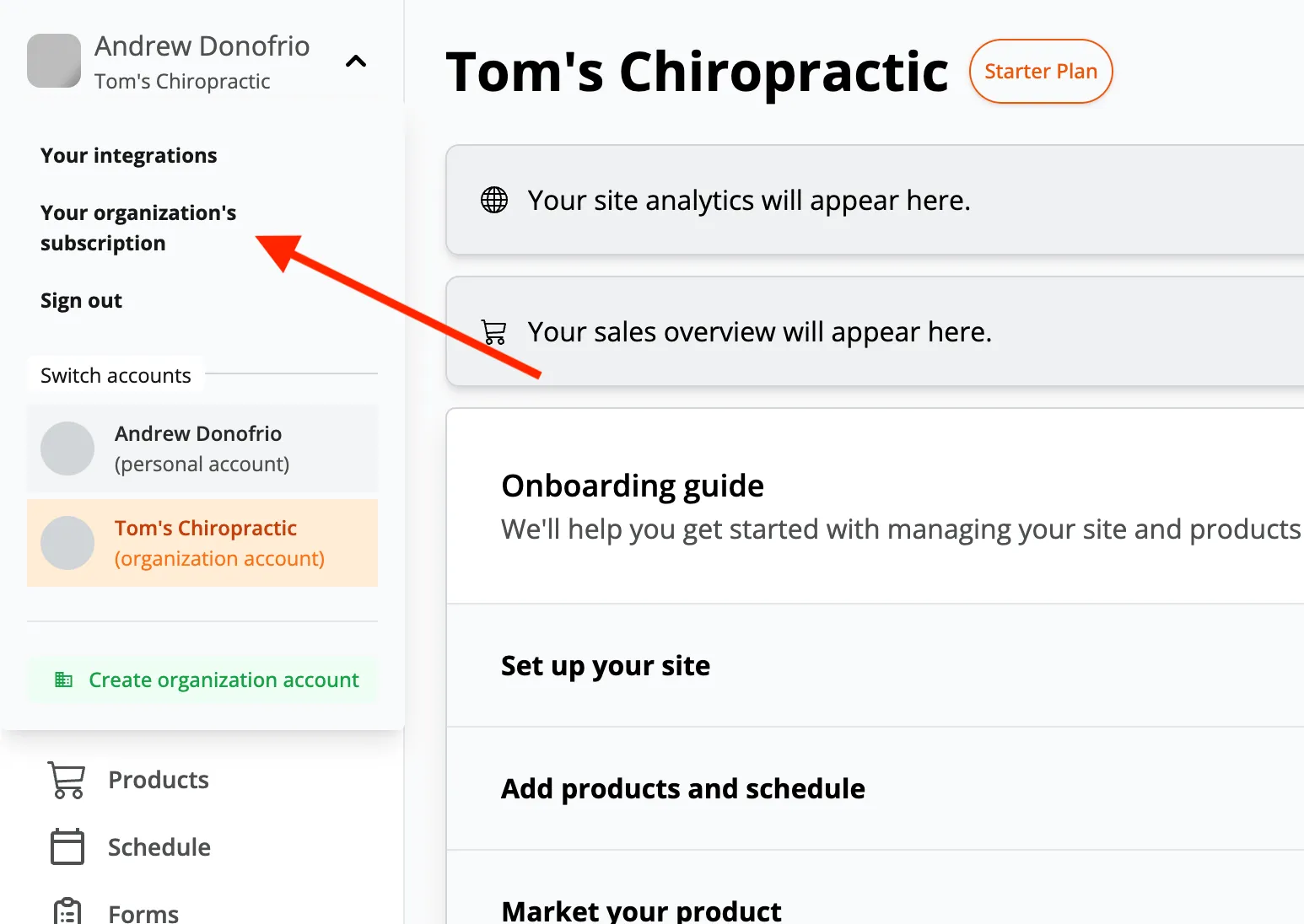
3. Select Your Organization’s Subscriptions
From the menu, choose Your Organization’s Subscriptions to open the billing settings for your account.
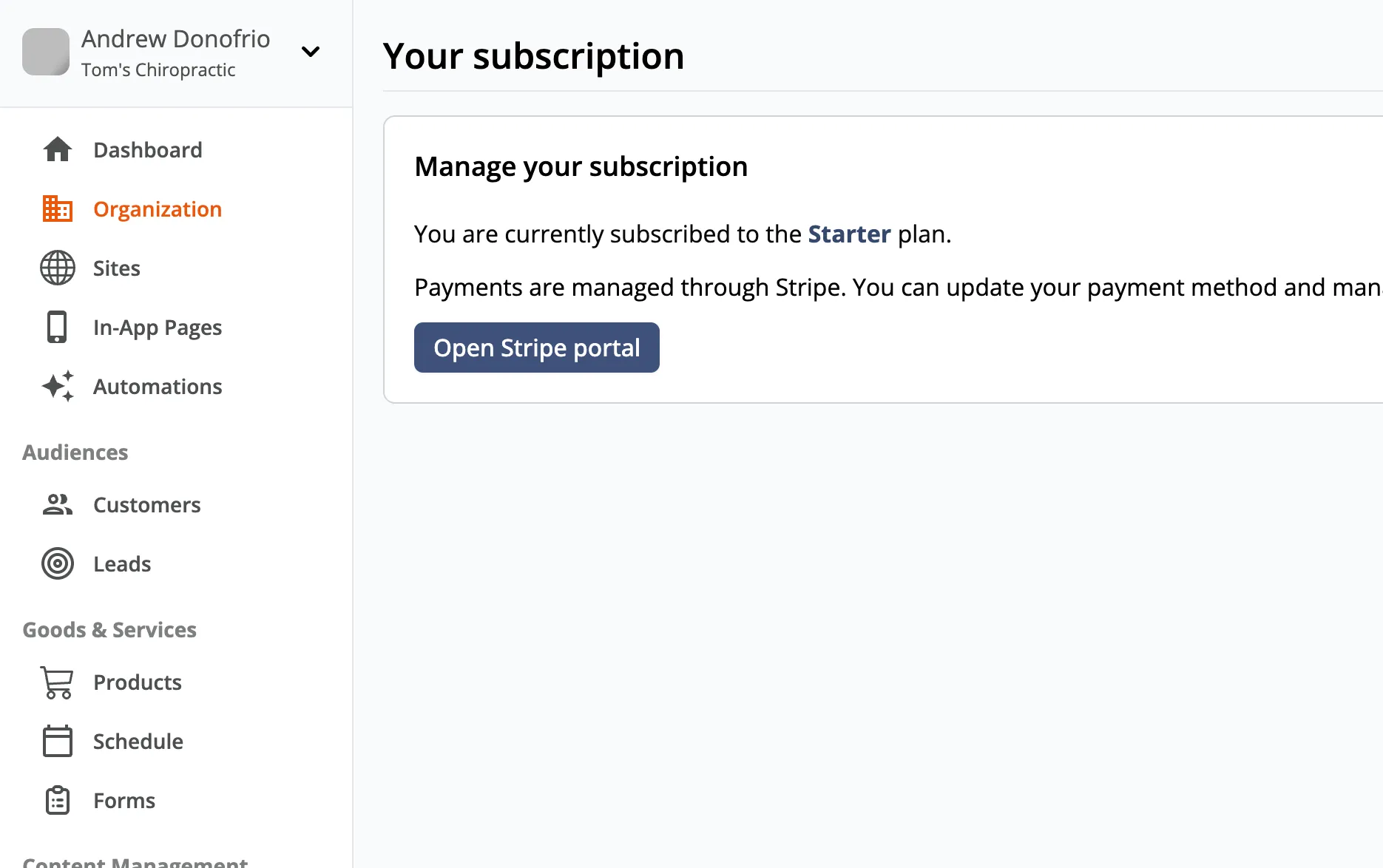
4. Open the Stripe Portal
Click Open Stripe Portal. Stripe’s secure customer portal launches in a new tab — update your card, billing email, or address there. Changes apply to your next renewal automatically.
Related
Stuck or seeing an error in the Stripe portal? Email support@joinzipper.com and we’ll sort it out.
Need a hand?
Email our team at support@joinzipper.com and we'll usually reply within a few hours.
Was this article helpful?
Thanks for your feedback.