How to Set Up a Birthday Offer Automation
Send a personalized birthday message — with or without a special offer — to customers automatically on or before their birthday.
Prerequisites
- Ensure customers have their Date of Birth on file in their CRM profile
- Have email or Twilio connected for sending
Steps
- Navigate to: Marketing > Automations.
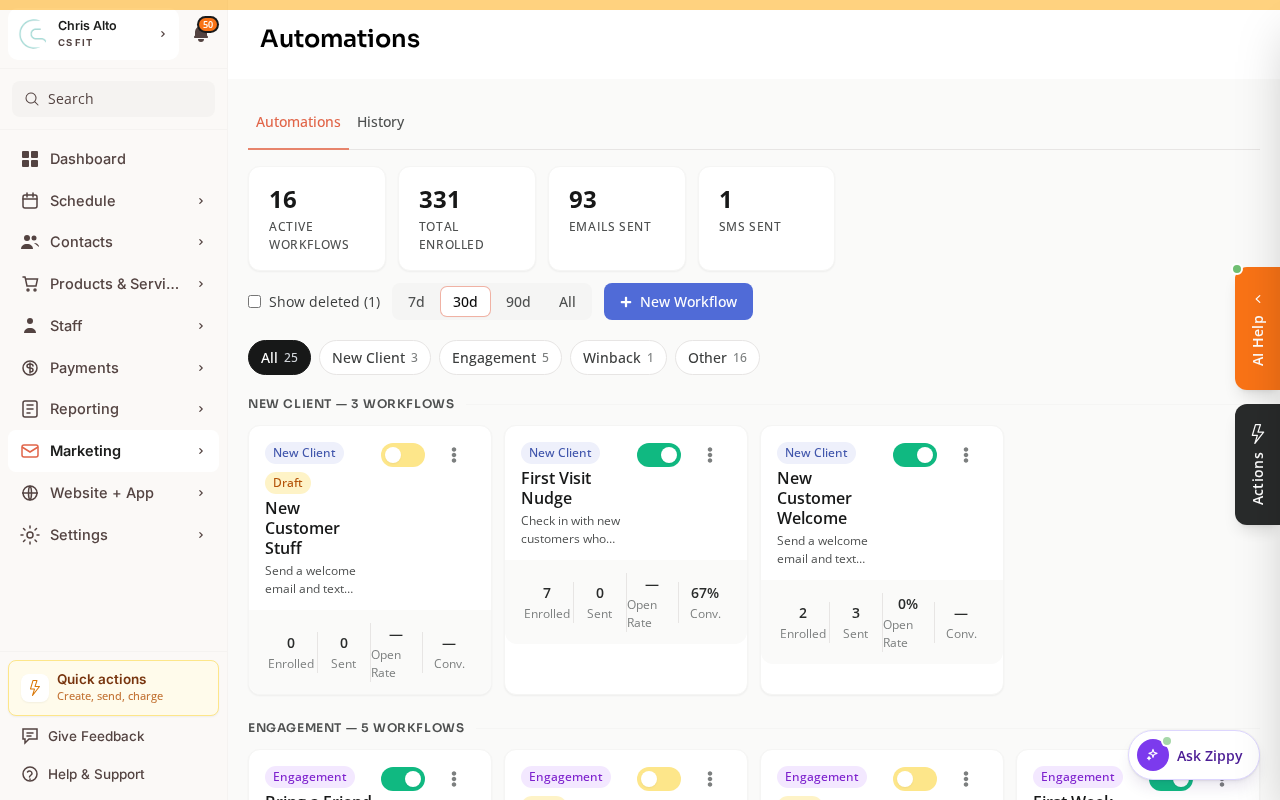
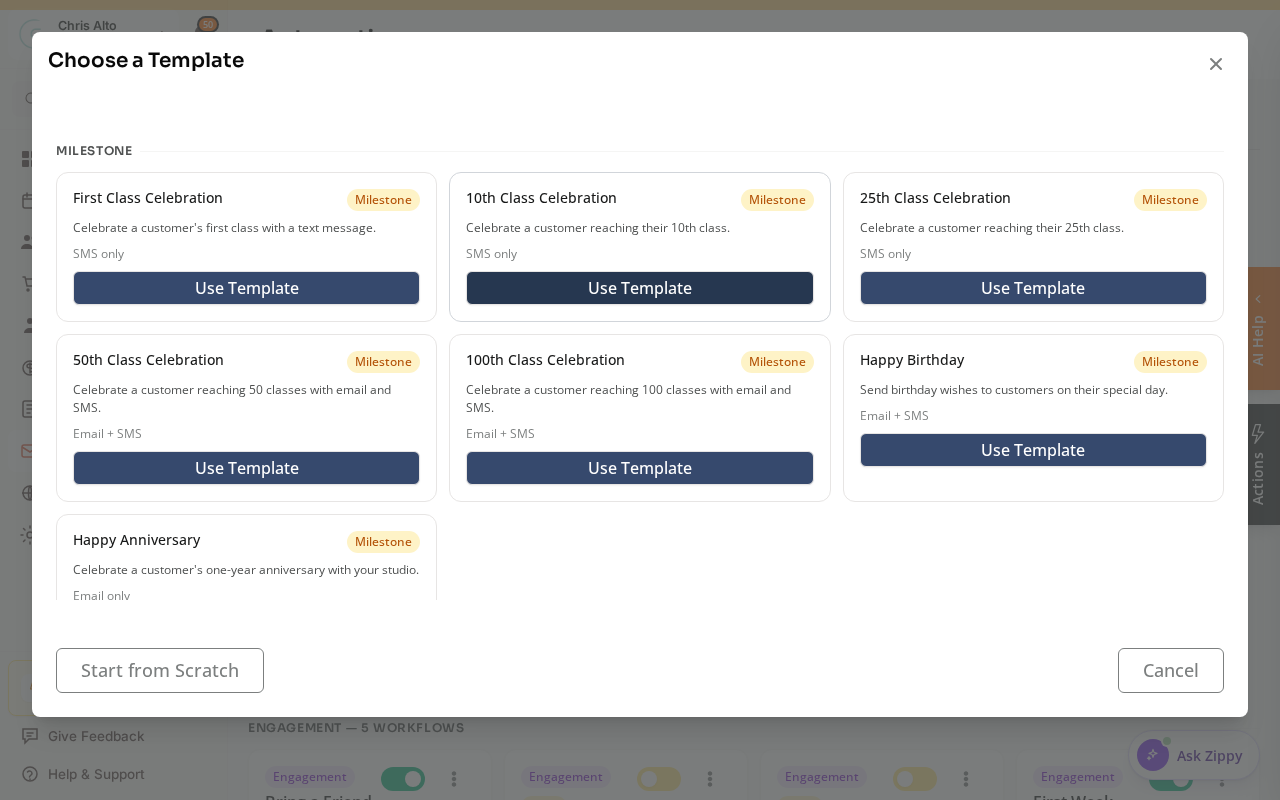
- Click: New Workflow. Zipper offers a Choose a Template gallery — the quickest option is the ready-made Happy Birthday template (Email + SMS). You can also Start from Scratch.
- If starting from scratch, set the trigger to Customer Birthday.
- Configure timing: choose how many days before the birthday to send (e.g., 3 days before, on the day, etc.)
- Add Send Email action:
- Subject: “Happy Birthday, [First Name]! 🎂”
- Body: personalized message + optional offer
- Optionally add Issue Booking Credits action to grant a free session as the gift
- Optionally add Send SMS for a text birthday message
- Publish
Birthday Offer Ideas
- Free class — use the Issue Booking Credits action
- Discount code — create in Stripe and include it in the email
- Personalized message only — no offer needed; still drives goodwill
Tips
- Send 3 days before: Customers appreciate birthday offers they have time to use. Same-day or next-day often feels rushed.
- Set runs-once: Ensure the automation is set to run only once per customer per year, not every time the trigger fires.
- Missing birthdays: Run a contact list campaign to request birthday info from customers who haven’t provided it.
Troubleshooting
Some customers aren’t receiving the birthday message. Check: (1) their Date of Birth is on file, (2) they’re subscribed to email/SMS, (3) the automation is published (not in draft).
Need a hand?
Email our team at support@joinzipper.com and we'll usually reply within a few hours.
Was this article helpful?
Thanks for your feedback.