How to Set Required Member Signup Details
Set a minimum signup age and choose which profile details new members must provide.
How to Set Required Member Signup Details
Choose the profile details new members must provide when they create an account for your studio. Go to Contacts > Custom Customer Fields and find Required Signup Fields.
Set a Minimum Age
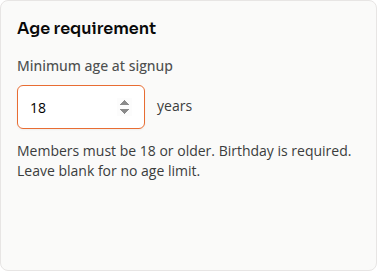
Enter a whole number under Minimum age at signup. Zipper asks for a birthday to check the age limit. Clear the field if you allow signup at any age.
Choose Required Profile Details
Turn on the fields you need under Profile details.
- Require birthday at signup asks for a date of birth even when there’s no minimum age.
- Require phone number at signup asks for the member’s phone number.
- Require Gender at signup asks for the member’s gender.
- Require emergency contact at signup asks for the emergency contact’s name and phone number.
Choose Save changes in the Required Signup Fields section. Look for Signup settings saved. If the section shows a permission message instead of the fields, ask a studio admin who can edit organization branding.
Need a hand?
Email our team at support@joinzipper.com and we'll usually reply within a few hours.
Was this article helpful?
Thanks for your feedback.