How to Review Appointment Attendance and Retention
Compare appointment attendance by type, review an individual booking, or see repeat visits by provider.
How to Review Appointment Attendance and Retention
Open Reporting > Past > Reports, click Select a report, and choose one of the appointment reports. Set the date range before reviewing the results or using Download.
Compare Attendance by Service
Choose Appointment Attendance Summary for totals by appointment type. Review the scheduled appointments, bookings, attendance, late cancels, pending holds, no-shows, capacity, and utilization. Use Compare to previous period to compare ranges.

Choose Appointment Attendance Breakdown to check a specific appointment. Its rows include the time, provider, and customer alongside those same measures. The attendance count includes active appointments whose start time has passed. Future active appointments appear in Pending, and appointments marked no-show count in No-Shows.
Review Repeat Visits by Provider
Choose Appointment Performance to see appointment counts by type and provider. Use Location if you want to focus on one location.
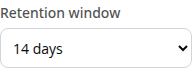
Set the Retention window to see how many of a provider’s new clients booked another qualifying appointment with that provider within the selected number of days. The rate uses clients whose first qualifying appointment with the provider was in the report period and whose full follow-up window has elapsed. A blank rate can appear when no clients qualify for that calculation.
For amounts earned and payout totals, open the appointment revenue reports.
Need a hand?
Email our team at support@joinzipper.com and we'll usually reply within a few hours.
Was this article helpful?
Thanks for your feedback.