How to Review and Log Lead Communications
Review emails and texts sent to a lead and log an outside conversation in the lead timeline.
How to Review and Log Lead Communications
Open Contacts > Lead Tracking, find the lead, and choose View details on the Board or View journey in Table.
Review Emails and Texts
Expand Communication history. Choose All, Email, or Text to review the messages for the lead. Select Refresh to check for newer entries.
Log a Follow-Up
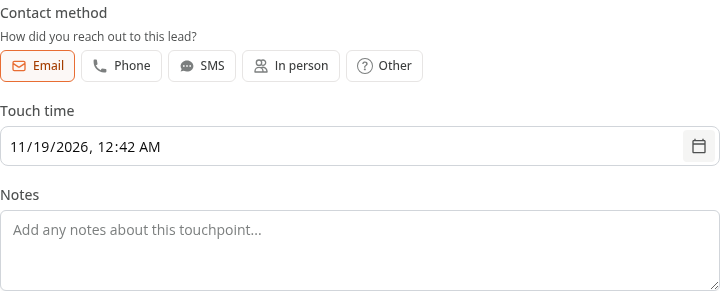
- In the Timeline for an active lead, select Log communication.
- Choose the Contact method, set the Touch time, and enter any Notes.
- Select Log to add the entry to the timeline. The lead stays in its current stage.
Need a hand?
Email our team at support@joinzipper.com and we'll usually reply within a few hours.
Was this article helpful?
Thanks for your feedback.