How to Restore Cancelled Class Sessions
Find one or more cancelled class sessions and return them to the schedule while keeping previous registrations cancelled.
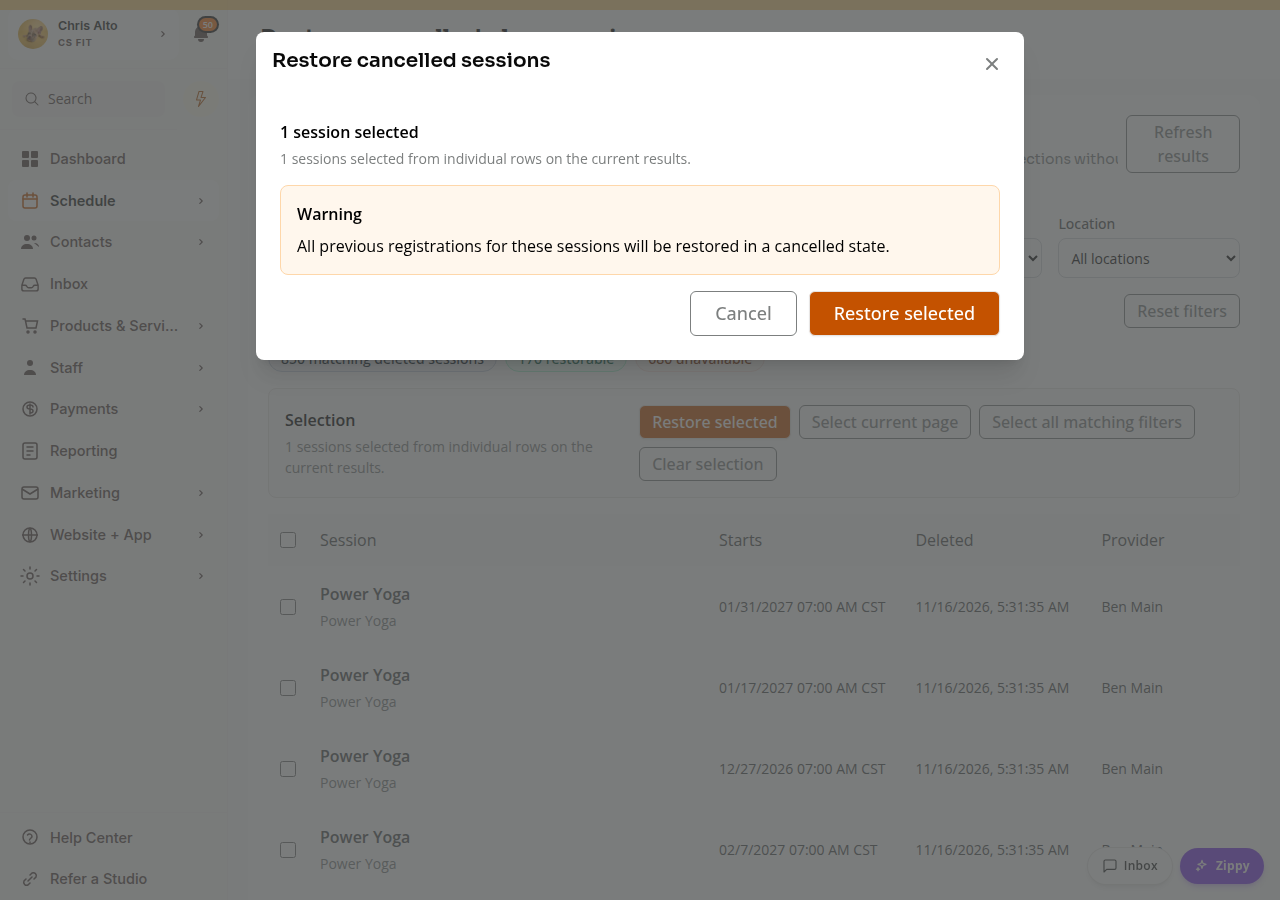
Restore one or more cancelled sessions when the class itself still exists. Previous registrations remain cancelled even after the sessions return to the schedule.
-
Open Schedule → Classes and select Actions → Restore canceled sessions.
-
Narrow the list by session date, provider, class, or location. Check that the sessions you need are marked Restorable.
-
Check individual rows, use Select current page to select eligible sessions on the visible page, or use Select all matching filters to include eligible results on other pages too. Changing the filters clears a selection made with Select all matching filters.

-
Choose Restore selected. In the dialog, check the selected count and choose Restore selected again to confirm.
-
Review the outcome and use Calendar to find the restored sessions. If the summary lists any failures, read the reason for each before retrying.
If the status says the class series was deleted, use How to Restore a Deleted Class.
Need a hand?
Email our team at support@joinzipper.com and we'll usually reply within a few hours.
Was this article helpful?
Thanks for your feedback.