How to Resend a Receipt
Zipper doesn't have a resend receipt button, but you can get a customer's receipt link directly from your Stripe account in a few steps.
Before You Start
- Ensure you have access to your Stripe Dashboard (dashboard.stripe.com)
- Find the customer in Zipper first to get their Stripe link
Steps
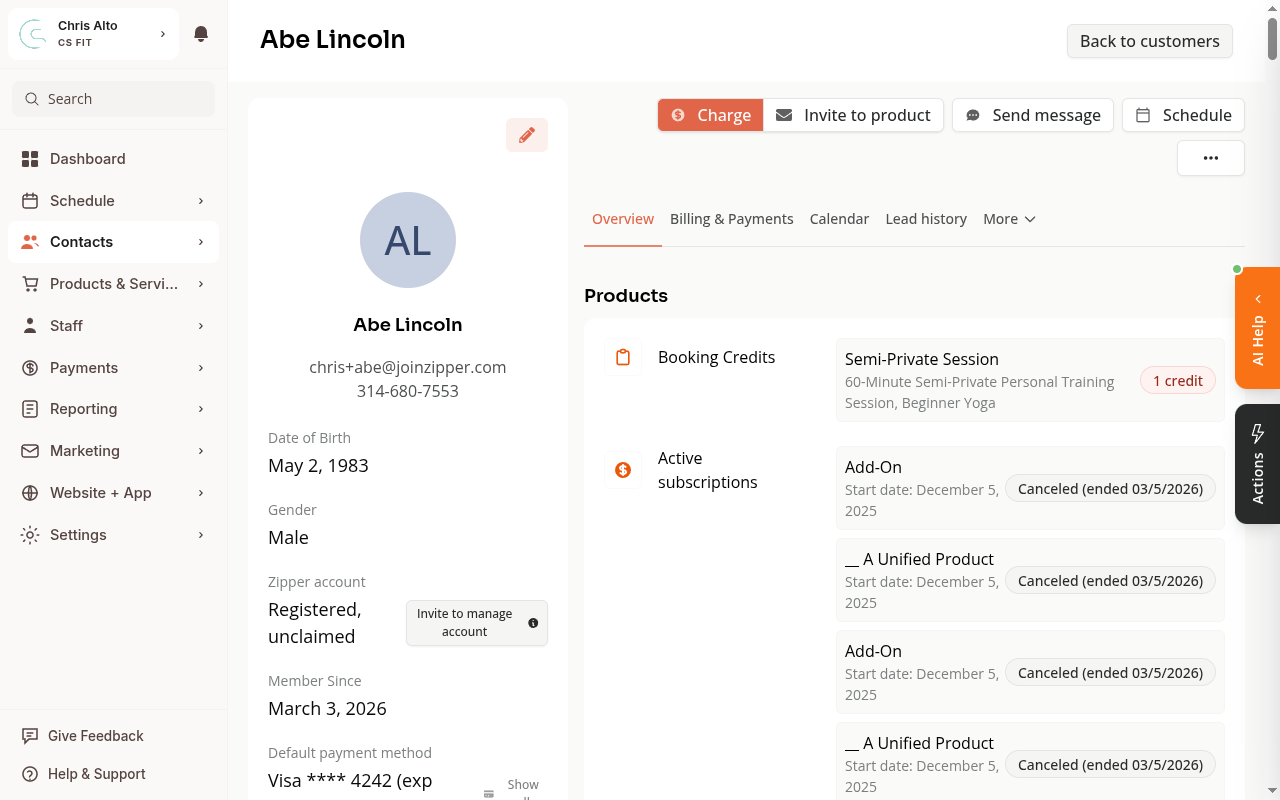
Step 1: Open the customer’s profile in Zipper
Go to Contacts > Customers, search for the customer, and click their name.
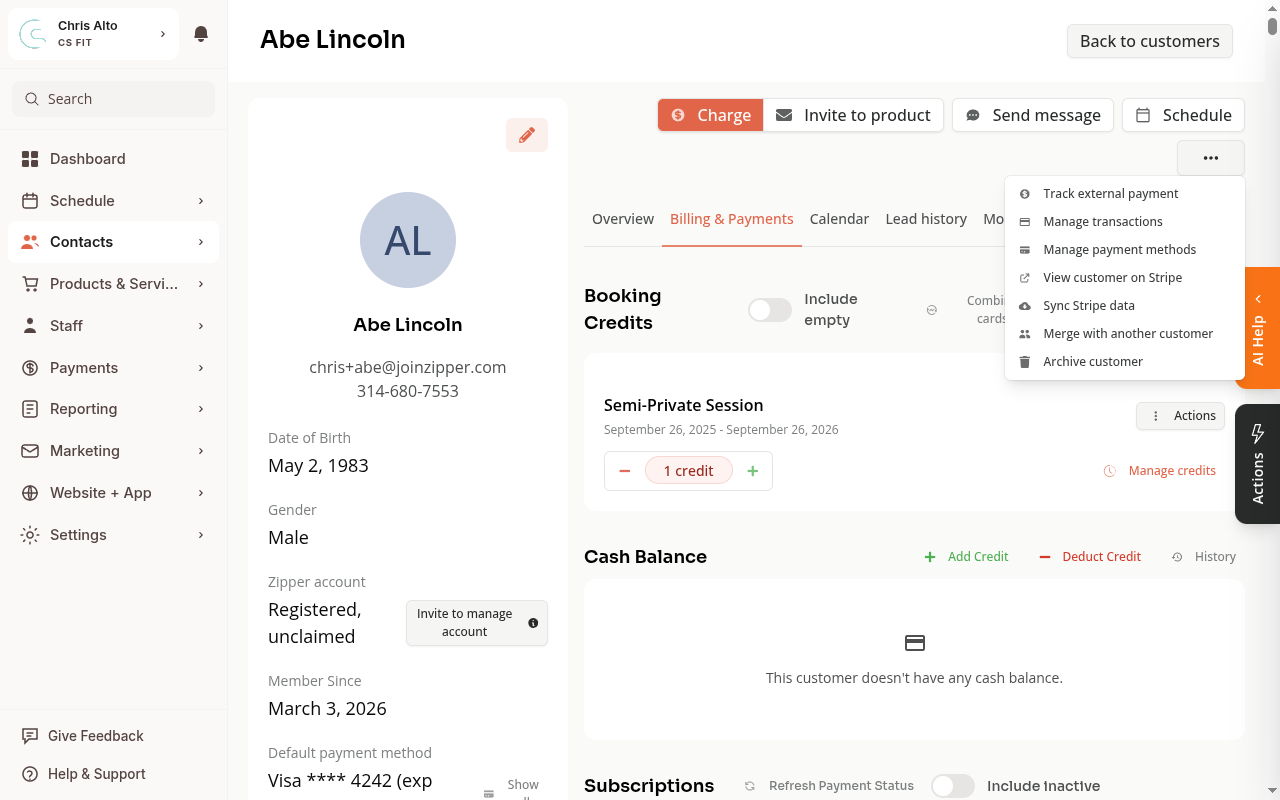
Step 2: Open the overflow menu and click View customer on Stripe
Click the ⋯ (three-dot) button at the top of the profile, then select View customer on Stripe.
Step 3: Find the payment in Stripe
In Stripe, look at the Payments section on the customer’s page. Click the payment you want to send a receipt for.
Step 4: Copy the receipt link
On the payment detail page, scroll down to find the Receipt section. Click View receipt — the receipt opens in a new tab with a permanent URL you can copy and share.
Step 5: Send the receipt to the customer
Copy the receipt URL from your browser and send it to the customer by email, text, or however you normally reach them. The link doesn’t require them to log in.
On Mobile
The steps are the same on mobile. Open the customer’s profile, tap the ⋯ menu, and tap View customer on Stripe.
Tips
- The receipt URL is permanent — customers can bookmark it or share it.
- Zipper sends a payment confirmation email automatically when a payment succeeds. If the customer says they didn’t get it, ask them to check their spam folder or verify the email address on their profile is correct.
- To update a customer’s email address, go to their profile → View all details → edit their email.
Troubleshooting
The payment isn’t showing in Stripe. Make sure you’re logged into the correct Stripe account (the one connected to this Zipper organization). If you have multiple Stripe accounts, check the account switcher in the top-left corner of the Stripe Dashboard.
The customer can’t open the receipt link. The Stripe receipt URL is public — no login required. If they’re getting an error, try copying the URL again from Stripe to make sure it’s complete.
Need a hand?
Email our team at support@joinzipper.com and we'll usually reply within a few hours.
Was this article helpful?
Thanks for your feedback.