How to Rename or Replace a Recurring Class With Enrolled Members
Update a recurring class name or swap it out for a new version while keeping existing enrollments intact.
Renaming a Class
The simplest change — just update the name:
- Navigate to: Schedule > Classes, then Edit the class.
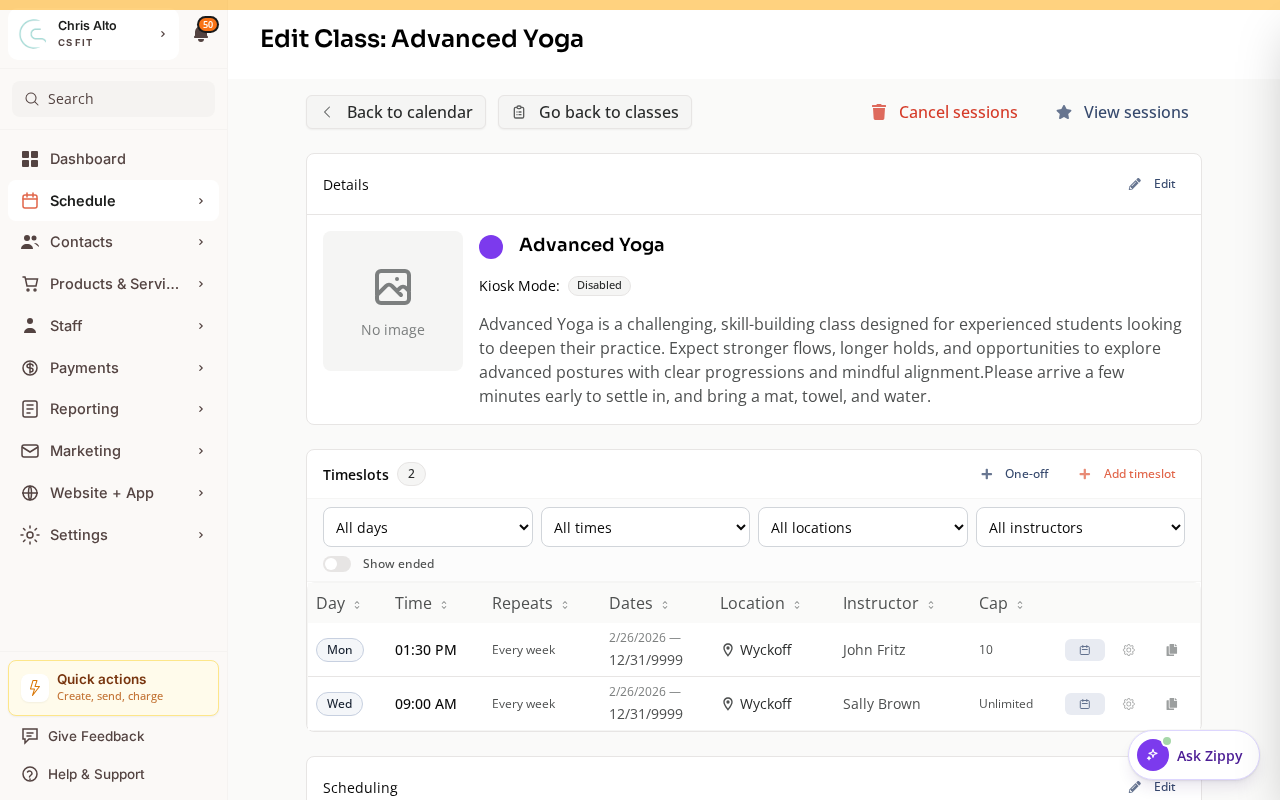
- Click Edit in the Details card and update the Name field.
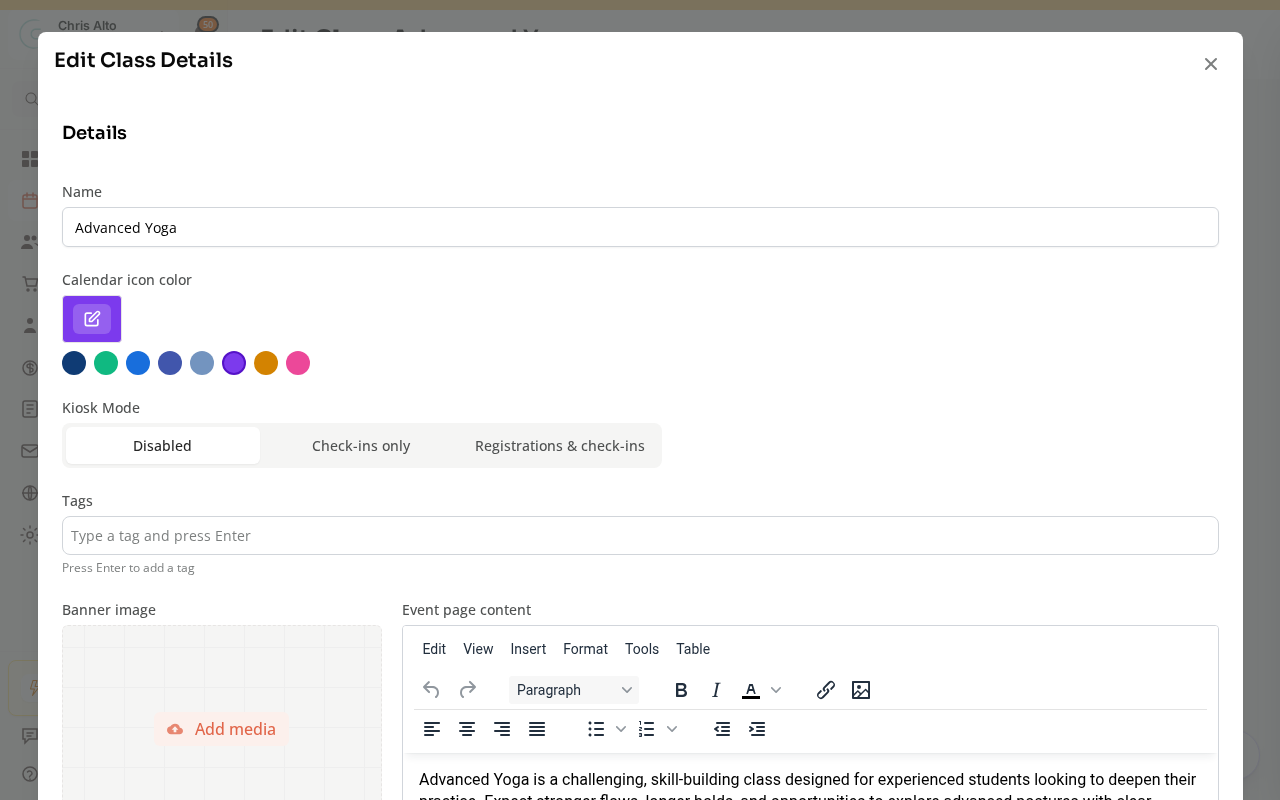
- Save.
- Expected: Class name updated; all enrollments preserved.
Replacing a Class (More Complex)
If you need to significantly change a class (different type, different enrollment terms), the safest approach is:
Option A: Edit in place
- Edit the existing class with the new settings
- Apply to all future sessions
- Existing enrollments remain
Option B: End the old class, start a new one
- End the recurring series at a specific date (see: How to Cancel or Reschedule a Single Class Session vs. Ending a Recurring Series)
- Create a new class starting from the cutoff date
- Migrate existing members: either re-enroll them manually or send them an invite to the new class
Protecting Existing Members
Before making major changes to an active class:
- Check who’s enrolled: Schedule > Calendar → class → registrant list
- Notify members: Use Schedule > Calendar → class → Email registrants to inform them of changes before they happen
- Confirm credits stay: Credit and product assignments don’t change unless you change the payment settings
Tips
- Name changes are safe: Renaming a class doesn’t affect enrollments, credits, or billing at all.
- Product/pricing changes affect future renewals: If you change payment settings, existing subscription holders may see changes at their next renewal.
Troubleshooting
Members weren’t notified of a name change. Zipper may not send automatic notifications for class name changes. Use the class email feature to inform registered members manually.
Need a hand?
Email our team at support@joinzipper.com and we'll usually reply within a few hours.
Was this article helpful?
Thanks for your feedback.