How to Pass Stripe Fees to Customers
By default, Zipper keeps Stripe processing fees out of your product prices — meaning you receive slightly less than the listed price. Enabling this setting adds those fees as a separate line item at checkout, so you receive the full product price every time.
Before You Start
- Ensure you have owner or admin permissions
- Ensure at least one product exists in Zipper
Steps
Step 1: Go to Products & Services
Go to Products & Services > Manage Plans.
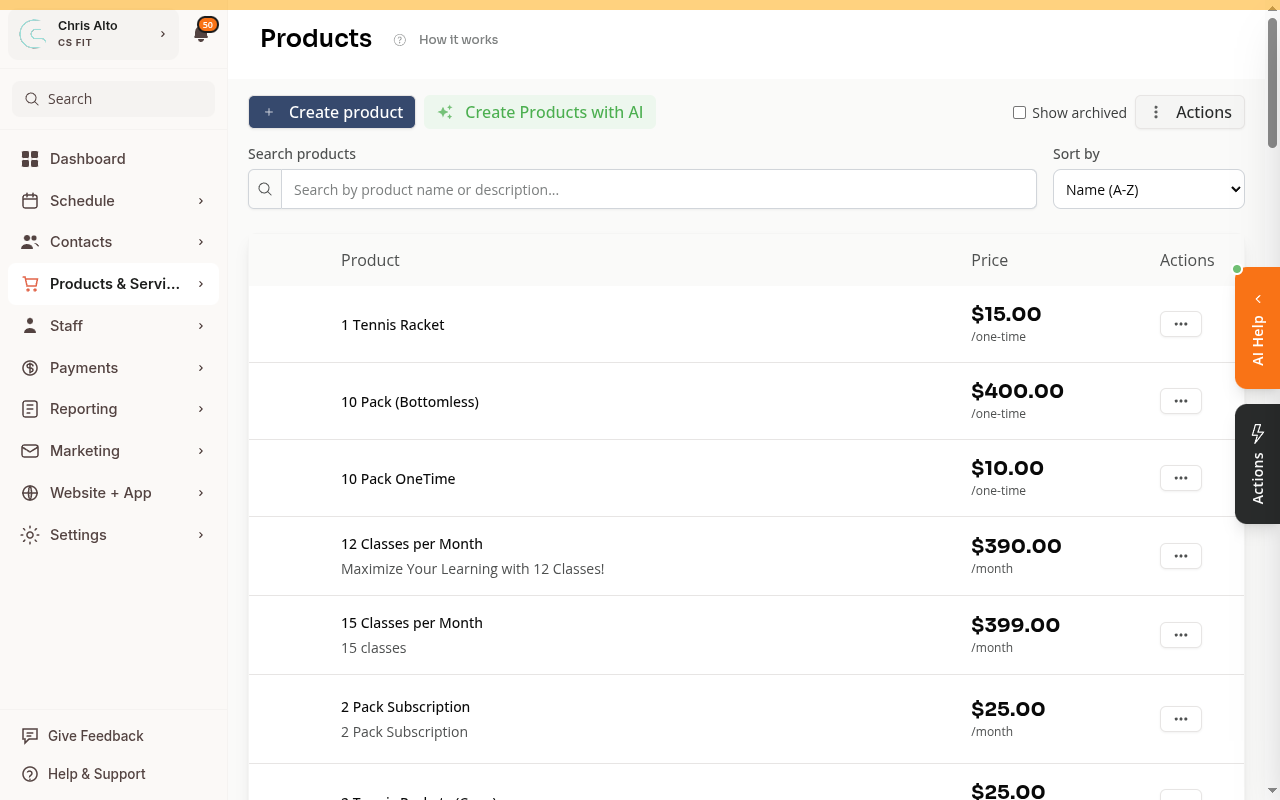
Step 2: Open a product to edit
Click the product name or the Edit button on any product you want to update.
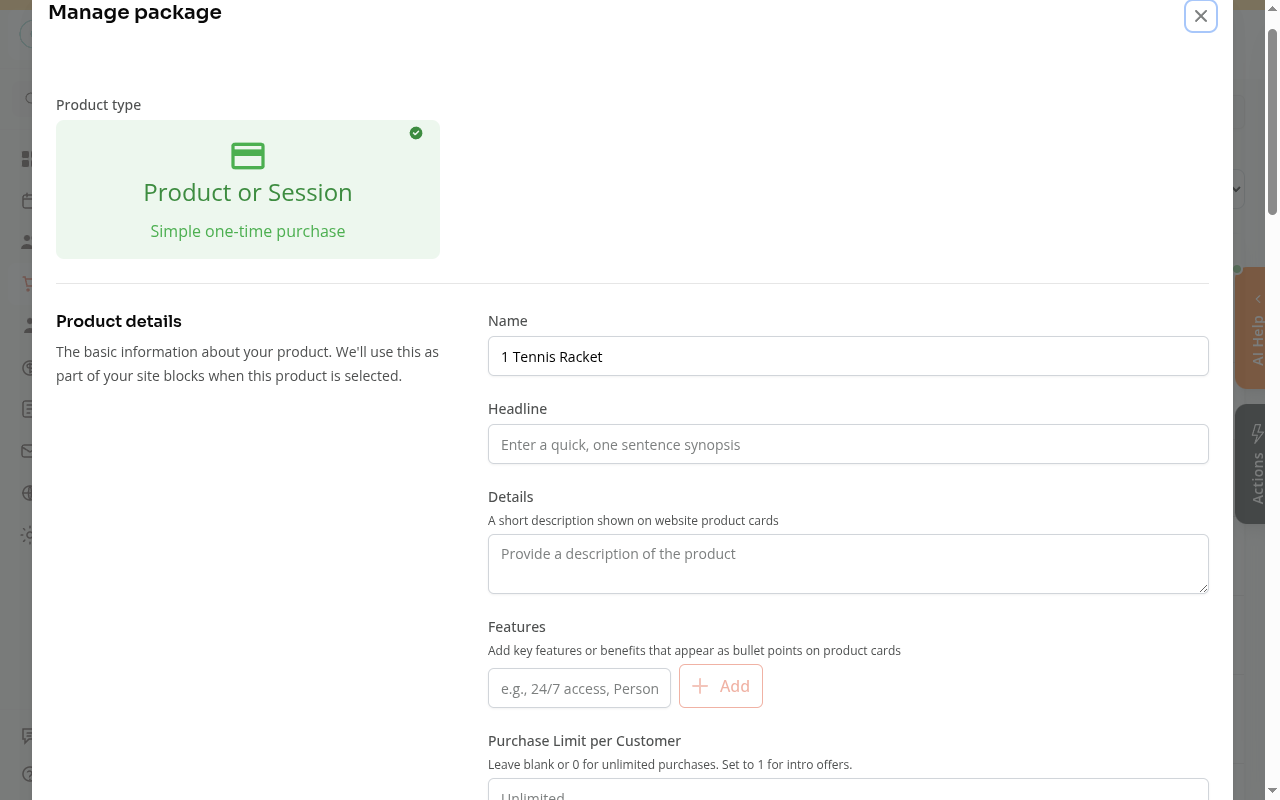
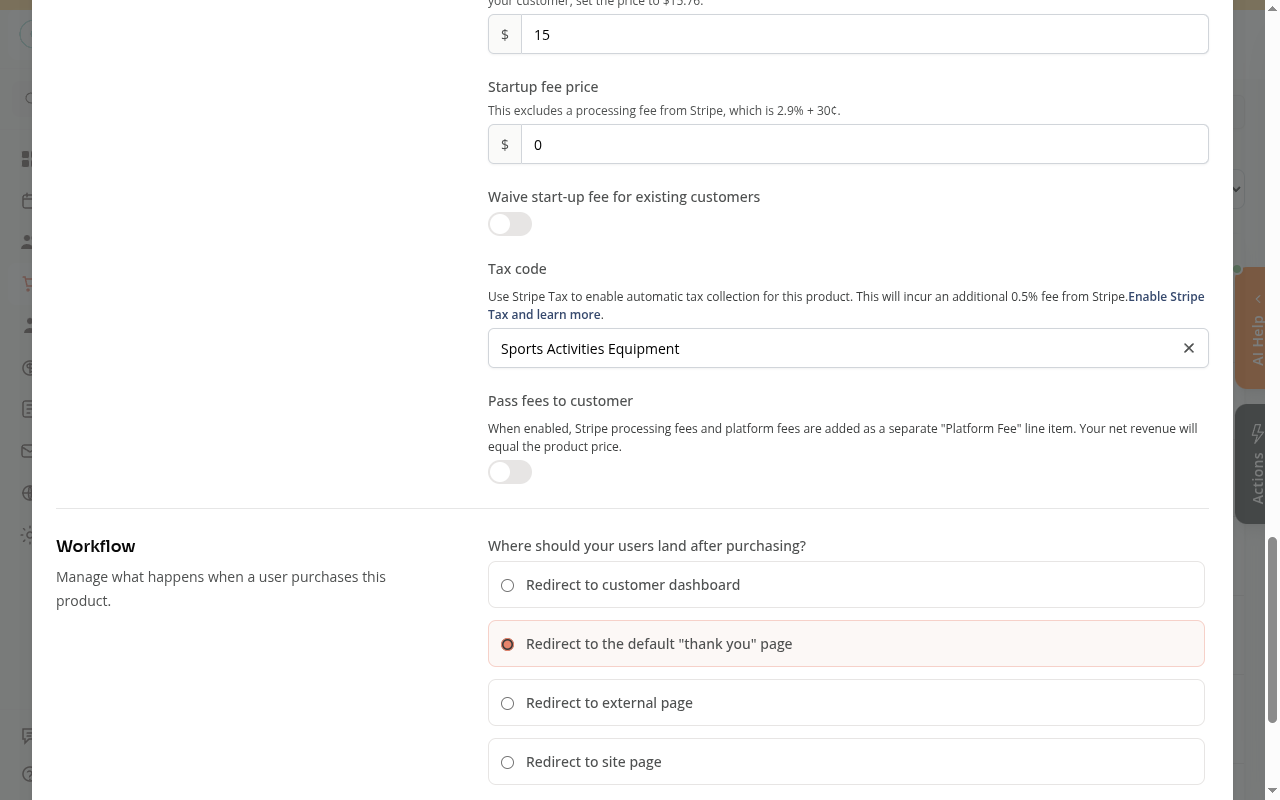
Step 3: Scroll down to find “Pass fees to customer”
Scroll down in the product form until you see the Pass fees to customer section. The description reads: “When enabled, Stripe processing fees and platform fees are added as a separate ‘Platform Fee’ line item. Your net revenue will equal the product price.”
The toggle is off by default.
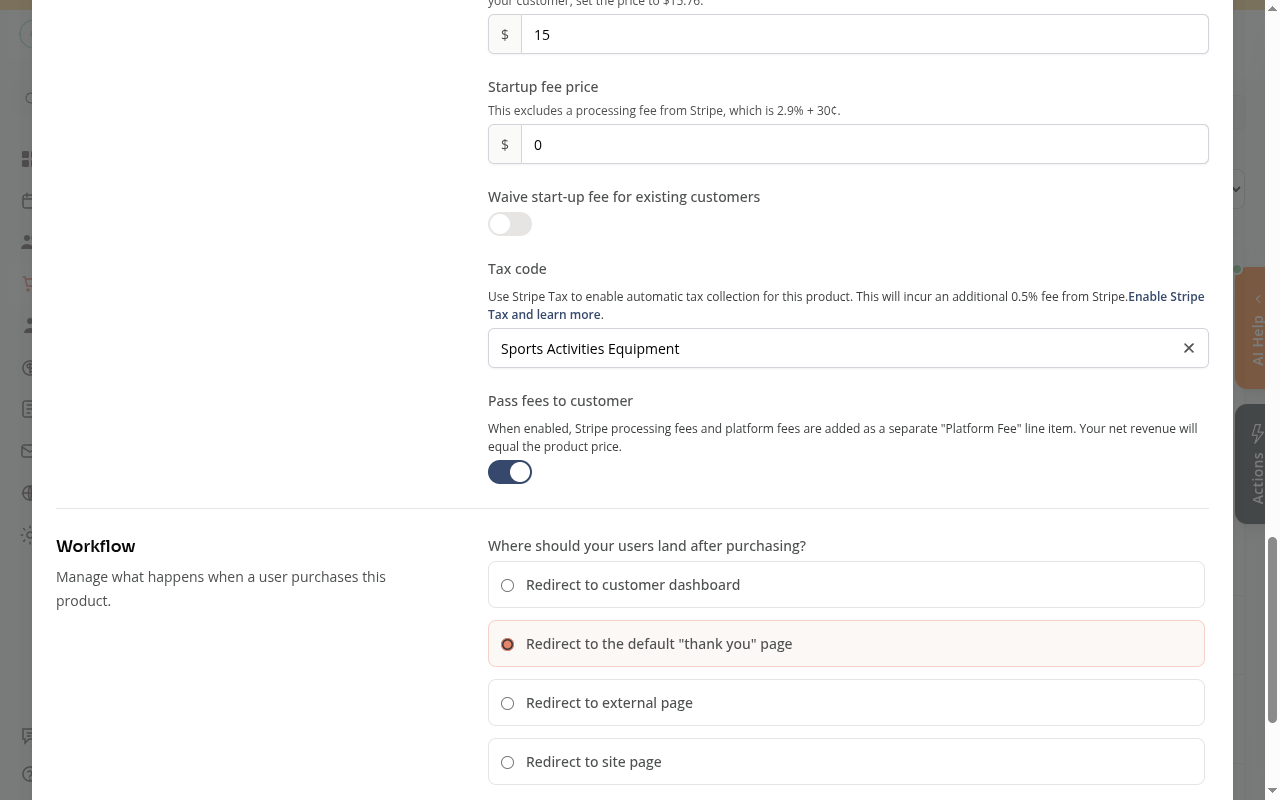
Step 4: Turn on the toggle
Click the toggle to enable it. It turns blue when active.
Step 5: Save the product
Scroll down and click Save.
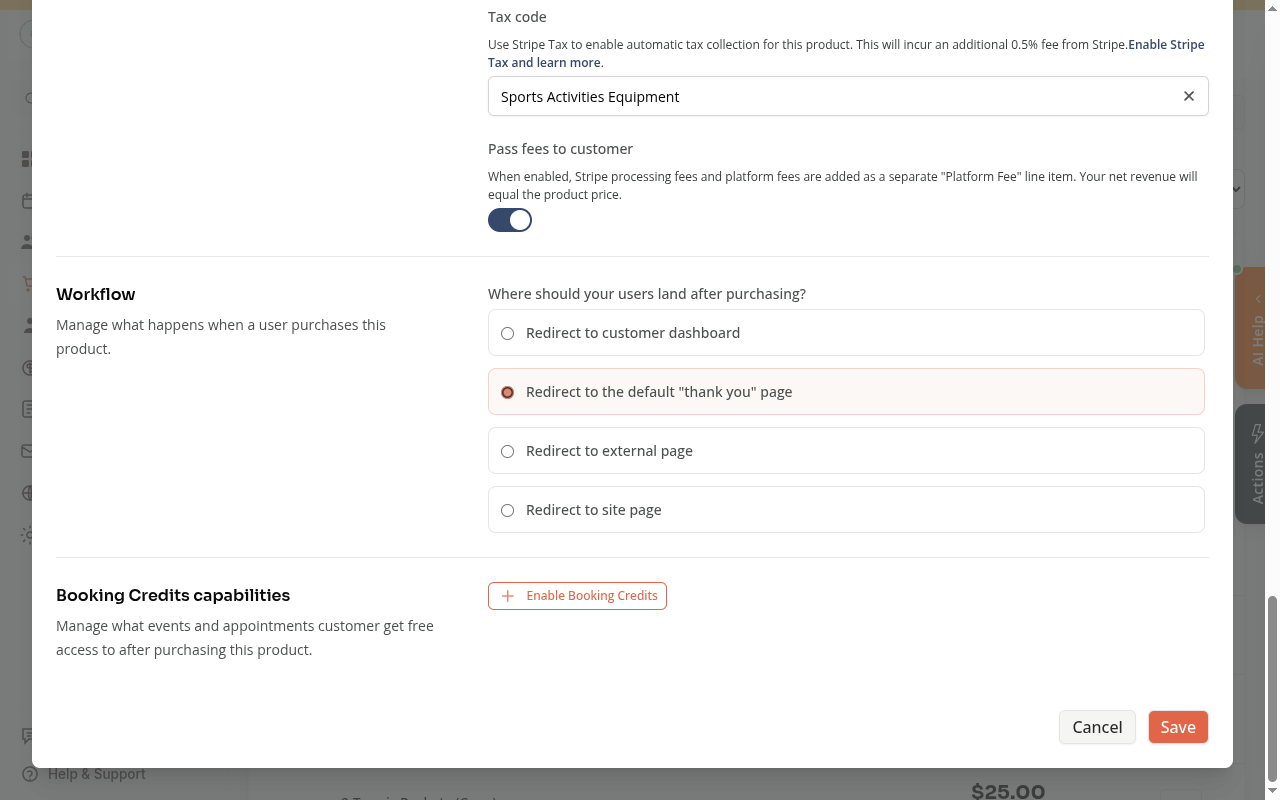
From now on, any customer who purchases this product will see a Platform Fee line item added to their total at checkout.
Step 6: Repeat for all applicable products
This setting is per product — enable the toggle on each product you want to pass fees on.
Notes
- This setting is per product — enable it on each product individually
- Only affects new purchases. Existing subscribers are not changed
- The “Platform Fee” covers both Stripe’s processing fee (typically 2.9% + 30¢) and Zipper’s platform fee (if applicable) — customers see one combined line item, not a breakdown
Troubleshooting
I don’t see “Pass fees to customer” on the product form Scroll further down — it’s in the pricing section, just below Tax code and above the Workflow settings.
Will this apply to my existing members? No. The change only applies to new purchases made after you save. Current subscribers continue at their existing price.
Need a hand?
Email our team at support@joinzipper.com and we'll usually reply within a few hours.
Was this article helpful?
Thanks for your feedback.