How to Invite a Customer to a Product With Delayed Billing
Send a customer an invitation to purchase a subscription that won't start billing until a future date — useful for pre-selling memberships or setting a specific start date.
Steps
- Navigate to: Contacts > Customers → find the customer → click their name.
- Click: Invite to product (top of the profile). The invite window opens with the customer’s details pre-filled.
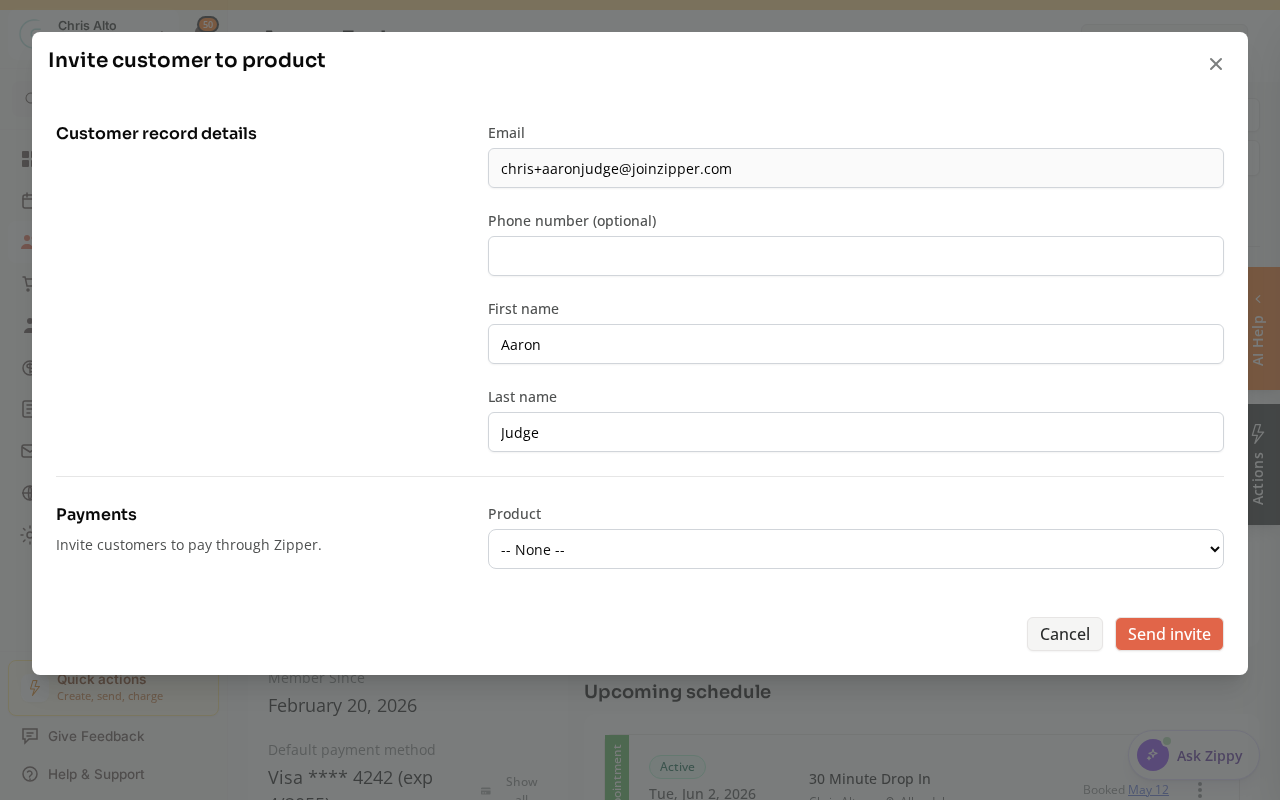
- Select the subscription (recurring) product. A Subscription start option appears — delayed billing is only available for recurring products.
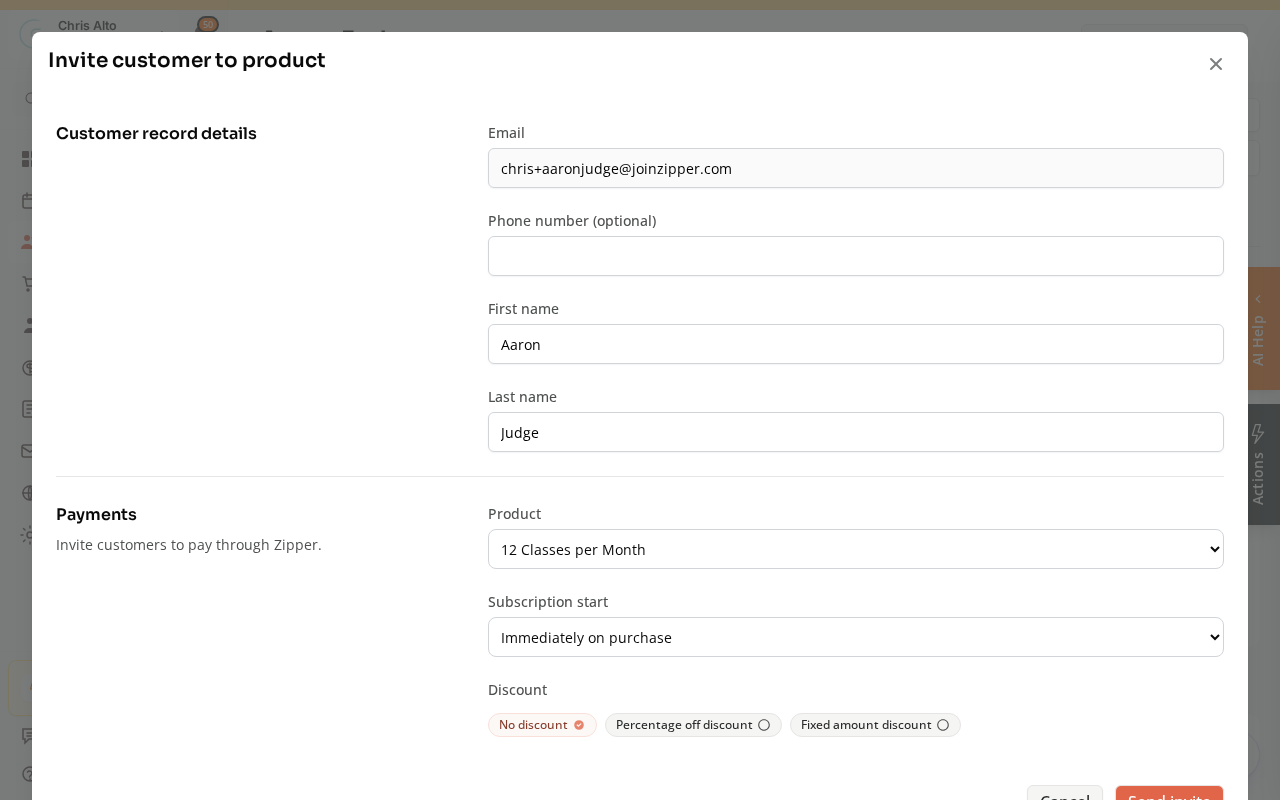
- Set Subscription start to On a specific date and choose a future date (tomorrow or later — past dates aren’t allowed).
- Review the price and settings.
- Click: Send invite.
- Expected: The customer receives an email invitation to accept the membership; the first charge fires on the start date you set.
Tips
- Pre-launch memberships: Use delayed billing to sell memberships before your studio opens. Set the start date as your opening day.
- Renewal dates: The start date becomes the billing anchor — all future renewals happen on the same day of the month.
Troubleshooting
Customer accepted the invite but wasn’t charged on the start date. Check that the start date is set correctly on the subscription in their billing profile. If the date passed without a charge, the payment method may have failed — check Payment Collector.
I need to cancel a pending invite before the customer accepts. Find the invite in the customer’s profile and cancel/revoke it before they accept.
Need a hand?
Email our team at support@joinzipper.com and we'll usually reply within a few hours.
Was this article helpful?
Thanks for your feedback.