How to integrate a website widget on Zipper sites
Embed a third-party widget on your Zipper site with the Custom HTML block. Paste the snippet, save, then publish to see it render live.
Using a third-party tool and want to embed its widget on your Zipper site? The Custom HTML block lets you paste any provided snippet directly into a page.
1. Open your Zipper site
Go to Website + App > Site Editor, open your site, and navigate to the page where you want the widget to appear.

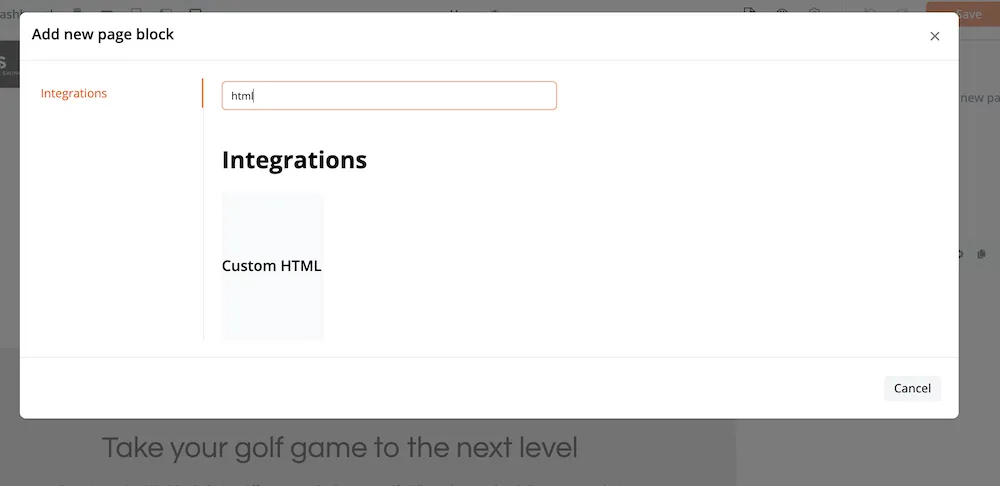
2. Select Custom HTML
In the block picker, select Custom HTML.
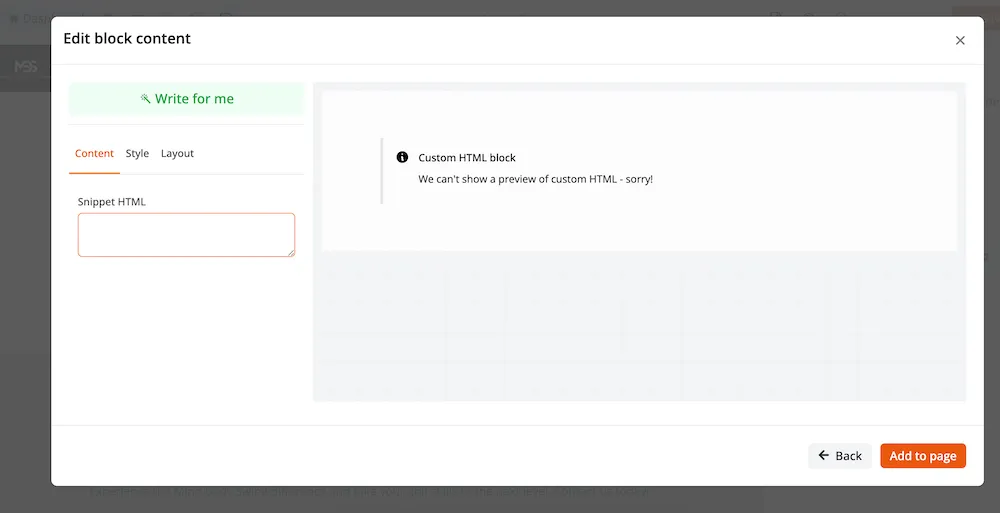
3. Paste the snippet and save
Drop the third-party widget HTML into the Snippet HTML field and save the block. The widget will not render in the editor — publish the site to confirm it works.
4. Publish and verify
Publish your site, then visit the live page. The example below shows a Senja widget embedded on a Zipper site.

Need a hand?
Email our team at support@joinzipper.com and we'll usually reply within a few hours.
Was this article helpful?
Thanks for your feedback.