How to Find Classes and Appointments on Your Studio’s Website
Use the Classes and Appointments tabs on your studio’s public schedule to find a session or appointment time.
Open the schedule or booking page on your studio’s website to see what’s available. If your studio offers both classes and appointments on the same page, you’ll see a tab for each.
Find a class
-
Choose Classes.

-
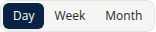
Use Day, Week, or Month to browse the calendar. Select Today to jump back to the current date. Use Filters if you want to narrow the list, such as by location.
-
Select a class on the calendar to see its details.
Find an appointment
-
Choose Appointments.

-
Choose the location and provider if those selectors appear. Use Appointment Type to find the service and select a duration if there are options.
-
Check Timezone, then select a date to see the times available for that service. If you see Try a different location?, select it to clear the location and check other locations. You can also change the date, provider, or appointment type.

On a phone
The tabs work the same way. Try Day view to see one day at a time.
If you see only classes or only appointments, check your studio’s website for a separate booking link.
Once you find an available time, open the appointment checkout and sign in if prompted.
Need a hand?
Email our team at support@joinzipper.com and we'll usually reply within a few hours.
Was this article helpful?
Thanks for your feedback.