How to Find and Review Unpaid Balances in Payment Collector
Find outstanding registrations, appointments, fees, subscription issues, and failed payments.
Use Payment Collector to find outstanding charges and review the actions available for each one.
-
Open Payments → Payment Collector. Choose How it works beside the heading if you want to open the in-app walkthrough.
-
Choose the tab for the problem.
Tab What to look for Unpaid Registrations Booked classes or events with an outstanding payment. Unpaid Appointments Appointments with an outstanding payment. Unpaid Fees Unpaid late cancellation and no-show fees. Lapsed Subscriptions Subscription payment or status issues requiring follow-up. Failed Payments Unsuccessful payments, with their last attempt and failure reason. 
-
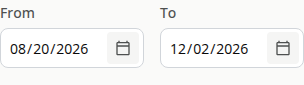
Use From and To to include the booking or failure date. The initial range starts 90 days before today and ends 14 days after today. Use the search field where available and check the relevant tab again when you change the range.
-
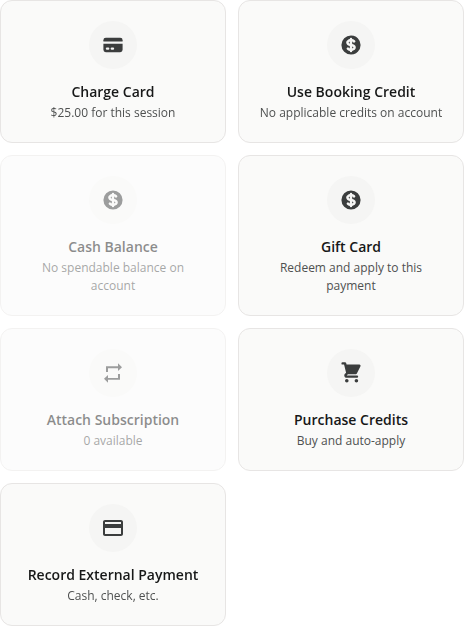
To review a registration or appointment, use Charge on its row. When the Charge Payment dialog opens, check the customer, booking, and amount. The available choices can include a card, eligible credits, cash balance, a gift card, or an external payment. On a registration marked Late Cancel, Charge opens a Charge Cancellation Fee dialog instead, with a Charge Fee button.
-
Choose the appropriate method and review its final control before completing it.
See how to charge or waive unpaid fees, review lapsed subscriptions, or retry or dismiss a failed payment.
For a new class or event booking with an outstanding balance, see How to Register a Customer and Collect Payment Later.
To stop collecting a registration payment, see How to Waive an Unpaid Class or Event Registration.
Need a hand?
Email our team at support@joinzipper.com and we'll usually reply within a few hours.
Was this article helpful?
Thanks for your feedback.