How to Find and Review Customer Families
Find a family by member name or email and open a guardian or dependent’s customer profile.
How to Find and Review Customer Families
Use Families to see which guardians and dependents are linked in your studio.
- Go to Contacts > Customers and choose Families.
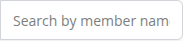
- Enter a member’s first name, last name, or email in Search by member name or email. You can search for a guardian or a dependent.
- Open the family card if it is collapsed. Review the Guardians and Dependents sections to see who is linked.
- Select a member’s avatar to open their Customer profile.
If you see No families match your search, choose Clear search and try another name or email. To create family relationships, see How to Set Up Family Accounts.
Need a hand?
Email our team at support@joinzipper.com and we'll usually reply within a few hours.
Was this article helpful?
Thanks for your feedback.