How to Email Your Entire Customer & Lead Base at Once
Send a broadcast email to all your customers and leads in one campaign.
Steps
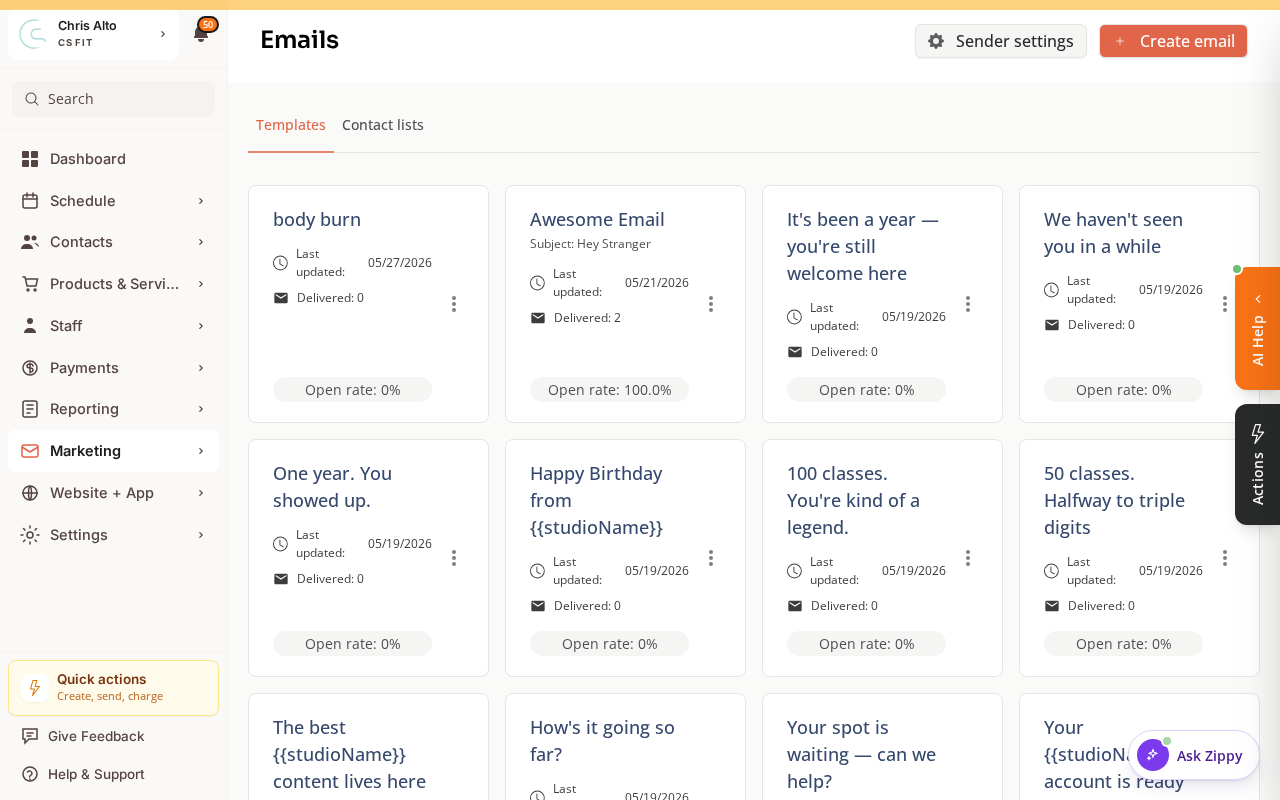
- Navigate to: Marketing > Email, then click Create email.
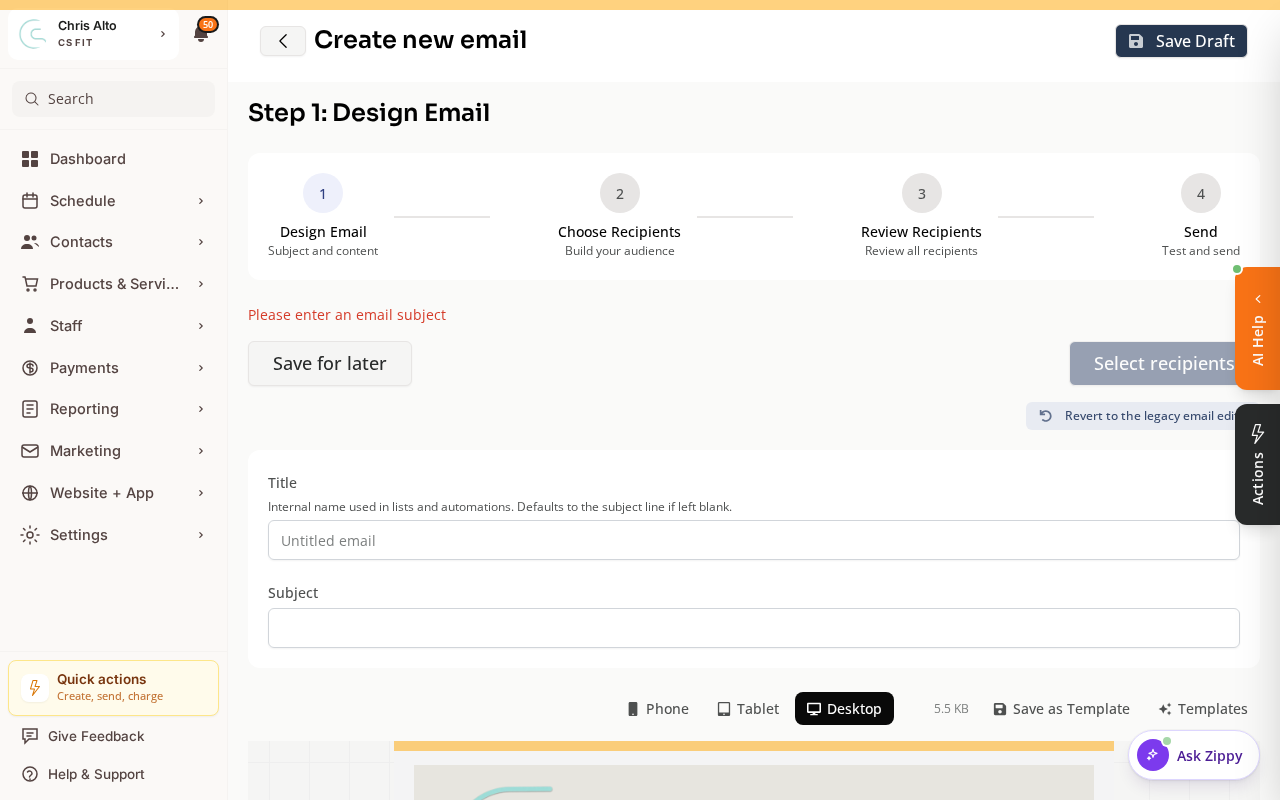
- The email builder opens as a four-step wizard: Design Email → Choose Recipients → Review Recipients → Send. Write your subject and content on the first step.
- On the Choose Recipients step, build your audience:
- Add your full customer Contact List (e.g., “All Members”).
- Optionally also add a leads contact list, or select a universal CRM tag that covers your leads.
- Review Recipients, send yourself a test, then Send (or schedule it).
Who Can Receive It
Only contacts who are subscribed to email will receive the campaign. Unsubscribed contacts are automatically excluded — this is required by email regulations.
Tips
- Personalization: Use merge tags like
{{first_name}}to address each recipient personally. - Check your unsubscribe rate: After sending, review the campaign stats — a high unsubscribe rate signals the message wasn’t relevant to the full list.
- Send time: Tuesday–Thursday at 9–11am tends to get the best open rates for most studios.
Troubleshooting
Some contacts didn’t receive the email. They may be unsubscribed, have invalid email addresses, or their inbox may have filtered it to spam. Check campaign stats for bounce and unsubscribe details.
Need a hand?
Email our team at support@joinzipper.com and we'll usually reply within a few hours.
Was this article helpful?
Thanks for your feedback.