How to Change a Class Start Time for Future Sessions Only
Move a recurring class to a new time slot going forward without affecting past or current sessions.
Steps
Step 1: Open the class for editing
- Navigate to: Schedule > Classes, then Edit the class. Its timeslots (Day / Time / Dates / Instructor / Cap) are listed here.
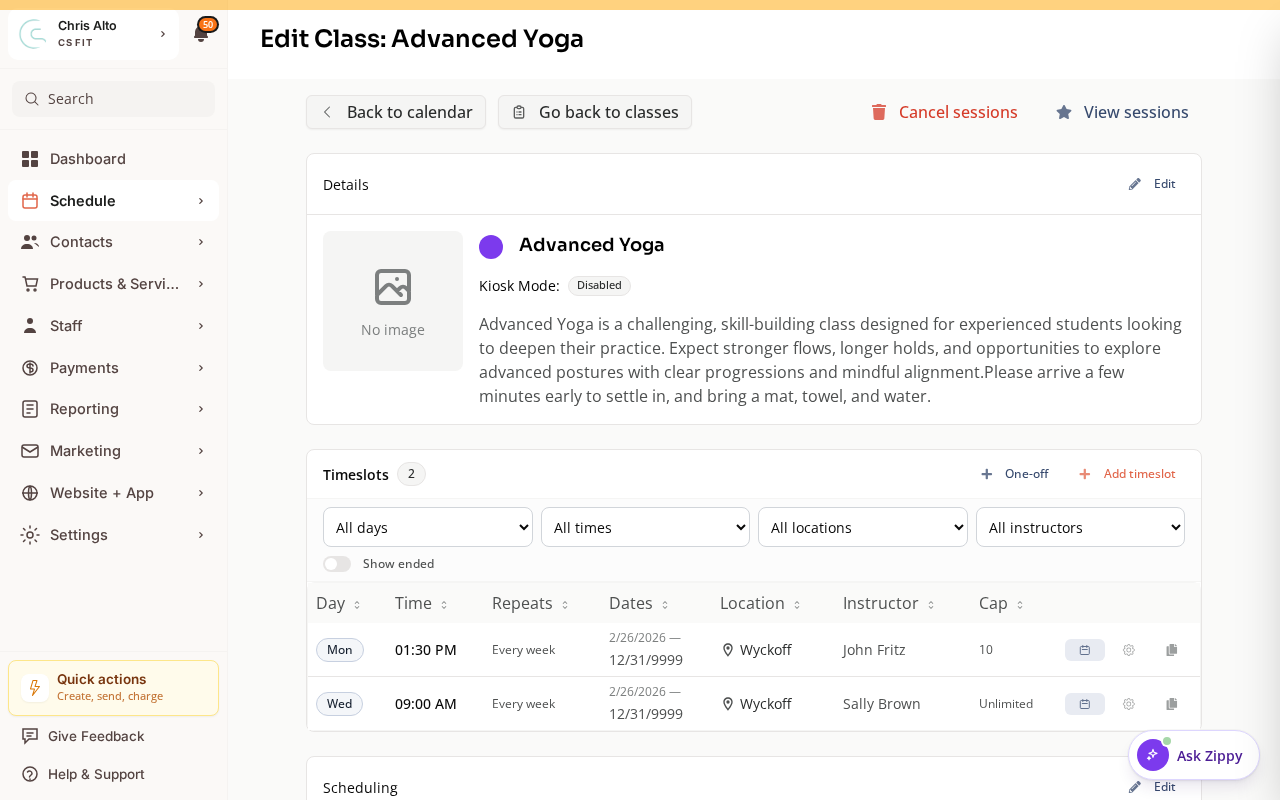
Step 2: Find the timeslot and add a schedule change
- Find the timeslot with the current time you want to change
- Look for Edit on the timeslot or an option to add a Schedule Change
Step 3: Update the start time
- Change the start time to the new time
- When prompted, choose to apply from “This and all future sessions” (not “all sessions including past”)
- Set the effective date — usually today or the next occurrence
- Save
What Happens to Registered Members
Existing registrations for future sessions are kept — members are moved to the new time automatically. Zipper sends notifications to registered members about the time change.
Check for booking conflicts with the new time (e.g., if an instructor is unavailable at the new time) — Zipper may warn you about these.
If You Need the Old Time to Continue for Some Sessions
For example, if you want to run the class at 9am for 2 more weeks and then switch to 10am:
- Set the end date on the current timeslot for the last session at the old time
- Add a new timeslot starting from the new date at the new time
On Mobile
Same steps — timeslot editing works on mobile browser.
Note: Even though Zipper sends an automatic notification, a personal note via Calendar → class → Email registrants helps members notice the change. Confirm the instructor is available at the new time before saving.
Troubleshooting
The time change applied to past sessions too. If you chose “all sessions” instead of “this and future sessions,” past sessions may show the new time in the calendar view (they’re historical records). This is usually cosmetic — the actual session occurred at the original time. Contact support if you’re concerned about payroll records.
Members aren’t being notified of the time change. Check notification settings for your org. If notifications are disabled for class updates, members won’t receive automatic alerts.
Need a hand?
Email our team at support@joinzipper.com and we'll usually reply within a few hours.
Was this article helpful?
Thanks for your feedback.