How to Block New Purchases Without Affecting Existing Buyers
Stop new customers from buying a product while existing subscribers keep full access and their subscriptions continue uninterrupted.
Steps
Step 1: Open the product settings
- Navigate to: Products & Services > Manage Plans
- Find the product → click to edit
Step 2: Hide it from the shop
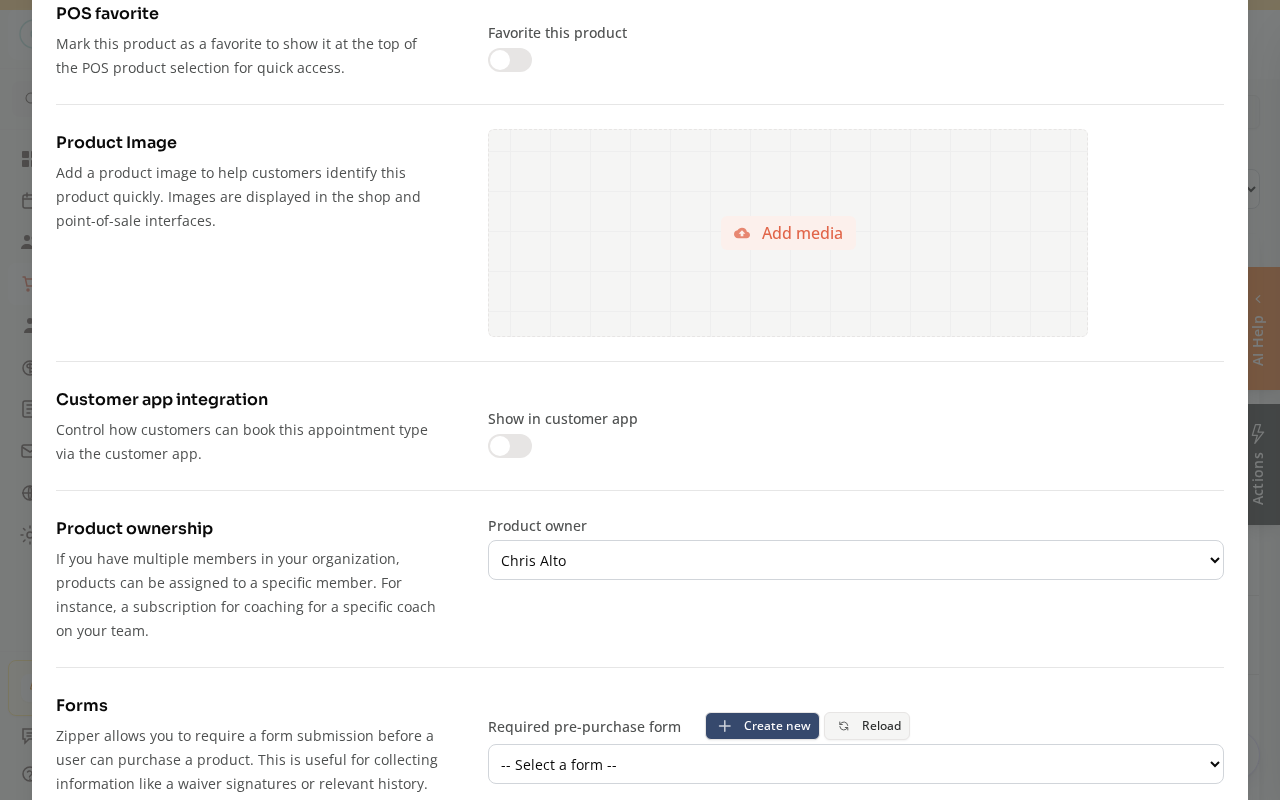
The quickest way to stop new sales is to turn off Show in customer app in the product’s Customer app integration section. The product disappears from your shop, but existing subscribers keep billing and access.
For finer control, use the Availability / State setting:
| Option | What it does |
|---|---|
| Closed | Product is hidden from the shop and can’t be purchased. Existing subscribers keep their access. |
| Hidden | Not shown in the public shop, but can still be purchased via direct invite link. Good for “invite only” offers. |
| Requires Consultation | Customers can see the product but must contact you to purchase (instead of buying directly). |
For most “stop new sales” situations, use Closed.
Step 3: Save
- Click: Save
What Existing Subscribers Experience
- Their subscription continues billing normally
- They retain full access and credits as configured
- Nothing changes for them — the state change only affects the ability to start a new subscription
How to Reopen Later
- Edit the product → change Availability back to Open (or Active)
- Save
On Mobile
Same steps — product availability settings work on mobile browser.
Tips
- Temporarily close for maintenance: If you’re updating pricing or terms, close the product, make your changes, then reopen it.
- Sunset an old plan: If you’re moving members to a new membership tier, close the old one to prevent new signups while grandfathering in existing members.
Troubleshooting
Existing subscribers lost access after I changed the state. The product state controls new purchases — not existing subscriptions. If existing subscribers lost access, there may be another issue (subscription status, expiration, etc.). Check their billing profile.
I want to let specific people still buy the closed product. Use “Hidden” instead of “Closed,” then share the direct purchase link with those specific people.
Need a hand?
Email our team at support@joinzipper.com and we'll usually reply within a few hours.
Was this article helpful?
Thanks for your feedback.