How to add a video to your Zipper Site
Add a video to your Zipper Site by inserting a Free Text block, choosing Insert > Media, and pasting in your YouTube link.
Adding a video to your Zipper Site
We recommend adding videos to YouTube and embedding them on your Zipper Site. This is the best experience for your visitors and keeps your page from slowing down due to large video files. Here’s how to do it.
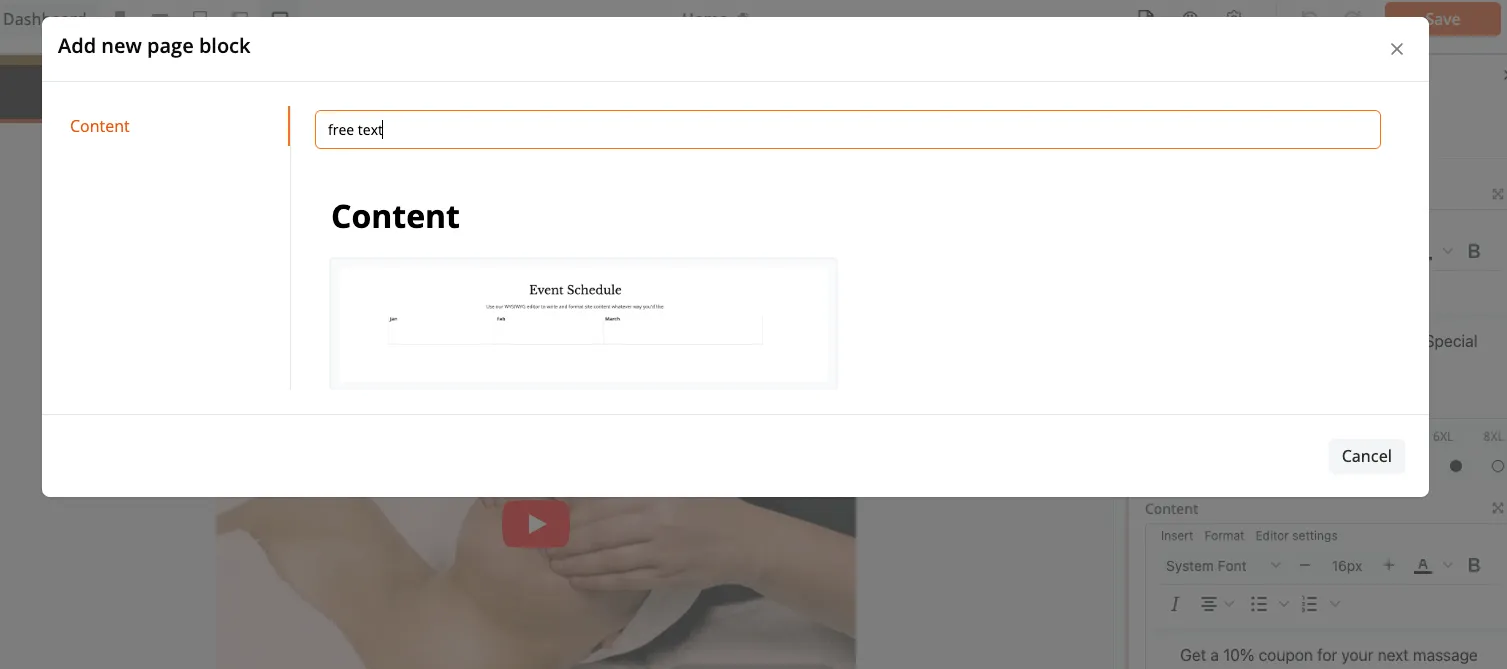
1. Add a Free Text block
Insert a Free Text block onto the page where you want the video to appear.
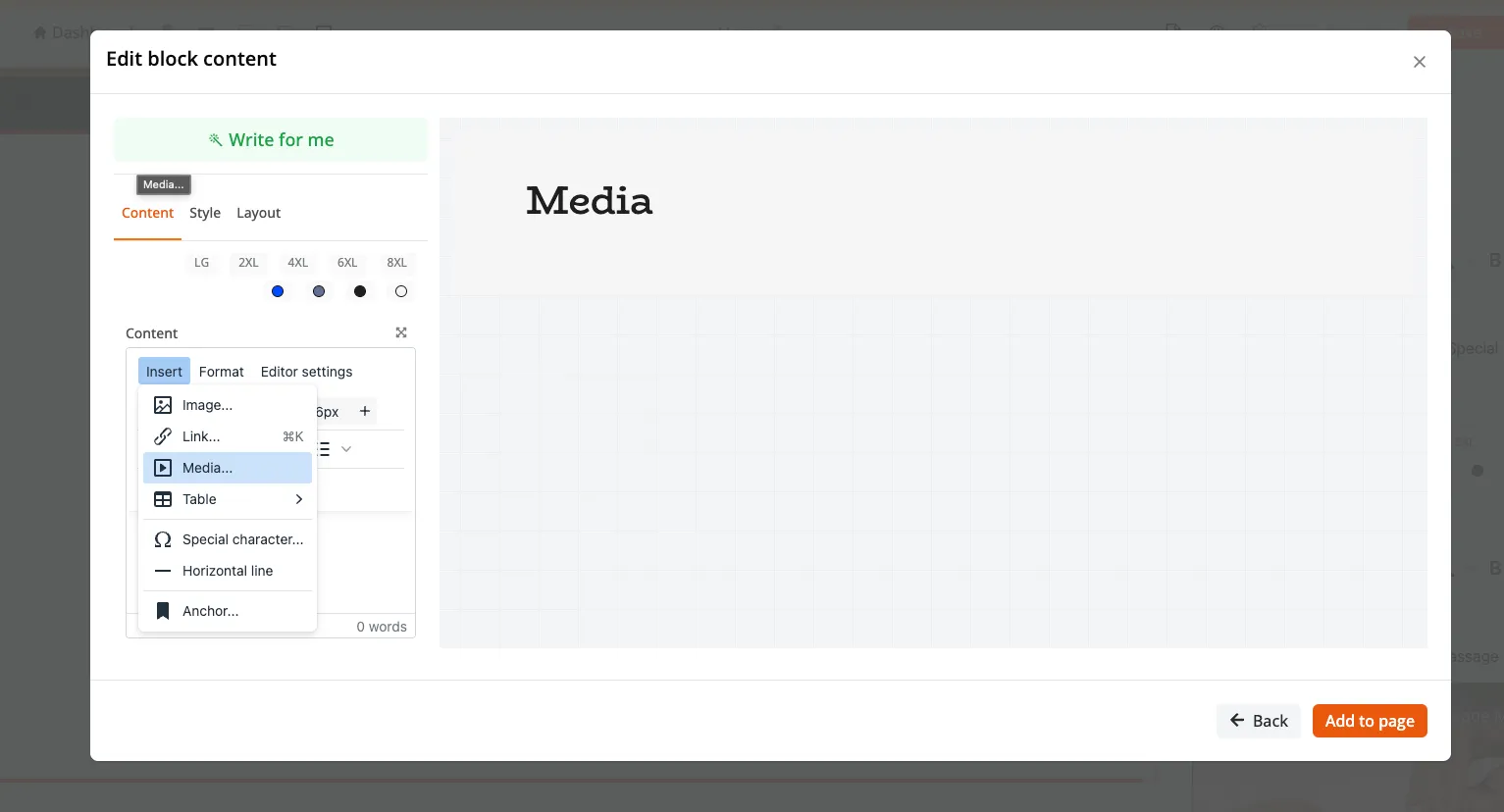
2. Select Insert > Media
Inside the Free Text block, click Insert and then Media.
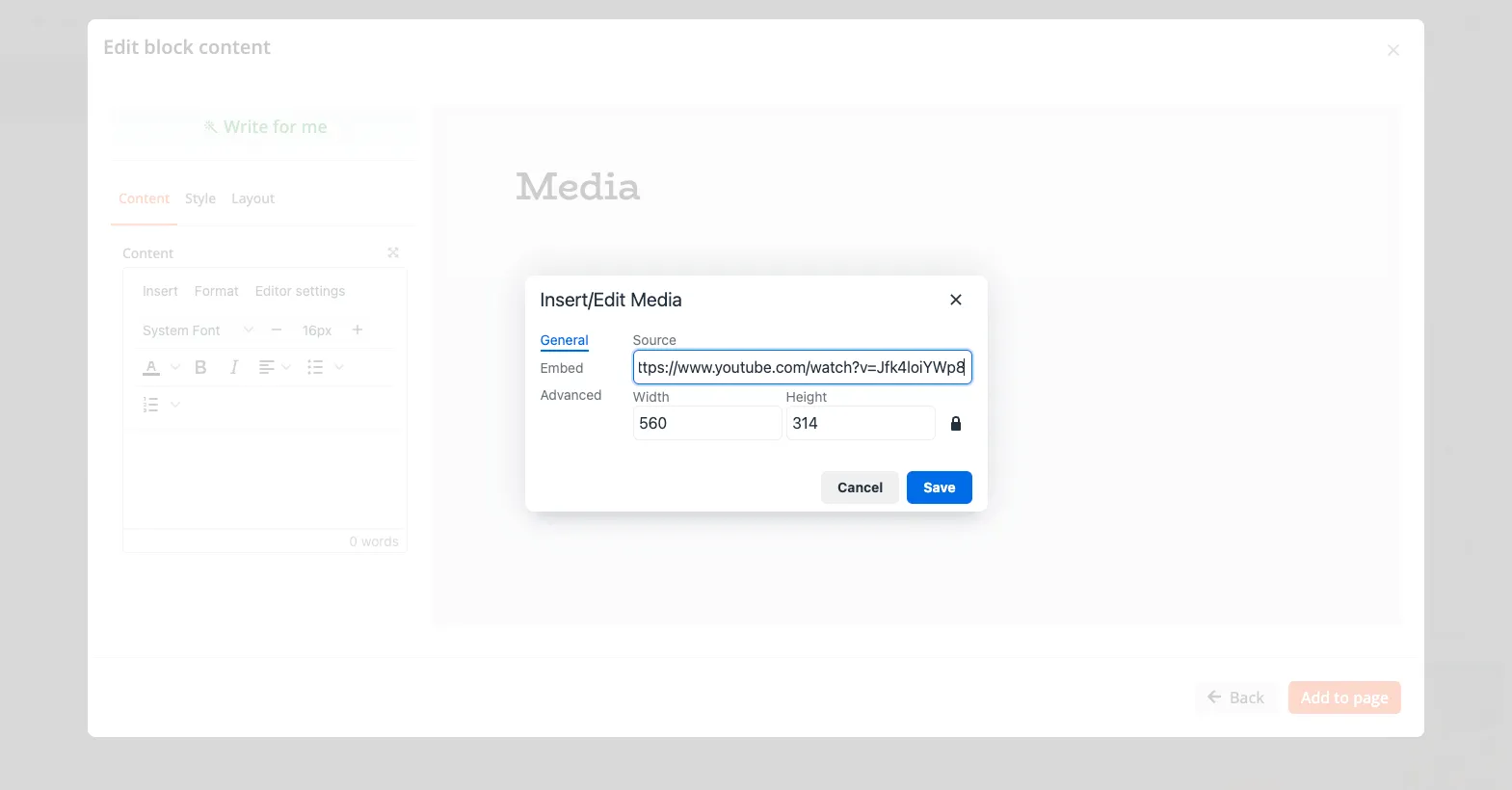
3. Paste your YouTube link and click Add to Page
Paste the YouTube link into the field, then click Add to Page to embed the video.

Need a background video?
If you want to use a video as a background element on your site, send the .mp4 file to support@joinzipper.com. The team will compress it and install it for you so your page speed stays fast.
Need a hand?
Email our team at support@joinzipper.com and we'll usually reply within a few hours.
Was this article helpful?
Thanks for your feedback.