How Auto-Waitlist Enrollment Works
Move the first eligible waitlisted booking into an open place while preserving its valid reserved credit.
How Auto-Waitlist Enrollment Works
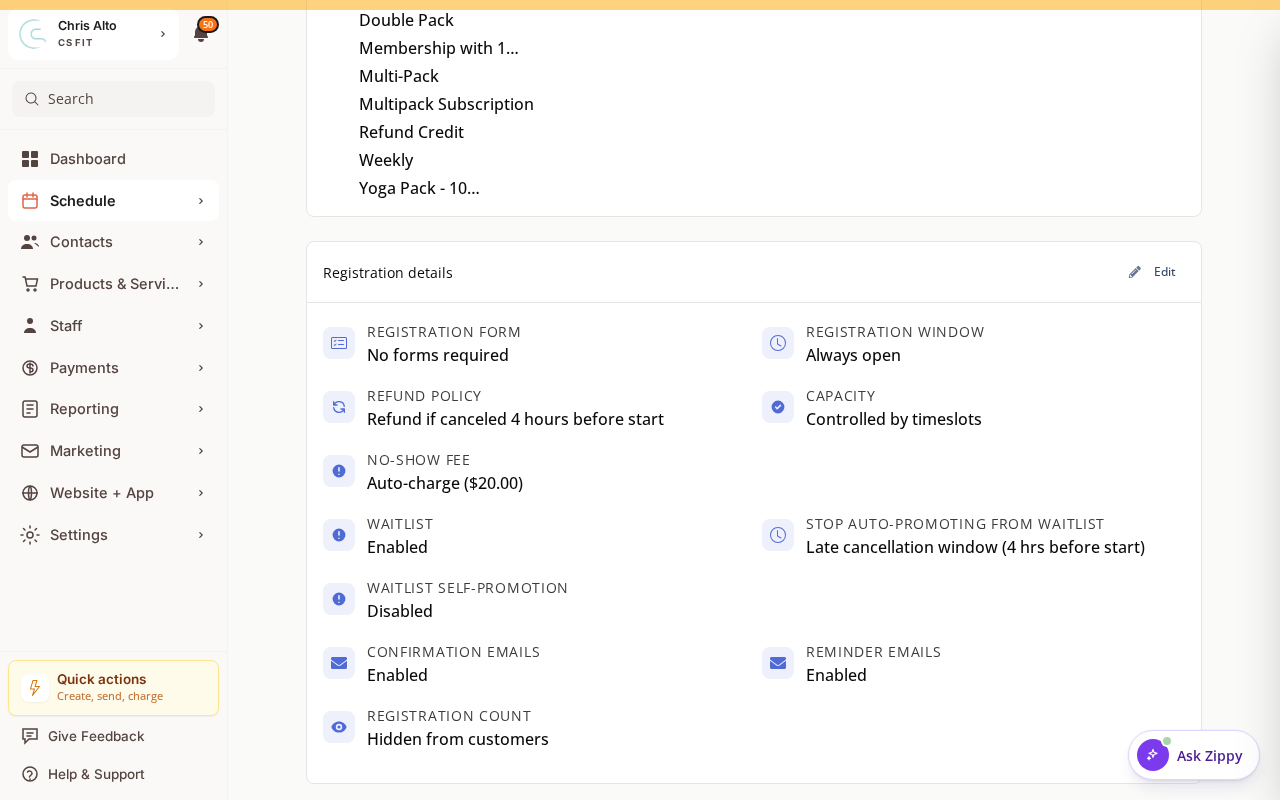
When a place opens, Zipper can promote the first eligible waitlisted booking. Zipper follows the current waitlist order, which staff can rearrange. An entry that cannot cover the session can be skipped.
Before Promotion Can Happen
The service must allow waitlisting and automatic promotion. The promotion window, remaining capacity and the customer’s valid access or payment still matter.
What Zipper Checks
Zipper checks the booked session and waitlist order. If a reserved pass no longer covers that session, automatic promotion can move to the next eligible entry.
For a booking already reserving a valid credit, promotion keeps that reserved credit. It should not require the customer to have another unused visit in addition to the one already reserved.
Payment-backed bookings still need their payment or authorization rules to pass. A place being available does not guarantee every waitlisted person can be promoted.
What Changes for the Customer
A successful promotion changes the booking from waitlisted to active and assigns the required place or spot. Check the actual booking and notification result rather than assuming an attempted promotion completed.
Money refunds and returned booking credits are separate. Review the registration’s cancellation result if a customer leaves the waitlist.
Staff Review
Open the session’s registration roster to review waitlisted customers and available promotion actions. Check capacity, timing and eligibility before manually promoting someone.
Troubleshooting
A place opened but nobody moved into it. Check automatic promotion settings, the promotion window, capacity and each candidate’s coverage.
The first entry was skipped. Check whether its reserved credit or pass covers the session’s date and service.
The customer has no extra unused credits. A valid credit already reserved by that booking can be used for promotion. Do not issue a second credit just to work around the displayed remaining count.
Need a hand?
Email our team at support@joinzipper.com and we'll usually reply within a few hours.
Was this article helpful?
Thanks for your feedback.