Guest Point-of-Sale Sales Explained
Take a Terminal walk-in payment without creating a customer account and find it in Guest Sales.
Guest Point-of-Sale Sales Explained
Use Guest (Walk-in) for an in-person sale when the buyer does not need a customer account. A guest POS sale is different from adding a guest to a member’s family or booking a visit for someone.
Before You Start
You need permission to use Point-of-Sale and an available Terminal reader. Guest checkout uses Terminal payments. A recurring membership needs a customer account.
Choose Guest Checkout
Open Payments > Point-of-Sale and choose Guest (Walk-in). Names and contact details are optional. Add an email if the buyer wants an emailed receipt.
For a custom sale, choose Custom amount, enter the Amount and a clear Description, then review fees and tax before Add Custom Charge.
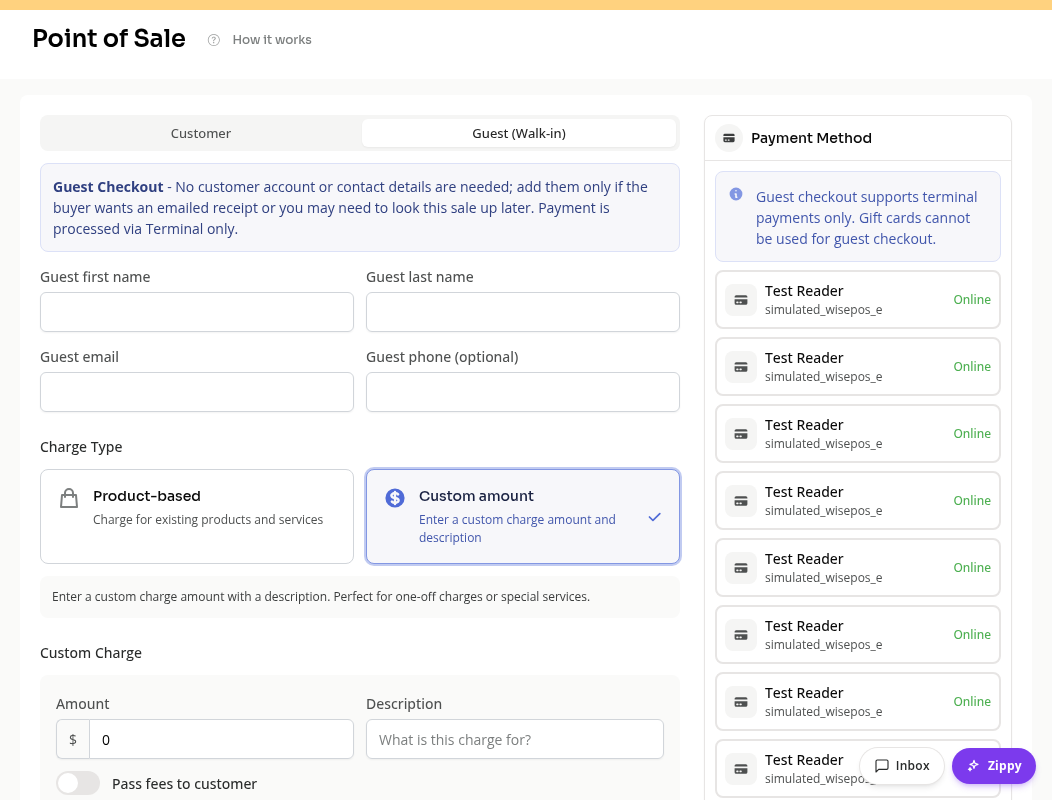
Review the cart and choose the Terminal reader before collecting payment. A reader waiting for the buyer’s card has not completed the sale yet.
Tax and Receipts
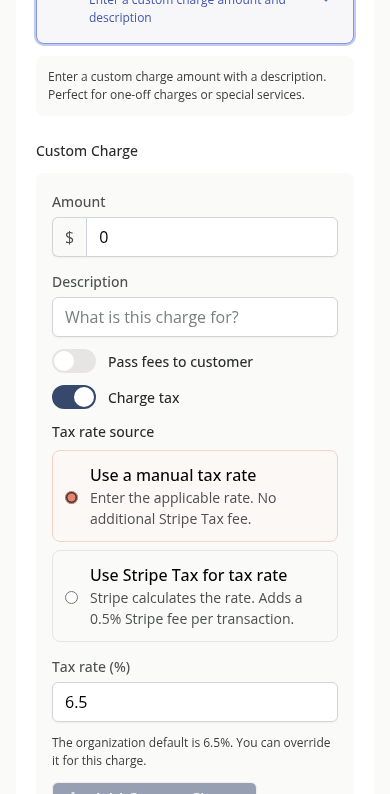
Charge tax shows the tax source for a custom charge. For a walk-in sale, choose a manual tax rate. Stripe Tax needs a customer invoice and cannot be used for guest checkout. The studio default prefills a new custom charge, and can be overridden for that charge.
An emailed receipt requires a usable email address. Leaving contact details empty does not create a customer profile simply to store the sale.
Find the Sale Later
Open Reporting > Past > Reports and choose Guest Sales. Use its filters to find the sale and review available transaction or refund actions.
Guest sales without a customer profile will not appear under a customer’s Billing & Payments. Use their payment record rather than creating a duplicate customer to look them up.
Completed and Incomplete Sales
Check the payment’s result before starting another sale. A completed payment can offer a fresh-sale workflow while keeping its receipt available. An incomplete order may need recovery; resetting the cart is not proof that payment failed.
On Mobile
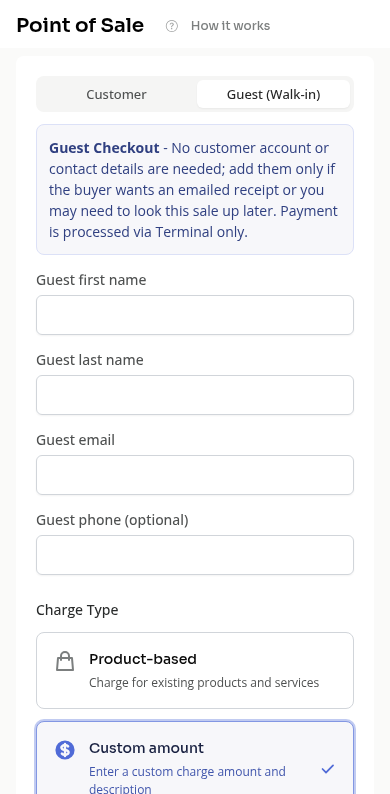
The same guest and custom-charge fields stack above the payment and cart sections. Scroll to check tax and the selected reader.
Troubleshooting
No payment can be collected. Check the Terminal reader and the cart’s validation messages.
A buyer wants a membership. Select or create a customer account and use customer checkout.
The sale is missing from CRM. Check Guest Sales. An anonymous sale is not attached to a customer profile.
Need a hand?
Email our team at support@joinzipper.com and we'll usually reply within a few hours.
Was this article helpful?
Thanks for your feedback.