Cash Balance Explained
Understand account money, held funds, product wallets, adjustments and family transfers.
Cash Balance Explained
A customer’s cash balance is account money they can use for eligible purchases. It is different from a booking credit, which pays for a visit to a selected service.
Where to Find It
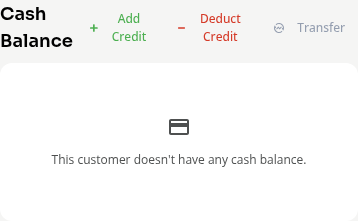
Use a staff account with access to customer financial information. Open Contacts > Customers, choose the customer, then open Billing & Payments. Find the Cash Balance card.

Global and Product Balances
The Global balance is the customer’s general account wallet. A product wallet can restrict where its money is used. Check the wallet selected on the card before changing it.
Available balance is the amount ready to spend. Money held for a pending checkout is not available for another purchase. If the balance cannot load, refresh it before making an adjustment.
Adding or Deducting Money
Add Credit increases the selected cash balance. Deduct Credit reduces it. These actions adjust account money; they do not charge or refund a card.
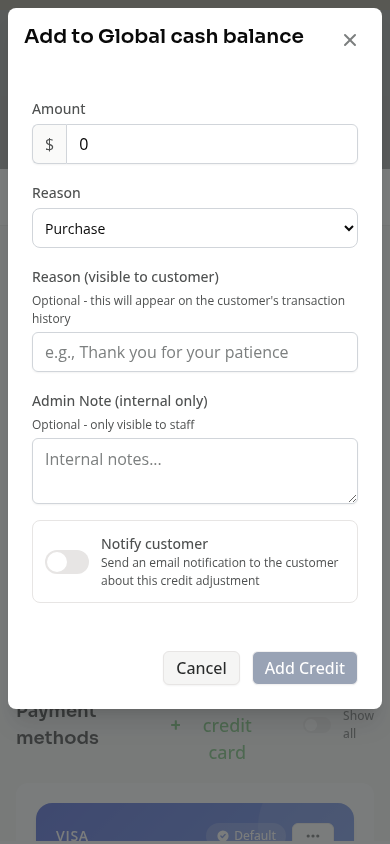
Enter the amount and a reason. A customer note and internal notes help explain the change. When adding credit, check Notify customer if you want an email about the adjustment. Deducting credit does not offer that email switch.
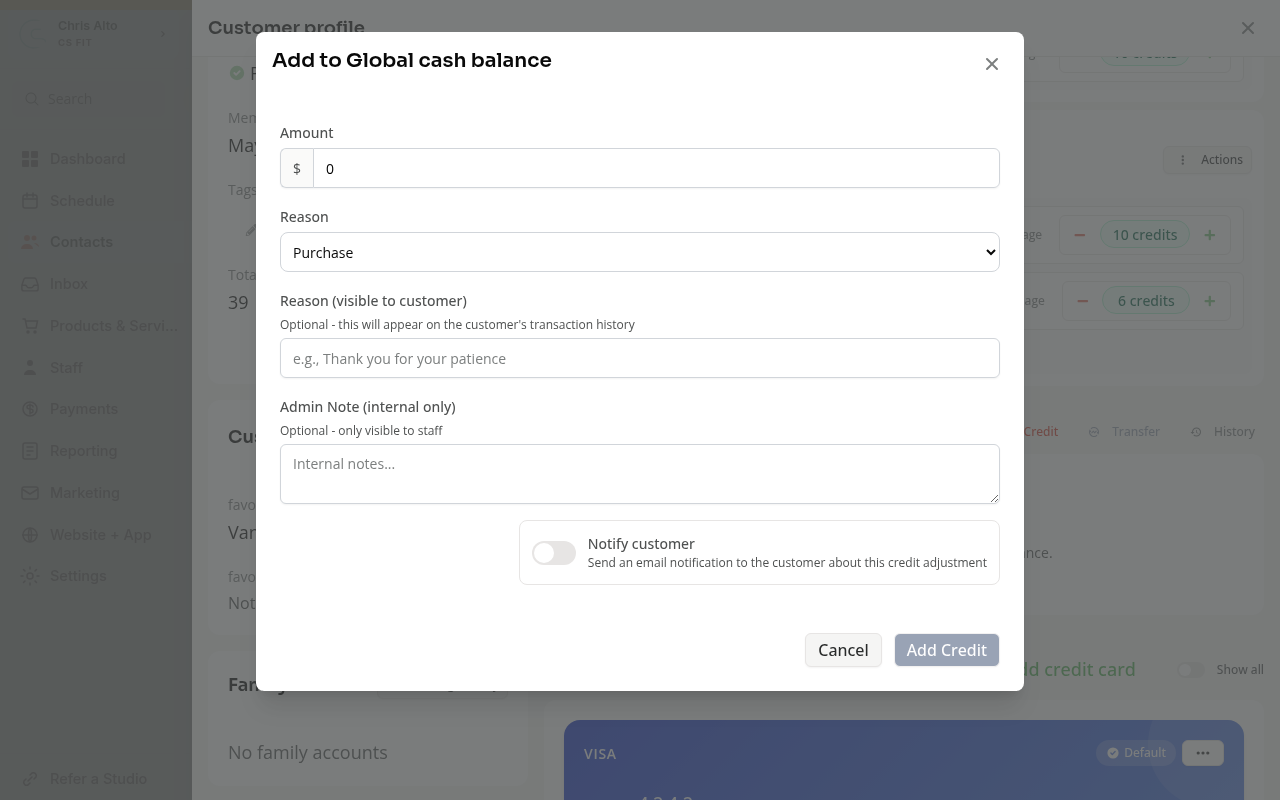
Review the wallet and amount before submitting. Use a refund when you need to return money from a recorded payment.
Family Transfers
Transfer moves available global cash balance to an eligible family member. It requires an active family relationship that allows credit sharing. A zero balance or no eligible recipient prevents a transfer.
Review the recipient and amount before confirming. A transfer does not send money to a bank account. It also does not transfer class visits or turn a product-specific wallet into global money.
History
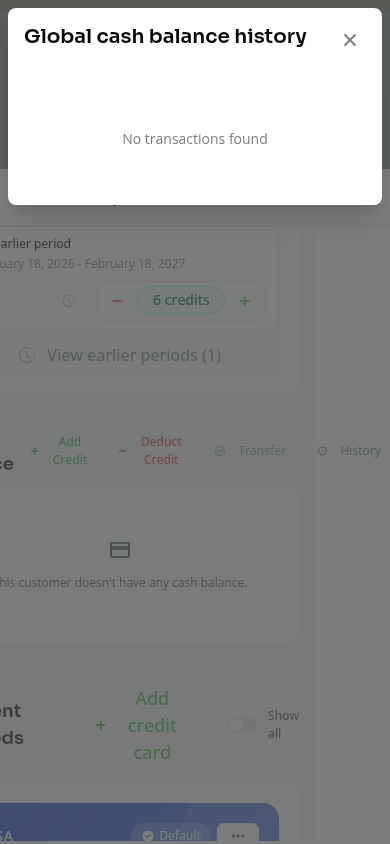
Use History to see the selected wallet’s adjustments and transfers. A wallet with no entries shows No transactions found.
Some entries can be reversed. A reversal adds a record that explains the correction; it keeps the original history. Read the available action before making a second adjustment.
On Mobile
The same card and forms appear in Billing & Payments. Scroll to the card and check its wallet label before choosing an action.
Troubleshooting
Transfer is disabled. Check the available global balance and family-sharing relationship. Money held by a pending purchase is not available to transfer.
A booking credit changed, but cash did not. They are separate balances. See Booking Credits and All Access Explained.
The card cannot load. Refresh and wait for the balance. An error does not mean the customer has no money.
Need a hand?
Email our team at support@joinzipper.com and we'll usually reply within a few hours.
Was this article helpful?
Thanks for your feedback.