New in Zipper — 10/15
Early booking windows for members, a rebuilt spot booking room designer, staff roles with built-in permissions, shared appointment types, and bulk product editing.
What’s new with Zipper
This release is mostly about two things: perks that sell memberships, and setup that doesn’t eat your afternoon.
NEW: Early Booking Windows
Make membership worth paying for. Let members book before everyone else. Pick a class, choose which products get early access, and set when booking opens for them. It’s a perk drop-ins will notice, and a reason for them to upgrade.
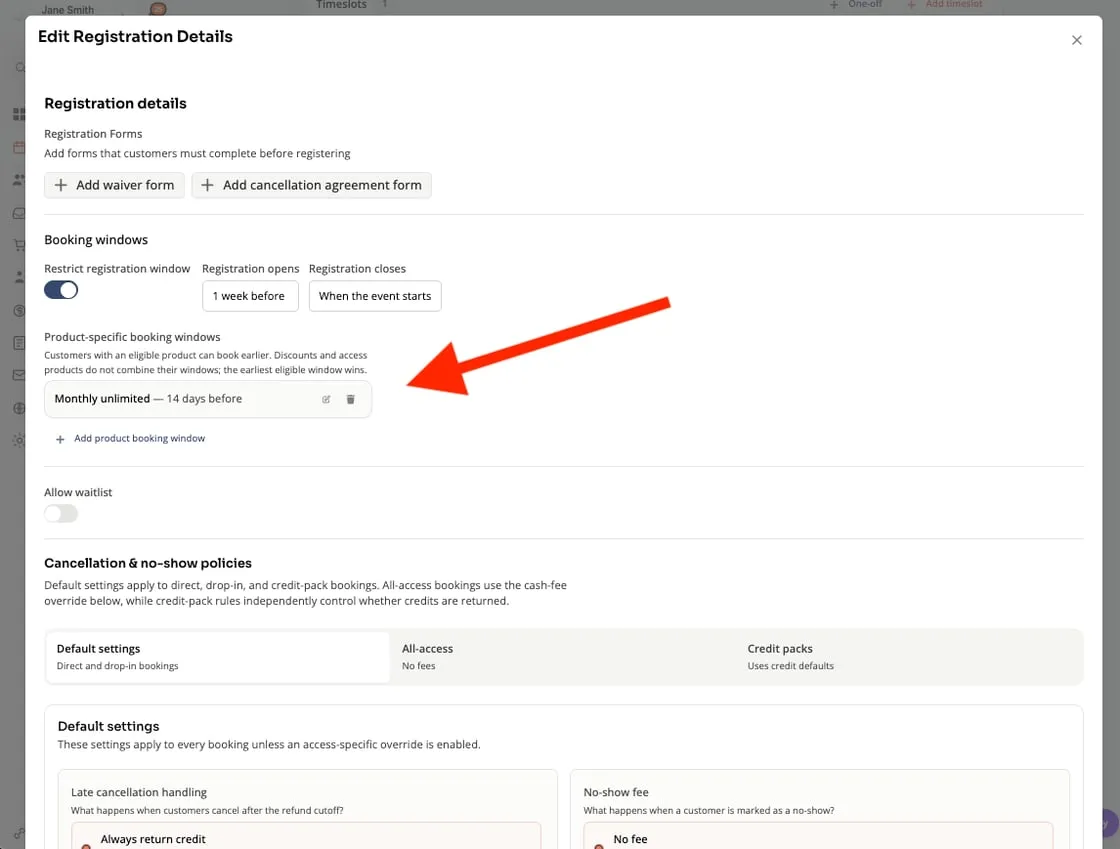
Open a class’s details > select an eligible product > set a custom booking open time. Early access for members is one of the easiest upsells you can run.
IMPROVED: Spot Booking, rebuilt
Your room, your layout. Build a floor plan that actually matches your studio. Use any shape, and mark spots as bookable or not (mirrors, the instructor podium, that one weird pillar). Clients can swap spots without needing to cancel, book a friend next to them, and more, all from your branded app.
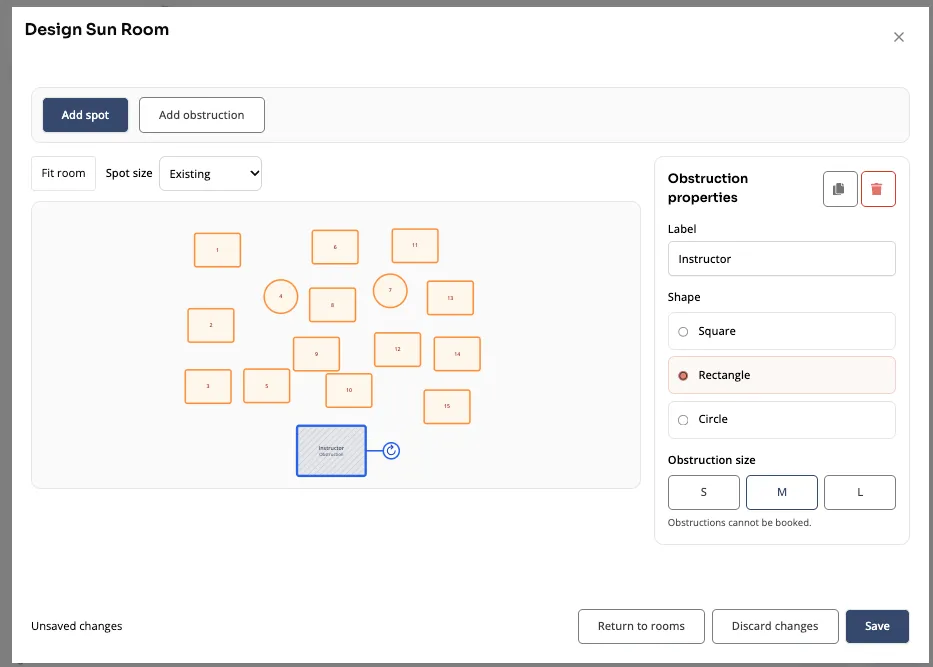
Find it under Locations > Rooms.
IMPROVED: Staff Management
Onboard a new instructor in minutes. Create custom roles with permissions already baked in, then apply them to new or existing staff. One setup flow covers details, permissions, and pay rates.
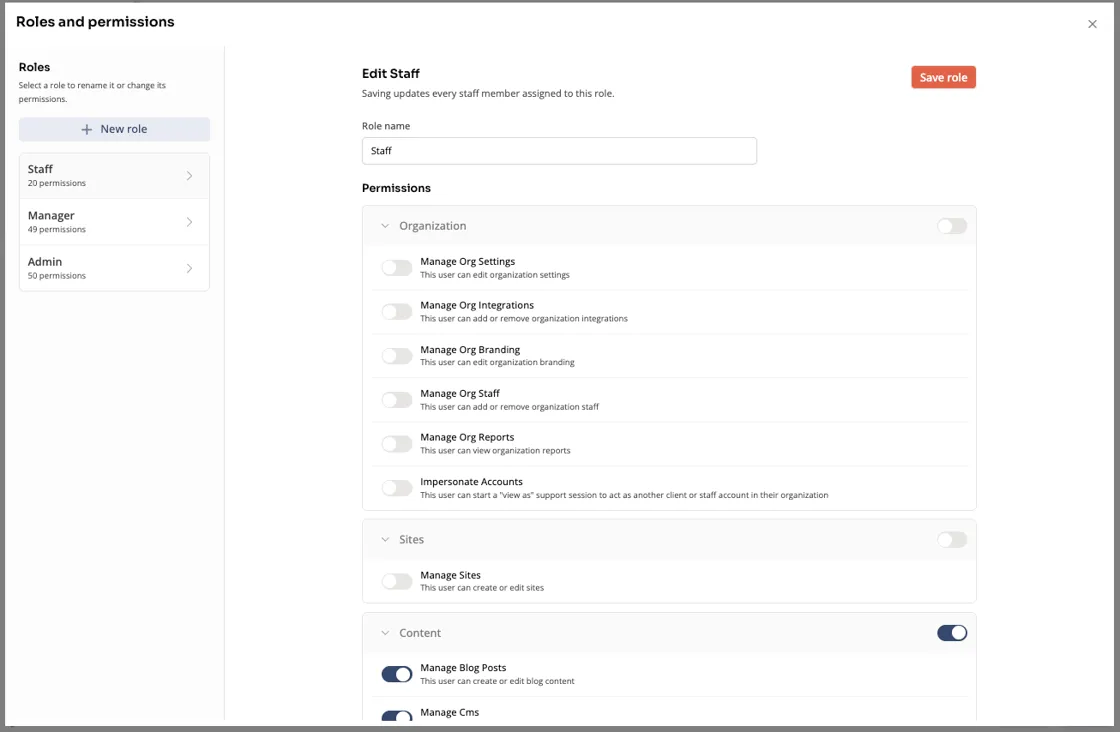
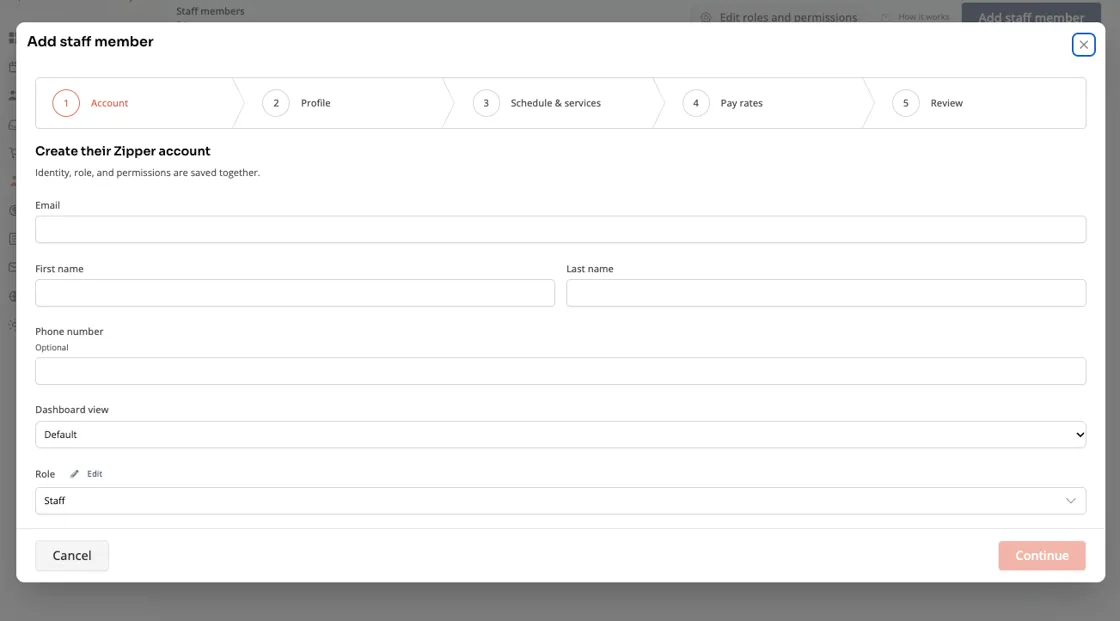
Everything lives in the Staff tab.
IMPROVED: Appointment Management
Set it up once and use it everywhere.
- Shared appointment types: build an appointment once and apply it across your whole org. No more one-off duplicates.
- One-off availability: staff can open extra slots outside their usual weekly schedule.
Already have appointments set up? Use the Group Existing Types tool to combine independent appointment types into shared ones.
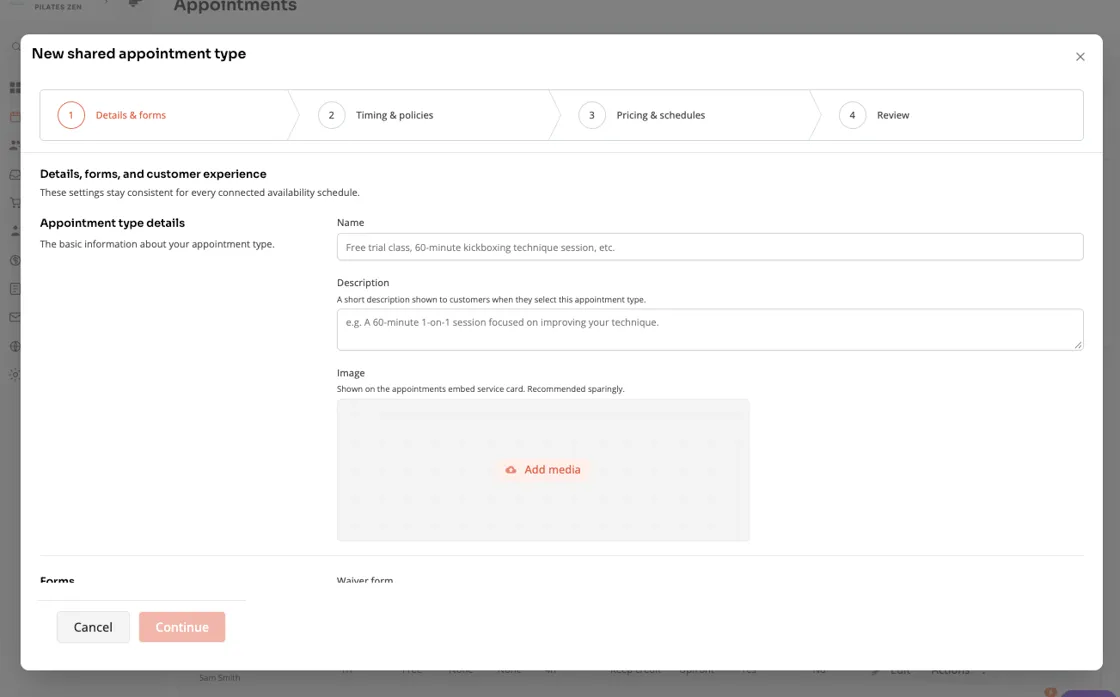
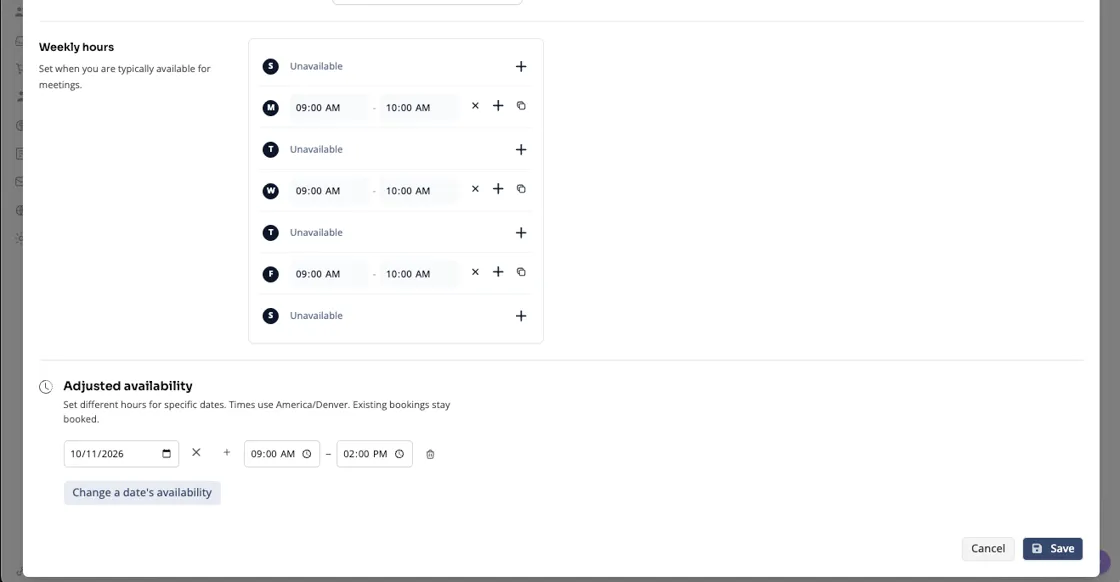
Create shared appointment types, and let staff add one-off availability apart from their weekly schedule.
IMPROVED: Bulk product management
Change 30 products in one go instead of 30 times. The new table view lets you bulk-edit product settings or make a quick tweak without opening each product one by one.
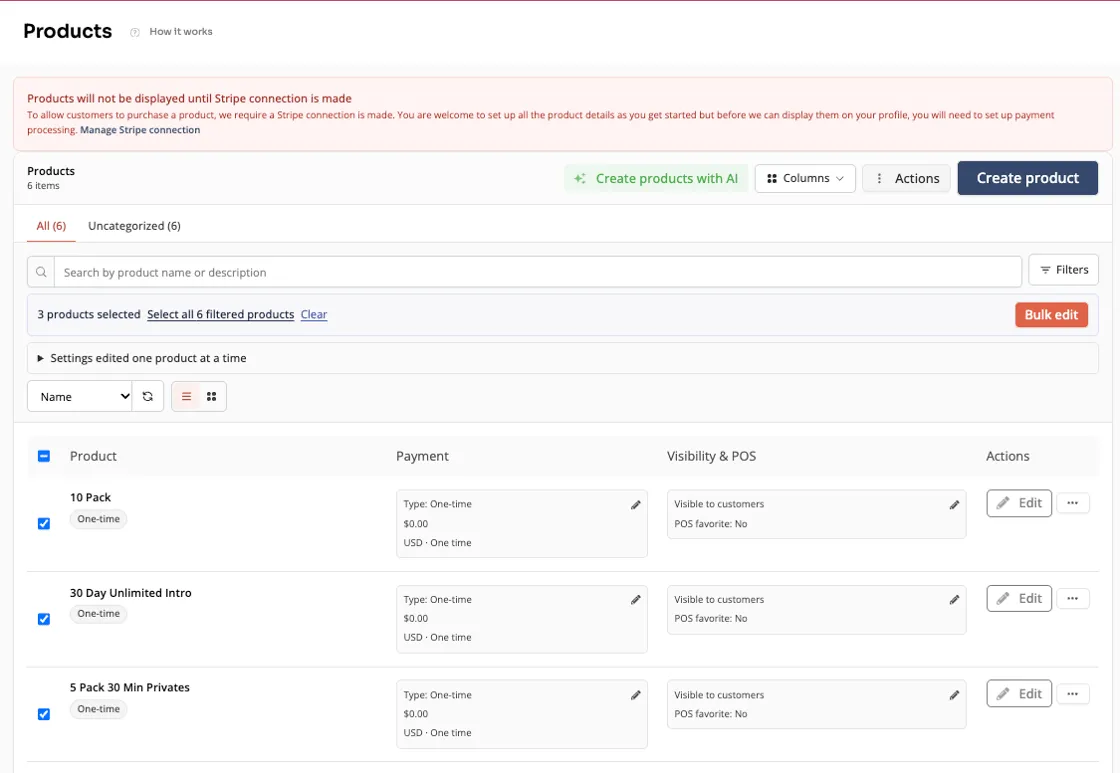
Bulk update product settings, or make a tweak right from the new table view.
IMPROVED: Smaller updates you’ll notice
- Manual tax rate: add a manual tax rate from Settings that can be applied at checkout, and cut down on additional Stripe Tax fees.
- Multiple instructors: assign up to 3 instructors to a single class or event. That’s handy for co-taught classes, workshops, and teacher trainings.
Questions?
Our support team is ready to help you make the most of these new features. Reach out through your dashboard, or request a demo to see how Zipper can power your business.
The Zipper Team