New in Zipper: Improved Client Account Creation
Require birthday, phone number, or emergency contact when clients create an account, and map custom form answers straight to client profiles.
Now when clients create a new account, you can require them to fill out their birthday, phone number, and/or emergency contact.
Account Creation Customization
- Navigate to Contacts > Custom Customer Fields
- Toggle on the fields you want required when someone creates an account
- Save and you’re good to go!
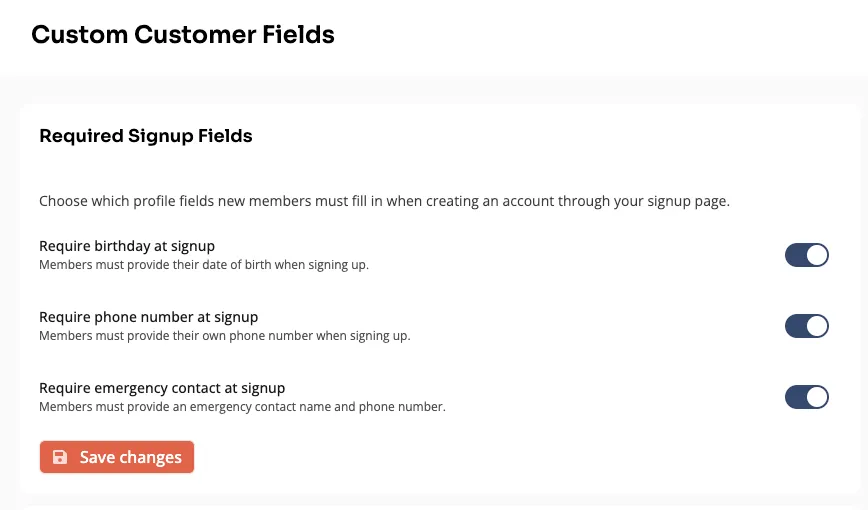
Select required fields on account creation.
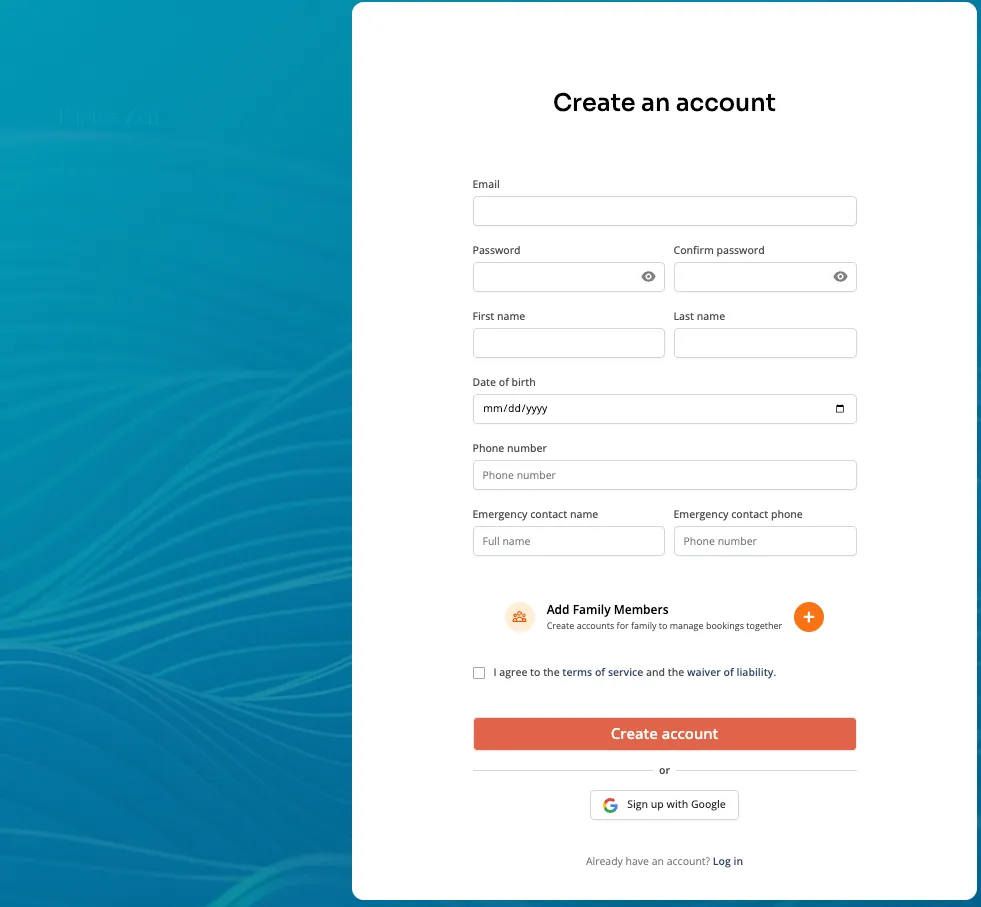
Required fields added to account creation on the custom app page.
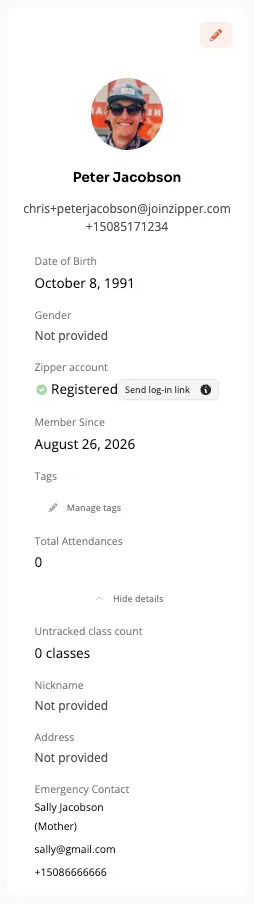
Content automatically maps to customer records for automations.
Add custom fields and map data to profiles from forms
You can also now create custom fields, request info on forms, and automatically map answers to profiles. Find it under Contacts > Custom Customer Fields.
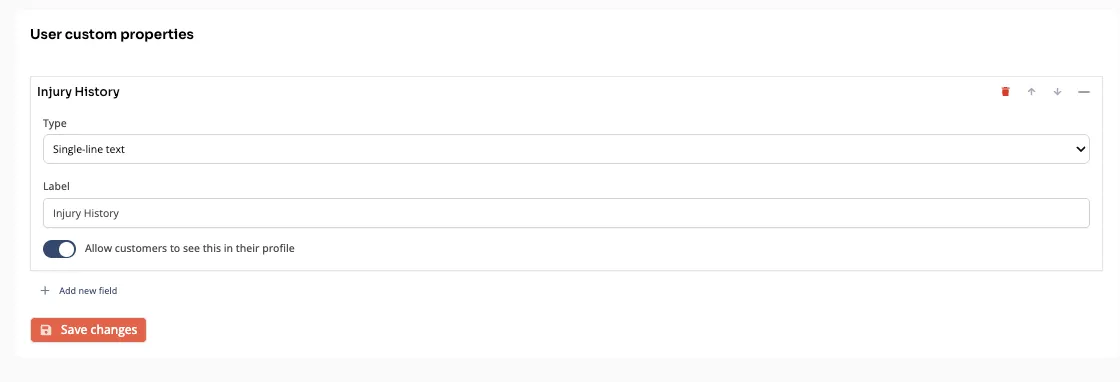
Create a custom field.
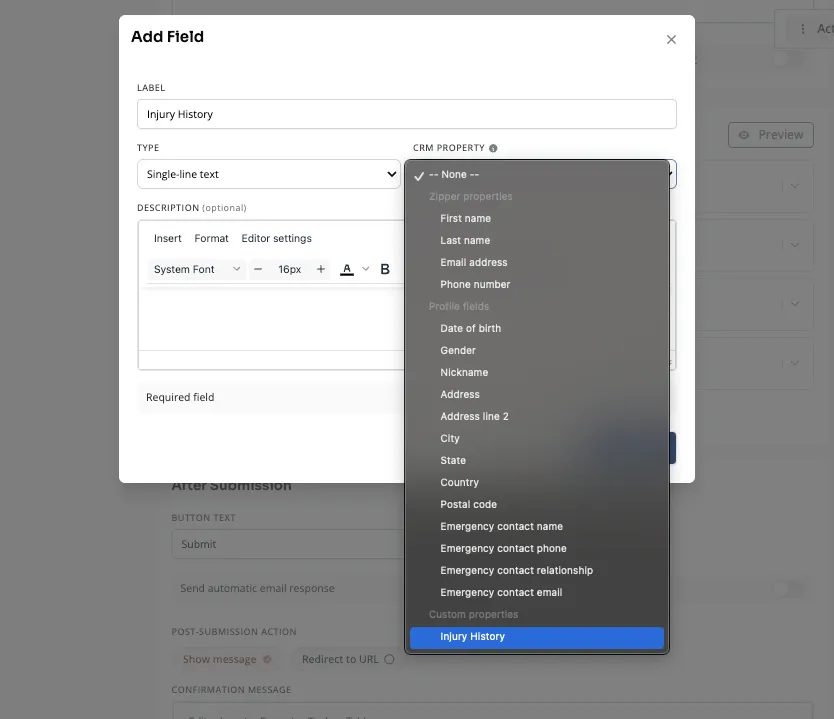
Add the field to a form and select the new custom field to map the answer to.
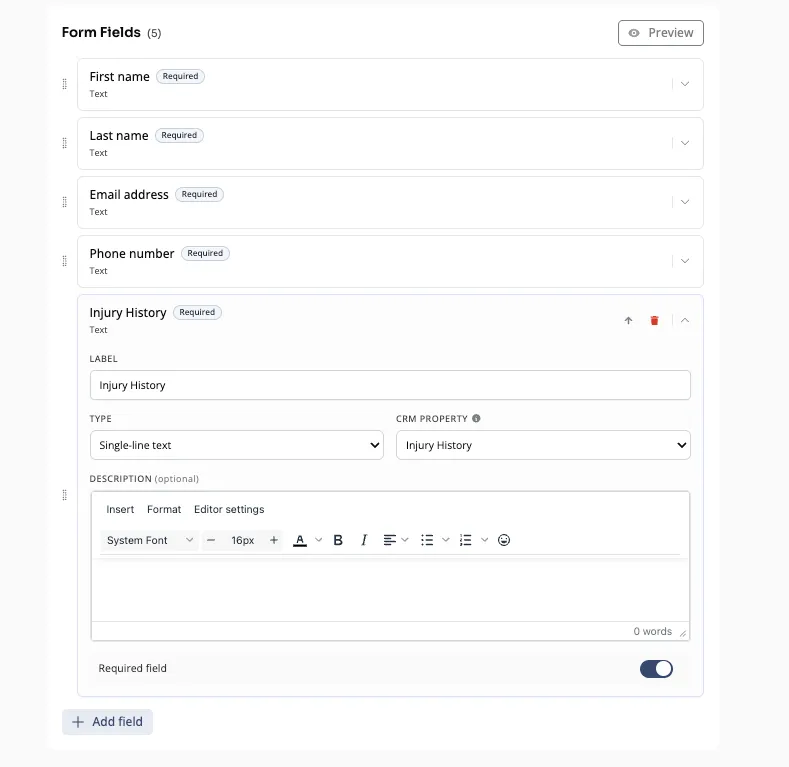
Preview form details.
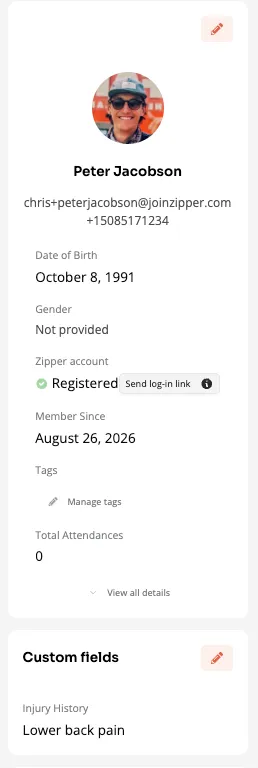
See answers in your clients’ profiles.
What’s next?
- The industry’s best and highest converting booking flows
Questions?
Our support team is ready to help you set up your signup fields. Reach out through your dashboard, or request a demo to see how Zipper can power your business.
The Zipper Team