How to Find First-Time Customers
The First Timers card on your dashboard shows customers who have their very first booking coming up soon. It's the fastest way to spot new faces before they walk in.
Where to Find It
- From the home Dashboard, look for the First Timers card in the overview widgets
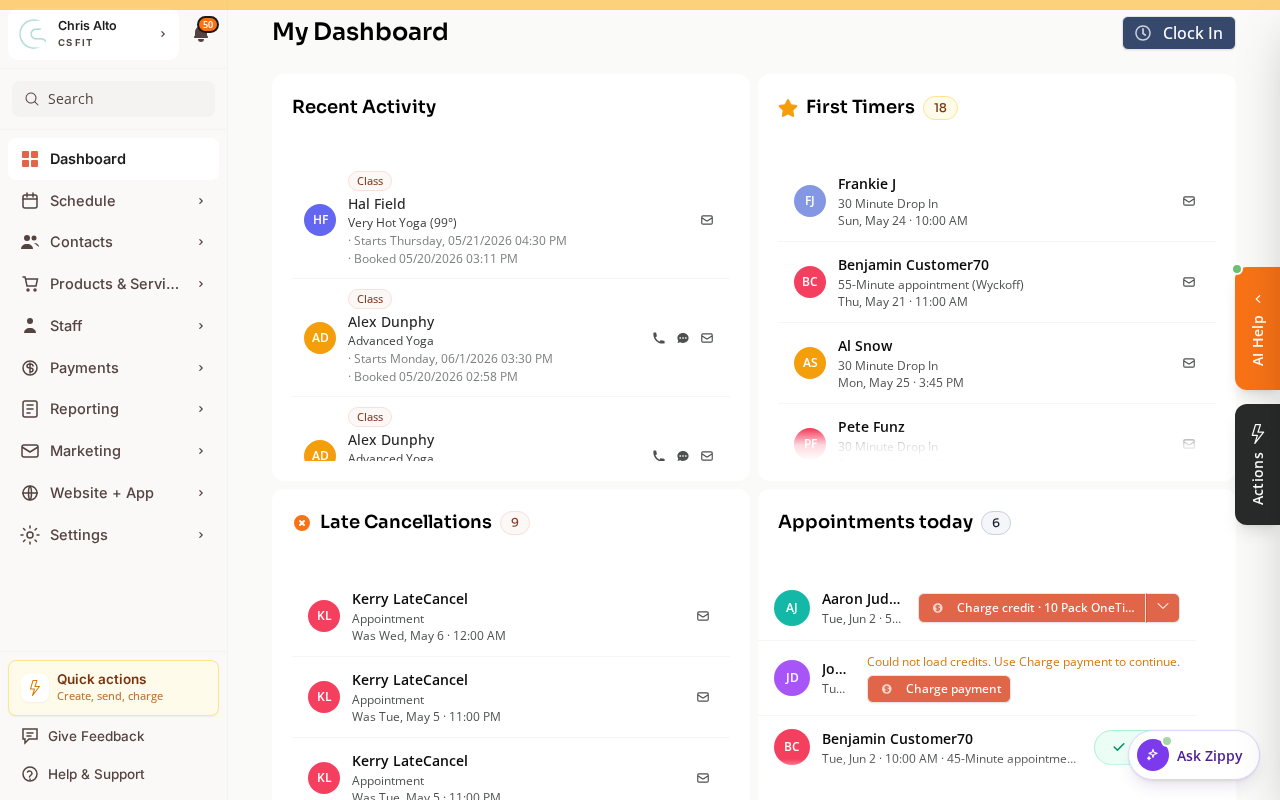
What “First Timer” Means
A first-time customer is someone who:
- Has an upcoming appointment or class registration (active, not canceled)
- Has no prior bookings at any earlier date
Zipper checks both class registration history and appointment history across your entire organization.
Filtering by Time Window
The card shows first timers within a selected window:
- 3 days (default) — first timers booking in the next 3 days
- 7 days — next week’s new faces
- 30 days — next month
- All — all first-time bookings in the future
Click the time window options to change the view.
What You Can Do With This List
- Reach out personally before their first visit — a quick text or email dramatically improves retention
- Assign a follow-up task: contact them after their session to check in
- Set up an automation: instead of checking this manually, create a “New Customer” automation that sends a welcome message automatically when someone books their first class
On Mobile
The First Timers card appears on both the Manager and Instructor dashboard views, accessible from mobile browser.
Tips
- Pair with automations: The “New Customer” automation trigger fires when a customer is added to your customer list. For class-specific first-timer outreach, use the “Class Registered” trigger + a condition to filter new customers.
- The list caps at 50: If you have more than 50 upcoming first timers, use the 3-day or 7-day window to focus on the most immediate.
Troubleshooting
The First Timers card isn’t showing on my dashboard. This card appears for Manager and Instructor dashboard views. If your dashboard view is set to something else, go to your profile settings and update the Dashboard View Type.
Someone shows as a first timer but has actually been before. Their previous bookings may be from before you migrated to Zipper, or from a different customer profile. If they’re a genuine returning customer marked incorrectly, it won’t cause any harm — just reach out warmly regardless.
Need a hand?
Email our team at support@joinzipper.com and we'll usually reply within a few hours.
Was this article helpful?
Thanks for your feedback.