Coupons and Promo Codes Explained
Create discounts in Zipper and give customers a code to enter at checkout.
Coupons and Promo Codes Explained
A coupon defines a discount. A promo code is the code a customer enters to use that coupon. One coupon can have more than one promo code.
An inline point-of-sale discount is a separate option staff apply while checking out a customer.
Open Coupons
Creating coupons and promo codes in Zipper requires an organization admin and a connected Stripe account.
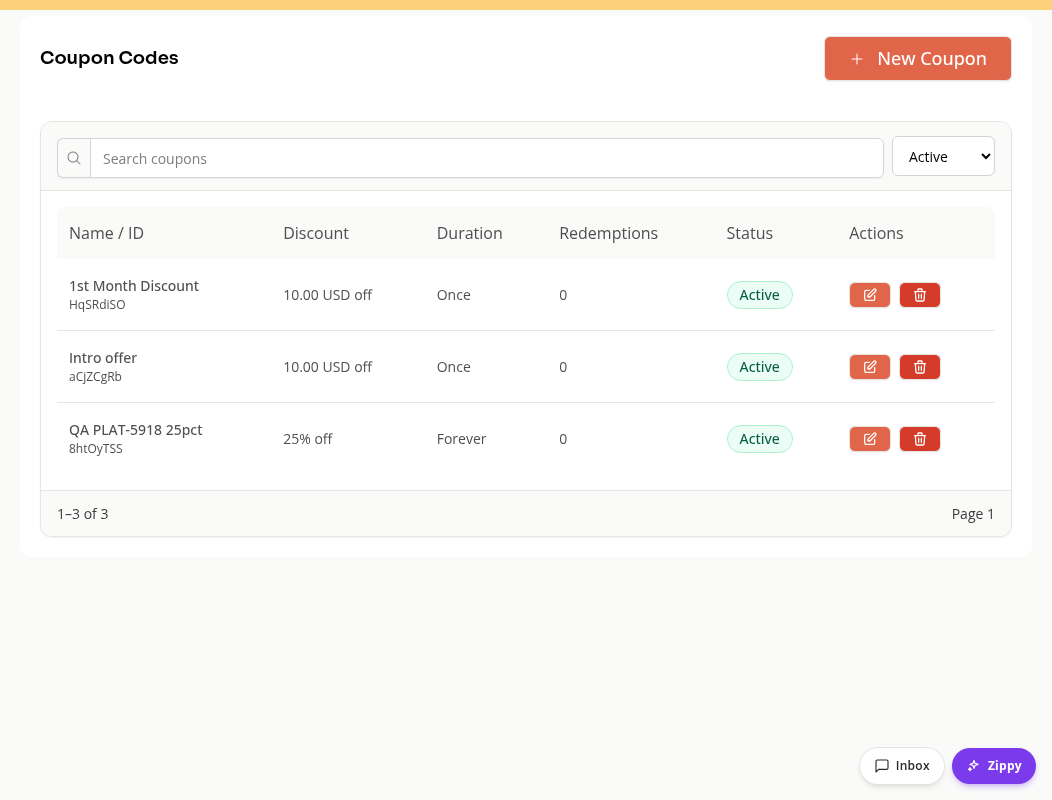
Open Products & Services > Coupons. Coupon Codes shows each coupon’s discount, duration, redemptions and status.
Create the Discount
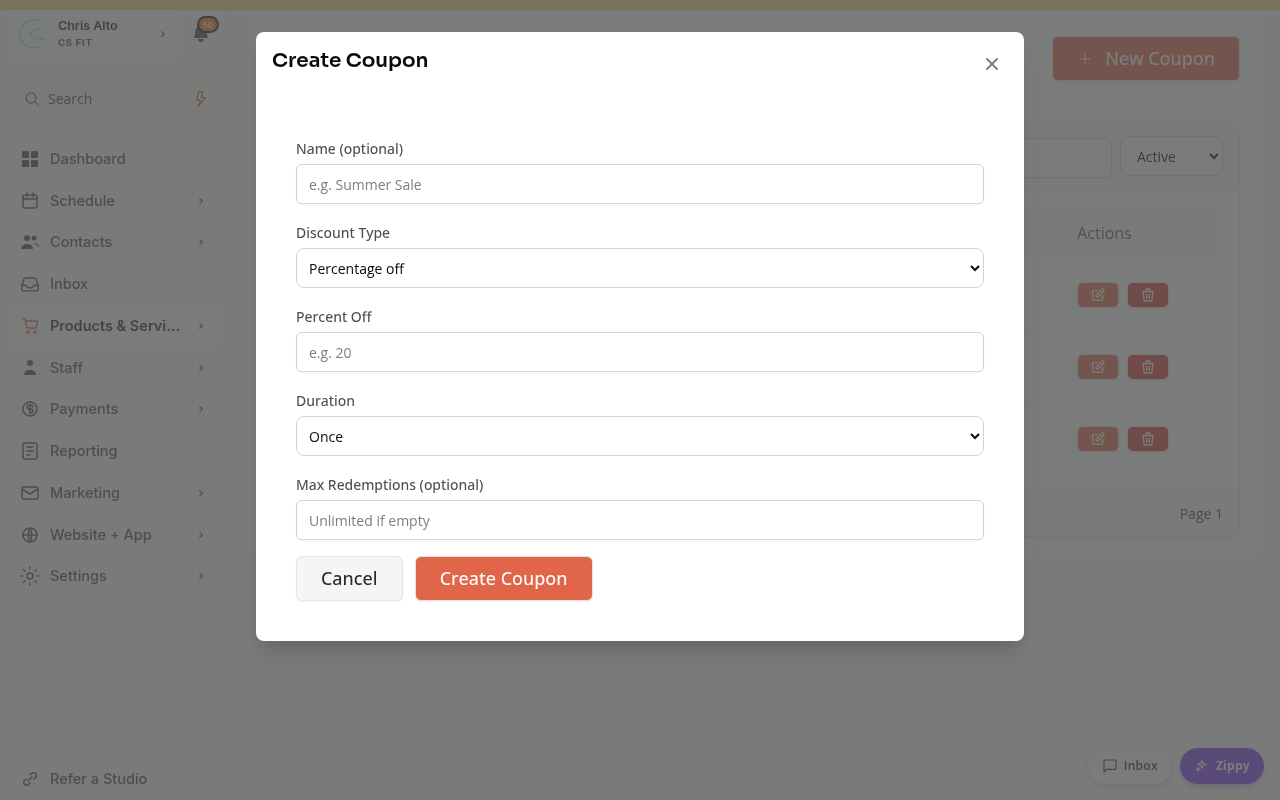
Choose New Coupon. Enter a name if useful, then choose Percentage off or Fixed amount off. Enter the discount value. For a fixed amount, check its currency.
Choose Duration:
- Once applies the discount once.
- Forever keeps the recurring discount in effect.
- Multiple months requires a number of months.
Set Max Redemptions if you want a limit. Review the settings, then choose Create Coupon.
Add a Customer Code
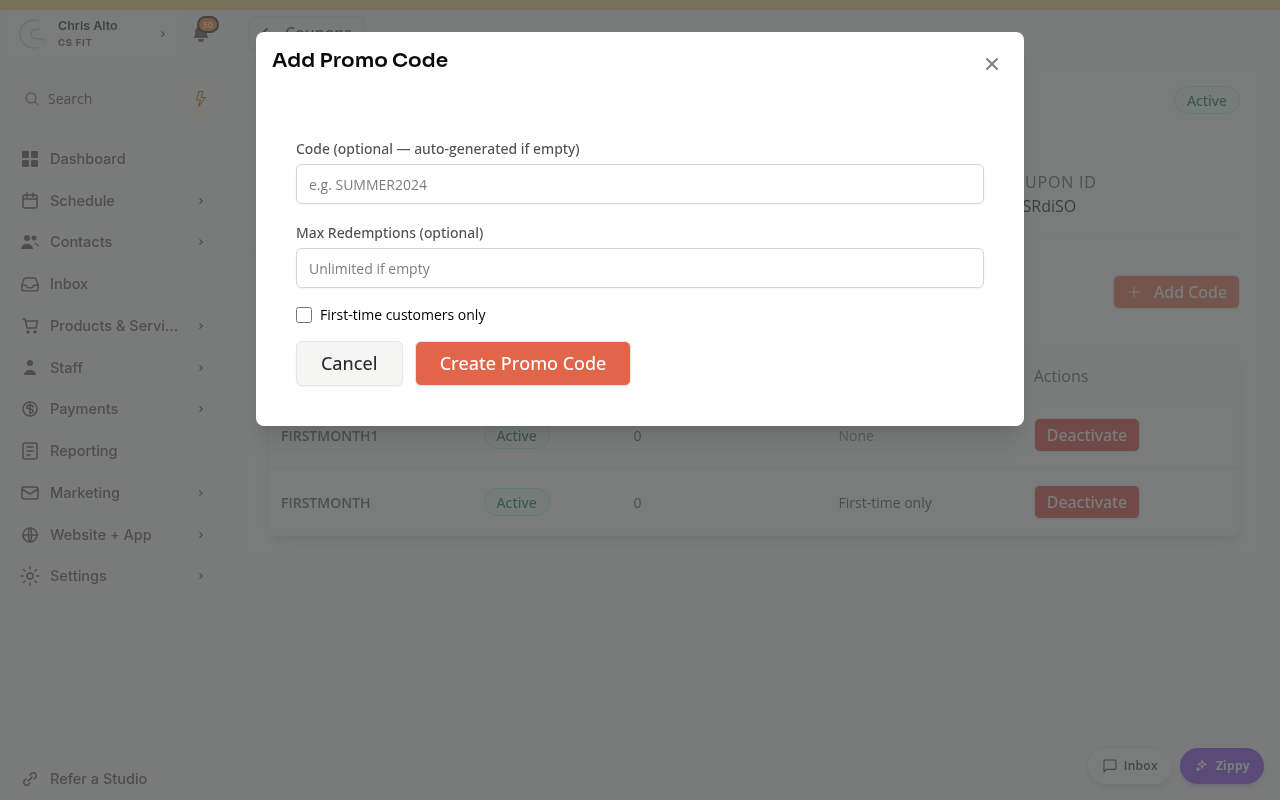
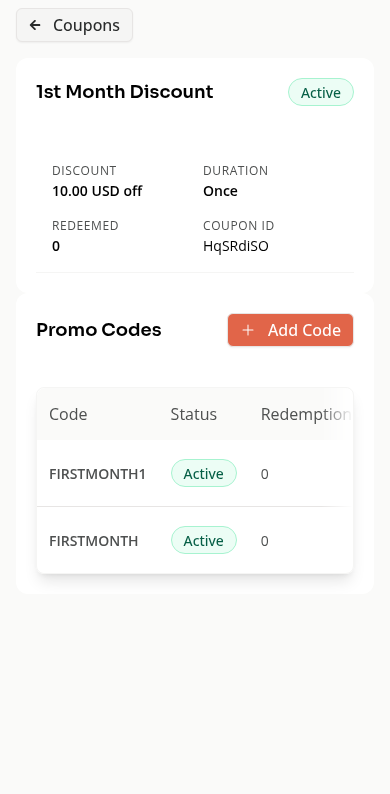
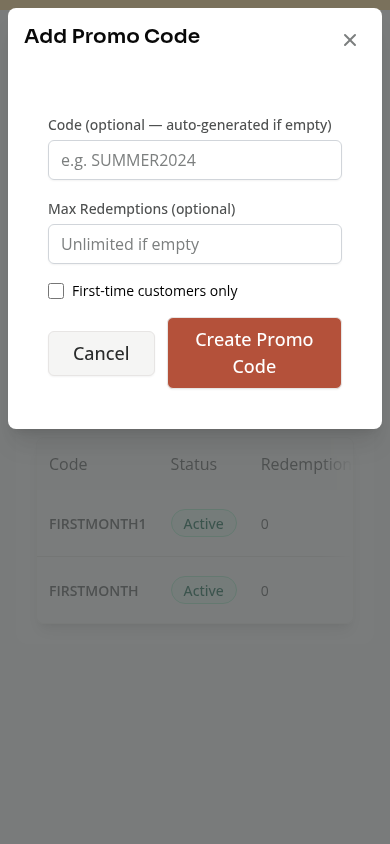
Open the coupon and choose Add Code under Promo Codes. Enter a code, or leave it blank for an automatically generated code.
Set a code-specific Max Redemptions if needed. First-time customers only restricts that code. Choose Create Promo Code when ready.
Share the created code with the customers who should use it. Creating a code does not send a campaign or apply it to an existing subscription by itself.
Active and Inactive Codes
Check both the coupon and code’s status. Deactivate prevents future use of that coupon or code. Read the confirmation before deactivating a discount people may still be using.
On Mobile
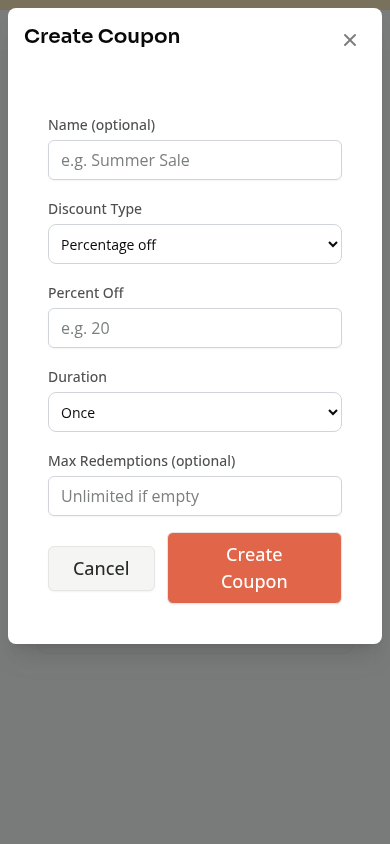
The same creation forms stack vertically. Open a coupon to see its codes and restrictions.
Troubleshooting
A code does not work. Check the coupon and code’s status, limits and first-time-customer restriction. Confirm the customer is using the intended discount.
The discount amount looks wrong. Check whether it is a percentage or fixed amount, its currency and its duration.
I want to discount one in-person sale. Use the POS item’s discount settings, rather than creating a shared promo code.
Need a hand?
Email our team at support@joinzipper.com and we'll usually reply within a few hours.
Was this article helpful?
Thanks for your feedback.