Creating Your First Package
Create a subscription, package, booking credits, or donation in Zipper — set pricing, link classes or appointments, and sell directly from your website.
Video Walkthrough
What kinds of products does Zipper support?
Zipper supports subscriptions, packages, booking credits, and donations out of the box. Before you create a product, connect your Stripe account so you can accept payments.
How to set up a package or subscription in Zipper
1. Open the product creator
Go to Products & Services > Manage Plans and click Create Product.
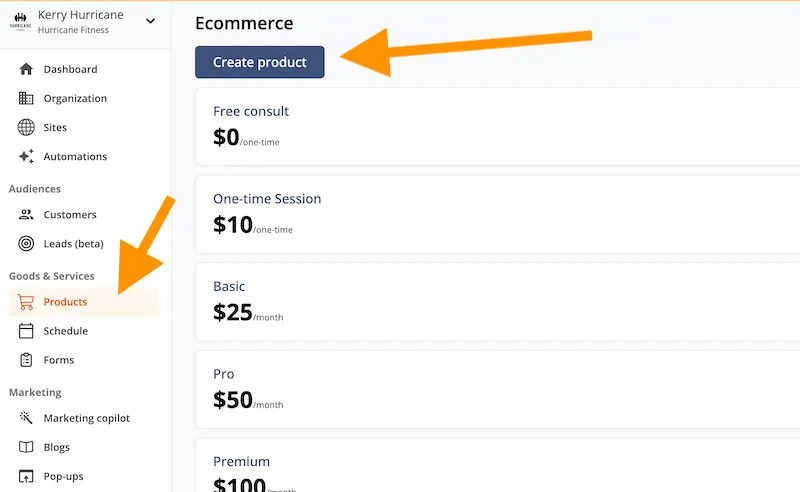
2. Choose your product type
Pick the type that matches what you want to sell — a recurring subscription, a fixed-use package, a booking credits, or a donation.
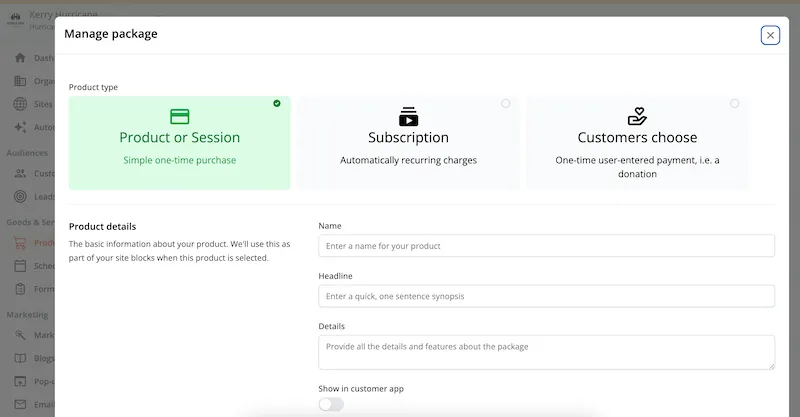
3. Fill in the product details
Complete the product form with:
- Name — what clients will see at checkout.
- Description — short explainer shown alongside the price.
- Availability — whether clients can buy it directly through your site and the client app.
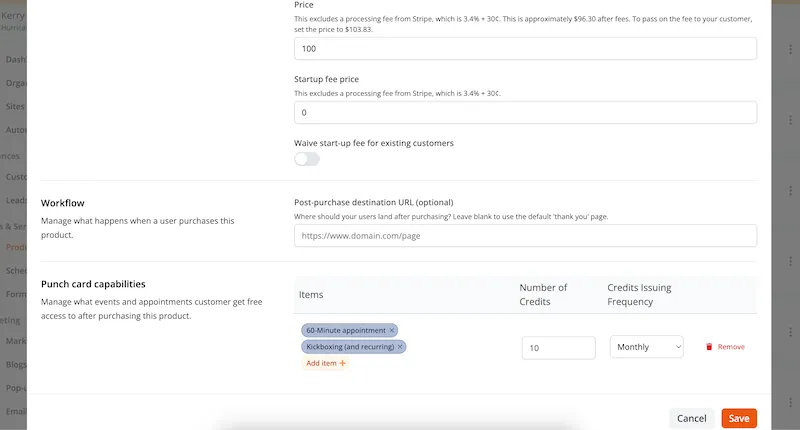
- Pricing — one-time or recurring amount.
- Associated classes, events, or appointments — what the package can be redeemed against.
- Number of uses — how many sessions or visits it covers.
- Auto-renewal frequency — for subscriptions, how often the charge repeats.
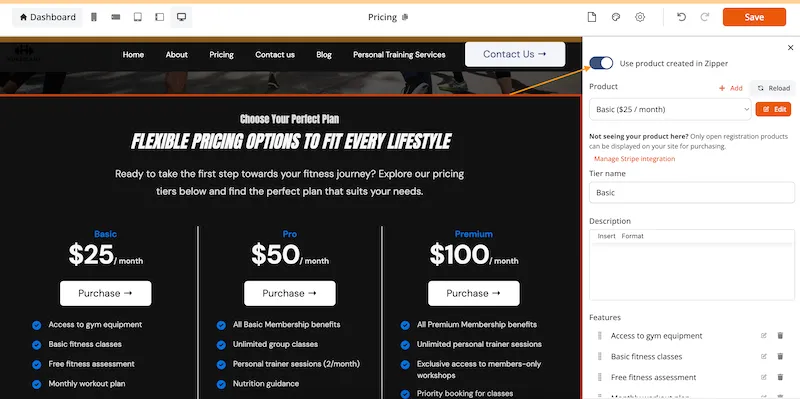
4. Add the product to your website
In the pricing section of your Zipper Website, integrate the product directly. Product detail updates sync to your site automatically.
Need a hand?
Email our team at support@joinzipper.com and we'll usually reply within a few hours.
Was this article helpful?
Thanks for your feedback.